How do I use the Grunge Tiger Streetwear Poster template?
Choose the primary action to open PicX Studio with the available template settings. Review the model and format, personalize the creative direction, and generate when ready.
A stylized urban fashion poster showing a censored-face model in an oversized tiger graphic shirt against a distressed Japanese-inspired graffiti wall, ideal for edgy apparel branding or editorial artwork. Change the subject, setting, or lighting one variable at a time.
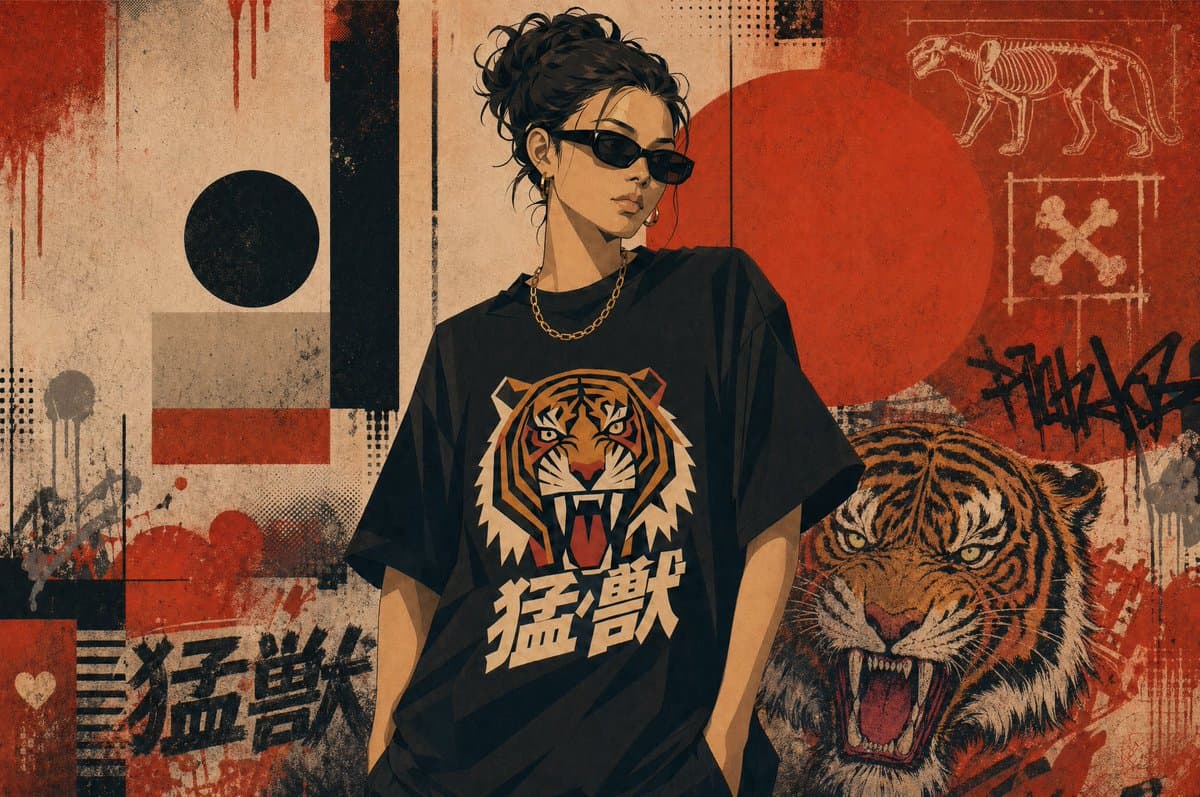
Create a gritty streetwear poster illustration with a single central figure standing in front of an urban collage wall. The person is a stylish young adult with {argument name="hair color" default="dark brown to black"} curly hair tied in a messy bun, wearing black rectangular sunglasses, a short gold chain necklace, and an oversized black graphic T-shirt. The face is intentionally obscured by a vertical blurred rectangular censor block in warm beige-brown tones. The shirt features a large roaring tiger head graphic in orange, cream, black, and red, with bold Japanese kanji text reading {argument name="shirt text" default="猛獣"} beneath it. Show the figure from about mid-thigh up, relaxed posture, one hand tucked in a pocket, fashion-editorial attitude. The background is a distressed mixed-media mural in beige, black, and brick red with heavy grunge texture, paper wear, paint drips, splatters, halftone dots, and graffiti layering. Include 2 large circles: 1 black circle on the left and 1 large red circle behind the figure on the right. Include 3 tall black vertical bars in the composition, plus 1 pale rectangular block and 1 thin horizontal red stripe on the left side. Add 2 visible instances of the kanji text 猛獣 in the wall art, one large black painted version in the lower left and one on the shirt. On the right side of the wall, include 1 detailed roaring tiger illustration in profile/front three-quarter view, mouth open, orange and black striped fur. In the upper right corner, add 2 chalk-like diagram motifs: 1 skeletal big cat drawing and 1 square-framed crossed-bones symbol. Add 1 black graffiti tag near the right edge and 1 small white heart near the lower left. Use a muted vintage palette of tan, rust red, black, cream, and dark orange. The overall style should feel like Japanese-inspired street fashion poster art, raw, rebellious, textured, high-contrast, and screen-printed on worn paper.
Choose the primary action to open PicX Studio with the available template settings. Review the model and format, personalize the creative direction, and generate when ready.
Yes. You can change the subject, setting, lighting, mood, format, and available model controls before creating your image.
This template is free to open and customize. Generation usage is shown in PicX Studio before you create.
Start with GPT Image 2, which is the model associated with this template. You can compare another compatible model for a different finish.
© 2026 PicX Studio. All rights reserved.

Follow a topic to a crawlable collection of related PicX Studio templates.
43,474 public templates available. Verified via the PicX Studio public templates API; refreshed hourly.
![Anime Streetwear Character Poster — Create a stylized illustration of [character_name] from [franchise].
Character Analysis:
Derive the character's core perso](/_next/image?url=https%3A%2F%2Fcdn.picxstudio.com%2Fuploads%2Fmeigen_2b91784d559f_87c1672f-c0f4-427c-b45d-4d6358f7ace4.jpg&w=828&q=100)
![Japan Travel Brochure Poster — Create a vertical vintage travel-brochure infographic poster titled “[COUNTRY/DESTINATION]: [TAGLINE]”, using a warm parchment-pa](/_next/image?url=https%3A%2F%2Fcdn.picxstudio.com%2Fuploads%2Fp0_982bf820-bb34-4c43-8a6d-42d799d7282b.jpg&w=828&q=100)






![Cartoon TV Show Poster Pack — A bold Cartoon Network-style promotional poster for [SHOW], featuring the main characters in a flat 2D illustrated style with thic](/_next/image?url=https%3A%2F%2Fcdn.picxstudio.com%2Fuploads%2Fimg0_107064d3-b797-488a-a32e-d75dea9d3b4c.jpg&w=828&q=100)

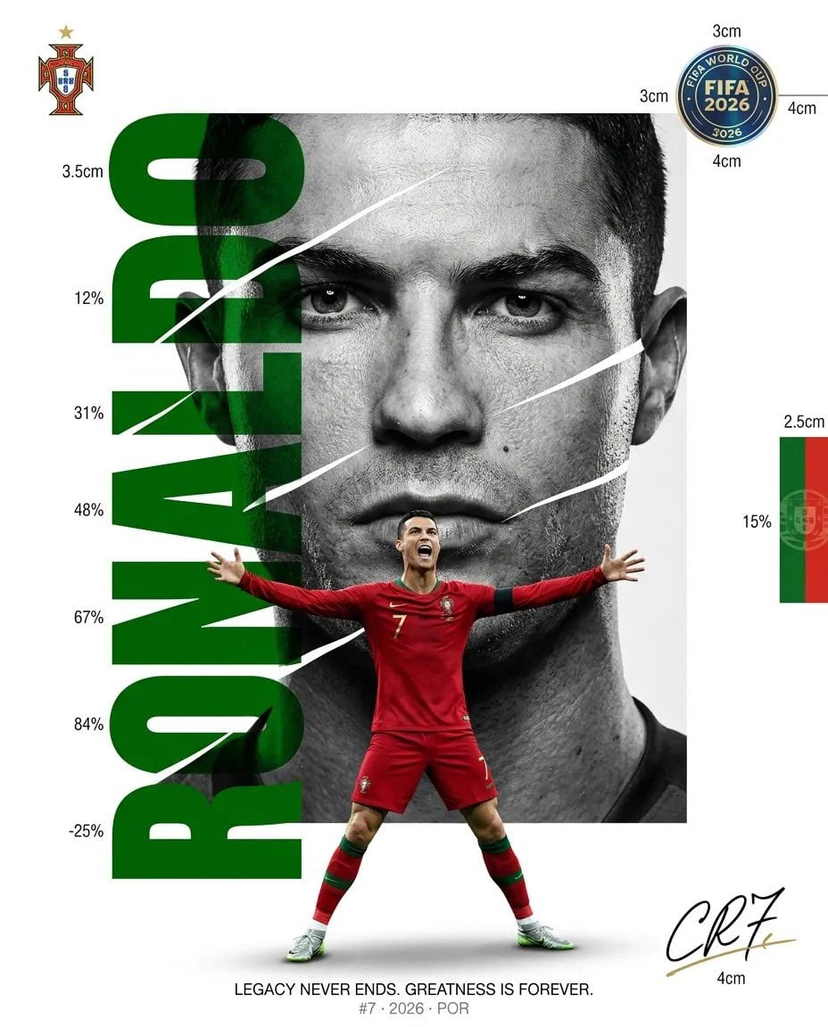






![vertical-football-star-campaign-poster — Create a vertical 9:16 high-resolution football star campaign poster.
Player: [Player Name]
Player concept: [football](/_next/image?url=https%3A%2F%2Fcdn.picxstudio.com%2Fuploads%2Fmeigen_996a192156cb_45d1d198-bb81-4272-be3f-df0eda9f0a74.jpg&w=828&q=100)



![clean-minimalist-player-editorial-poster — A professional sports graphic design poster of [Player Name], designed in a clean, modern, and minimalist editorial s](/_next/image?url=https%3A%2F%2Fcdn.picxstudio.com%2Fuploads%2Fmeigen_5524a0a10196_94b81982-ef58-45e9-8d49-9b017a7f26cb.jpg&w=828&q=100)
![campaign-smoke-national-symbols-world-cup — A hyper-realistic cinematic campaign poster for [Country]. Thick [Color One] and [Color Two] smoke e…](/_next/image?url=https%3A%2F%2Fcdn.picxstudio.com%2Fuploads%2Fmeigen_ce5bae0e0712_50be07ac-9537-419b-9c47-694fe49ef3d8.jpg&w=828&q=100)


![Minimalist Flat Vector Travel Poster — Premium minimalist flat-vector travel poster for {argument name="city name" default="[CITY_NAME]"}, 3:4 vertical format.](https://cms-assets.youmind.com/media/1787917359711_3ug846_HQX205cbMAA6F6S-300x400.jpg)