How do I use the Candlelit Royal Ballroom Couple template?
Choose the primary action to open PicX Studio with the available template settings. Review the model and format, personalize the creative direction, and generate when ready.
Generates a lavish historical-fantasy ballroom portrait of an anonymous royal couple in ornate formal attire, useful for cinematic scene concepts or fantasy cover art. Change the subject, setting, or lighting one variable at a time.
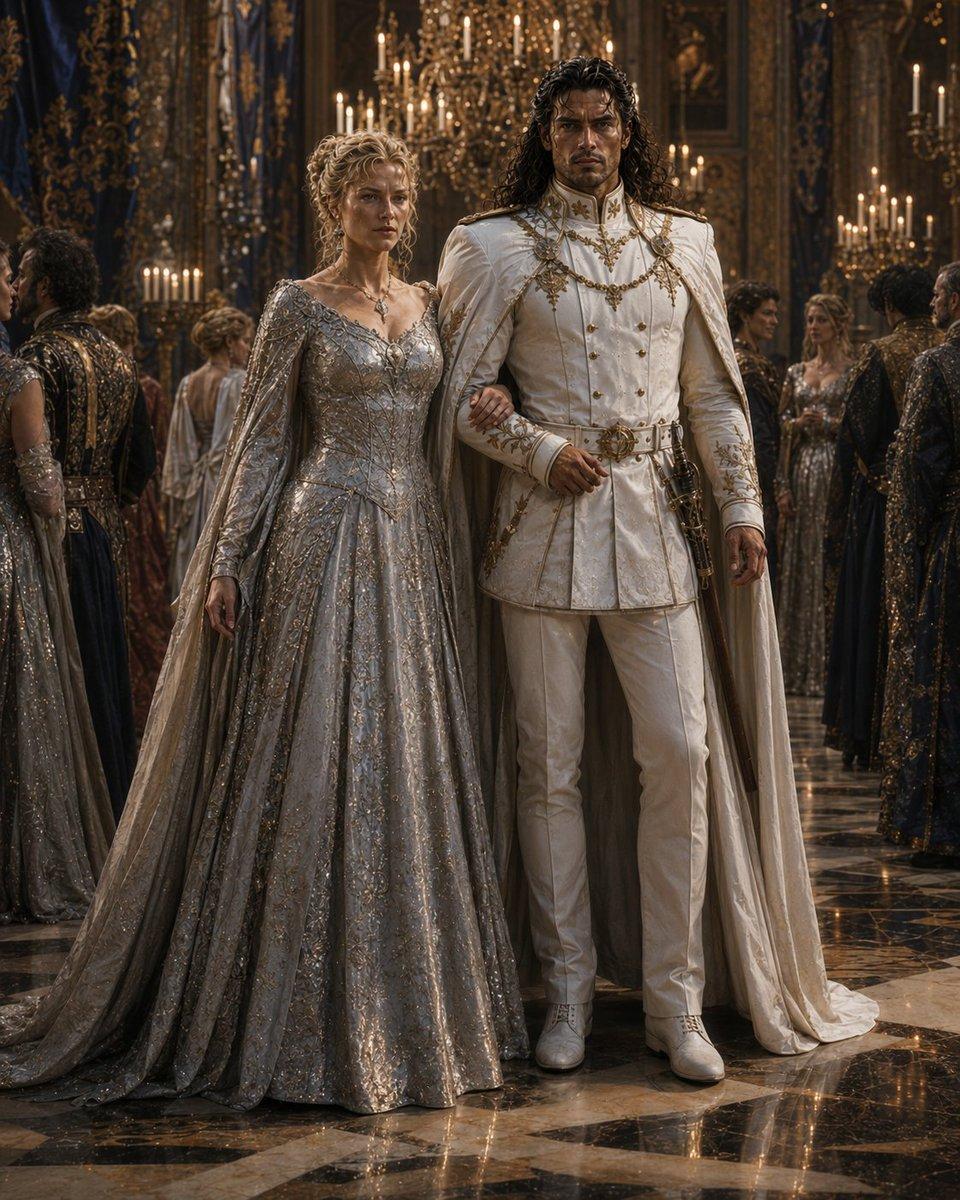
Create a cinematic ultra-detailed fantasy ballroom scene titled {argument name="theme" default="The Ball"}: a full-body royal couple standing arm-in-arm in the center of an opulent candlelit palace ballroom. The woman wears a shimmering silver-gray embroidered ball gown with a wide floor-length skirt, long fitted sleeves, a low elegant neckline, delicate jewelry, and a flowing cape-like train; her curly blonde hair is styled in an elaborate updo. The man is tall with long dark wavy hair, wearing an ornate white ceremonial military-style suit with gold embroidery, gold chains, medals, a high collar, fitted trousers, white boots, a white cloak draped from his shoulders, and a decorative sword at his side. Their faces are intentionally obscured by plain soft brown rectangular masks with no facial features. Surround them with exactly 8 visible background guests in lavish dark and metallic formal gowns and court attire, all with similarly obscured rectangular faces where visible. The ballroom is grand and baroque, with towering gilded walls, blue-and-gold drapery, framed portraits, crystal chandeliers, many glowing candles, and a glossy black-and-cream marble floor reflecting the couple and candlelight. Use warm golden lighting, deep shadows, rich textures, realistic fabric embroidery, sparkling beadwork, cinematic depth of field, symmetrical composition, vertical portrait framing, and high-fashion historical fantasy realism. Avoid modern objects, readable text, logos, or watermarks.
Choose the primary action to open PicX Studio with the available template settings. Review the model and format, personalize the creative direction, and generate when ready.
Yes. You can change the subject, setting, lighting, mood, format, and available model controls before creating your image.
This template is free to open and customize. Generation usage is shown in PicX Studio before you create.
Start with GPT Image 2, which is the model associated with this template. You can compare another compatible model for a different finish.
© 2026 PicX Studio. All rights reserved.

Follow a topic to a crawlable collection of related PicX Studio templates.
43,474 public templates available. Verified via the PicX Studio public templates API; refreshed hourly.










![Minimalist Flat Vector Travel Poster — Premium minimalist flat-vector travel poster for {argument name="city name" default="[CITY_NAME]"}, 3:4 vertical format.](https://cms-assets.youmind.com/media/1787917359711_3ug846_HQX205cbMAA6F6S-300x400.jpg)