How do I use the 90s Nostalgic Tokyo Street Portrait template?
Edit the prompt in the box under the preview — the template's model and format are already selected — and press Generate. Your version appears right on this page.
A film-style prompt that captures a nostalgic 90s aesthetic of a woman walking through Tokyo at dusk, featuring vintage camera props and warm cinematic lighting.

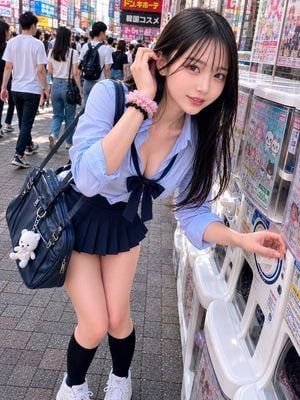
A full-length portrait shot of a {argument name="subject" default="beautiful young woman with long, open, wavy black hair"} smiling warmly while walking across a crosswalk on a {argument name="location" default="Tokyo street"} at dusk. She is holding a small vintage point-and-shoot film camera with both hands at waist level. She is wearing a {argument name="outfit" default="casual denim jacket over a white cropped t-shirt, a matching denim miniskirt"}, and has a small beige canvas camera bag slung over her shoulder. Background: A vibrant, slightly blurred Japanese street scene at twilight. To the left is a brightly lit vending machine and a shop front featuring glowing red and green neon signage with Japanese kanji characters. Pedestrians are blurred walking in the background under warm streetlights. Style & Camera Parameters: 90s film photography aesthetic with a soft, warm nostalgic glow and realistic subtle film grain. Shot on a 35mm lens, f/2.8 aperture, cinematic color grading, preserving natural facial features and skin texture. Vertical 9:16 aspect ratio.
A full-length portrait shot of a {argument name="subject" default="beautiful young woman with long, open, wavy black hair"} smiling warmly while walking across a crosswalk on a {argument name="location" default="Tokyo street"} at dusk. She is holding a small vintage point-and-shoot film camera with both hands at waist level. She is wearing a {argument name="outfit" default="casual denim jacket over a white cropped t-shirt, a matching denim miniskirt"}, and has a small beige canvas camera bag slung over her shoulder. Background: A vibrant, slightly blurred Japanese street scene at twilight. To the left is a brightly lit vending machine and a shop front featuring glowing red and green neon signage with Japanese kanji characters. Pedestrians are blurred walking in the background under warm streetlights. Style & Camera Parameters: 90s film photography aesthetic with a soft, warm nostalgic glow and realistic subtle film grain. Shot on a 35mm lens, f/2.8 aperture, cinematic color grading, preserving natural facial features and skin texture. Vertical 9:16 aspect ratio.
Edit the prompt in the box under the preview — the template's model and format are already selected — and press Generate. Your version appears right on this page.
Yes. You can change the subject, setting, lighting, mood, format, and available model controls before creating your image.
Opening and editing this template is free. Generating uses credits, shown on the Generate button when you are signed in.
Start with Nano Banana 2, which is the model associated with this template. You can compare another compatible model for a different finish.
Follow a topic to a crawlable collection of related PicX Studio templates.