How do I use the Cozy Morning Lifestyle Portrait template?
Choose the primary action to open PicX Studio with the available template settings. Review the model and format, personalize the creative direction, and generate when ready.
A warm and inviting photorealistic portrait prompt of a woman in a cozy hotel room setting with soft natural light.

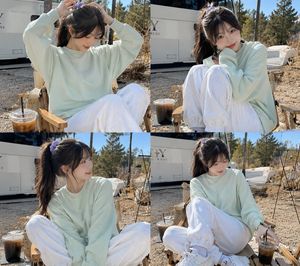
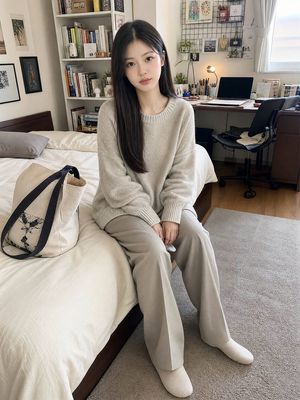
A photorealistic lifestyle portrait of {argument name="name" default="[NAME]"} with a gentle, subtle smile, looking directly at the viewer. She has a half-up, half-down hairstyle with a few loose strands framing her face. Her makeup is minimal, featuring a soft pink blush on her smooth, soft skin and a natural glossy lip color. She is wearing an {argument name="outfit" default="oversized, soft yellow turtleneck blouse with long sleeves and ruffled cuffs"}. She is kneeling on a bed in a cozy hotel room, with her legs tucked behind her. In her right hand, she holds a small green ceramic coffee cup near her chin, her well-manicured nails visible, while her left arm rests casually extended by her side in a relaxed, slightly forward-leaning posture. She is positioned on {argument name="bedding" default="messy, rumpled pink sheets and pillows"}, set against a solid green wall. Soft, diffused natural light streams in from a window to the front-right, creating a bright, calm, and inviting cozy morning atmosphere. The lighting casts delicate, minimal shadows and subtle highlights on her face, hair, and clothing, while maintaining a natural contrast and visual separation from the softly lit background. Medium waist-up portrait, eye-level angle, shot with an 85mm portrait lens featuring a shallow depth of field and soft bokeh. Highly detailed, 8k resolution, with a sharp focus on the model's face and eyes. Aspect ratio 9:16.
Choose the primary action to open PicX Studio with the available template settings. Review the model and format, personalize the creative direction, and generate when ready.
Yes. You can change the subject, setting, lighting, mood, format, and available model controls before creating your image.
This template is free to open and customize. Generation usage is shown in PicX Studio before you create.
Start with Nano Banana 2, which is the model associated with this template. You can compare another compatible model for a different finish.
Follow a topic to a crawlable collection of related PicX Studio templates.