
Pretzel Maker Storyboard Poster
Creates a wide 16:9 storyboard infographic for an 8-shot animated Bavarian pretzel-making sequence.
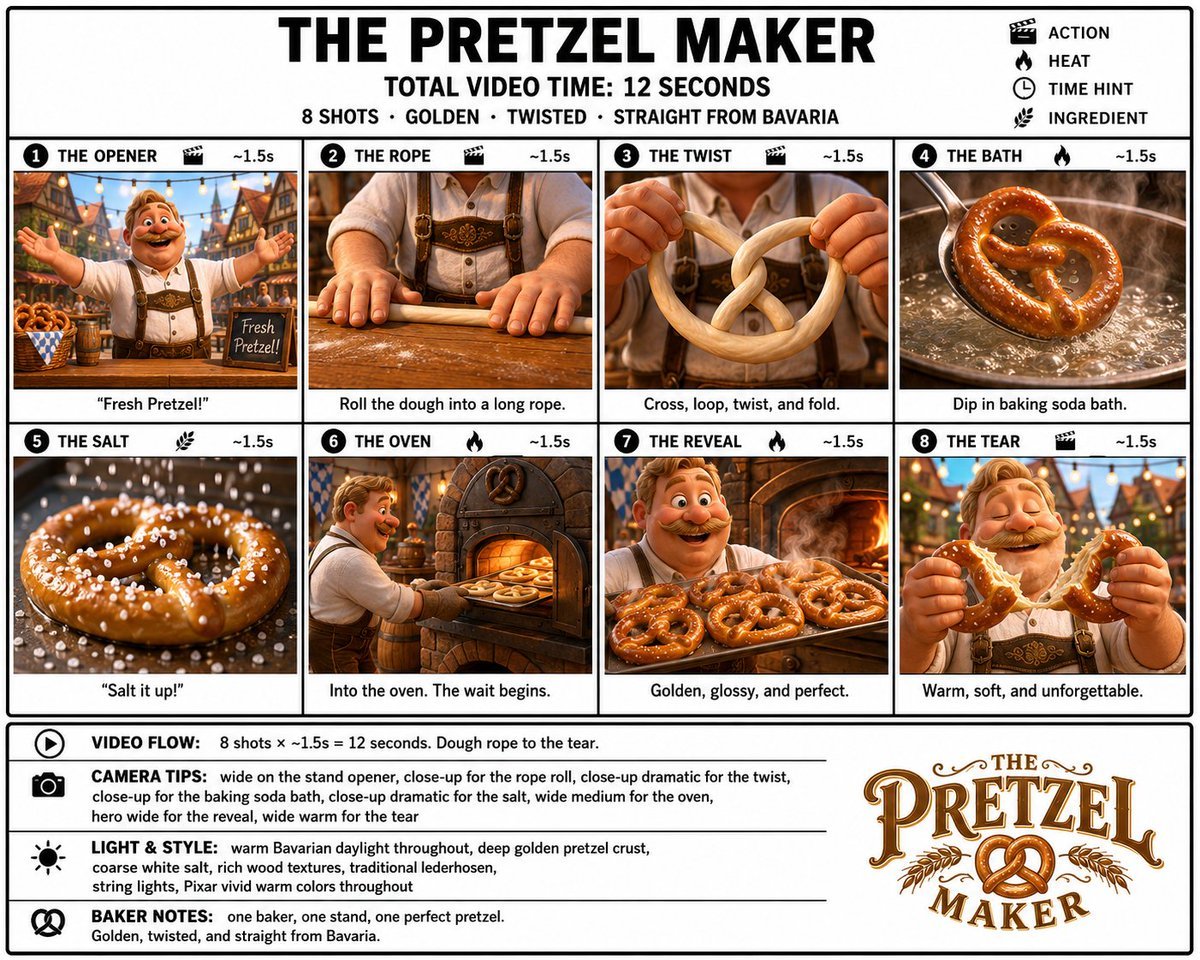
- Prompt included
- Model and format preset
- Premium template
The prompt behind this image
Copy the exact prompt behind Pretzel Maker Storyboard Poster, or open it in the studio and make it yours.
Goal: Create a crisp, clean infographic storyboard poster for {argument name="story title" default="THE PRETZEL MAKER"}, showing a premium Pixar-like 3D animated food-making sequence with a cheerful Bavarian baker and golden pretzels. Canvas: Wide 16:9 poster on a white background with thick black outer border, black grid lines, bold black typography, and a polished storyboard/production-board layout. Use bright vivid colors, warm Bavarian daylight, cozy tavern and bakery interiors, deep golden-brown pretzel crust, glossy highlights, coarse white salt, rich wooden textures, traditional lederhosen, string lights, and shallow cinematic depth of field. Header: Large centered headline “THE PRETZEL MAKER”. Under it, centered text “TOTAL VIDEO TIME: 12 SECONDS”. Beneath that, smaller line: “8 SHOTS · GOLDEN · TWISTED · STRAIGHT FROM BAVARIA”. Top-right legend with 4 black icons and labels: clapperboard “ACTION”, flame “HEAT”, clock “TIME HINT”, wheat stalk “INGREDIENT”. Main layout: Use exactly 8 storyboard panels arranged in a 2-row by 4-column grid. Each panel has a black numbered circle at top-left, an uppercase shot title, a small relevant icon, and “~1.5s” at the top-right. Each panel contains a cinematic 3D render and a short caption below the image. Storyboard panels, exactly 8: 1. “THE OPENER” with clapperboard icon, ~1.5s: a jolly mustached Bavarian baker in lederhosen stands in a festive village market or beer-hall street with arms wide open, smiling at the viewer; baskets of pretzels and a small chalkboard reading “Fresh Pretzel!” are visible. Caption: “Fresh Pretzel!” 2. “THE ROPE” with clapperboard icon, ~1.5s: close-up of the baker’s hands rolling dough on a floured wooden table into a long rope, apron and suspenders visible in the background. Caption: “Roll the dough into a long rope.” 3. “THE TWIST” with clapperboard icon, ~1.5s: close-up of hands holding pale dough, crossing and looping it into the classic pretzel shape. Caption: “Cross, loop, twist, and fold.” 4. “THE BATH” with flame icon, ~1.5s: a shaped pretzel is dipped in a bubbling baking soda bath in a metal pan, steam rising dramatically. Caption: “Dip in baking soda bath.” 5. “THE SALT” with wheat/ingredient icon, ~1.5s: extreme close-up of a glossy pretzel covered with coarse white salt crystals falling through the air. Caption: “Salt it up!” 6. “THE OVEN” with flame icon, ~1.5s: the baker slides a tray of pretzels into a rustic brick oven glowing orange. Caption: “Into the oven. The wait begins.” 7. “THE REVEAL” with flame icon, ~1.5s: the happy baker presents a tray full of freshly baked glossy golden pretzels in front of a warm oven, steam and shine visible. Caption: “Golden, glossy, and perfect.” 8. “THE TEAR” with clapperboard icon, ~1.5s: close-up hero shot of the baker joyfully tearing open a warm pretzel, soft interior stretching, eyes closed in delight. Caption: “Warm, soft, and unforgettable.” Bottom information band: Add a bordered notes area spanning the width below the panels. Left side contains exactly 4 horizontal note rows with black icons and bold labels: 1. Play icon, “VIDEO FLOW:” followed by “8 shots × ~1.5s = 12 seconds. Dough rope to the tear.” 2. Camera icon, “CAMERA TIPS:” followed by “wide on the stand opener, close-up for the rope roll, close-up dramatic for the twist, wide medium for the bath, close-up dramatic for the salt, wide medium for the oven, hero wide for the reveal, wide warm for the tear” 3. Sun/light icon, “LIGHT & STYLE:” followed by “warm Bavarian daylight throughout, deep golden pretzel crust, coarse white salt, rich wood textures, traditional lederhosen, string lights, Pixar vivid warm colors throughout” 4. Pretzel icon, “BAKER NOTES:” followed by “one baker, one stand, one perfect pretzel. Golden, twisted, and straight from Bavaria.” Logo area: In the lower-right of the notes band, create a decorative vintage Bavarian logo reading “THE PRETZEL MAKER” with ornate brown-and-gold serif lettering, flourishes, wheat branches, and a pretzel icon in the center. Constraints: Keep all text sharp and readable, use clean black dividers, maintain exact 8-shot count, keep the total time as {argument name="total video time" default="12 seconds"}, keep the per-shot duration as {argument name="shot duration" default="~1.5s"}, feature {argument name="main character" default="one cheerful mustached Bavarian baker in lederhosen"}, and keep the food style focused on {argument name="featured food" default="golden glossy Bavarian pretzels"}. No extra panels, no watermark, no photorealistic grunge; make it polished, premium, colorful, and production-ready.
How to use Pretzel Maker Storyboard Poster in 3 steps
- 1Upload ImagePNG, JPG or paste
Add your photo
Upload the photo the template builds on. The prompt, model and format are already set.
- 2…a portrait of your subject in softgolden-hour light, 85mm…
Personalize
Edit the subject and creative details for your destination.
- 3Generate
Generate
Press Generate — your image is created in PicX Studio, so you can compare it with the original and refine one variable at a time.
More like this
Templates with the same subject, style or setup. Open one to see its prompt.

Japan Travel Brochure Poster

Cartoon TV Show Poster Pack

Trendy Cafe Drink Promo Poster

Urban Fashion Editorial Collage Streetwear Poster

Premium Fashion Editorial Cover Layout System

Polo Ralph Lauren Luxury American Heritage Fashion Campaign

Monochrome Halftone Editorial Fashion Poster
Retro Mirror Luxury Fashion Campaign Poster
Luxury Fashion Campaign Typography Poster System
Premium Fashion Editorial Campaign Poster System
Ultra-Stylized High-Fashion Streetwear Poster
Urban Fashion Editorial Collage Poster
Make it yours
Pretzel Maker Storyboard Poster works as-is. These are the safest ways to change it without losing the look.
Change one field
Copy a single group, rewrite it, and generate again so you can see what that field is doing.
Keep the frame, change the subject
Hold the composition and light of Pretzel Maker Storyboard Poster, then swap wardrobe, props or the person for a new take.
| If the result… | Why | Fix |
|---|---|---|
| The result drifts from the preview | Too many fields changed at once. | Reuse Pretzel Maker Storyboard Poster as-is first, then change one group — subject, light, or setting. |
| The model over-stylizes the scene | The prose prompt leaves finish and camera underspecified. | Add one camera or lighting sentence and stay on GPT Image 2. |
More GPT Image 2 templates
Other prompts made for GPT Image 2.

Six VTuber Japanese Logo Sheet

Realistic Portrait of Woman and Deer

The Vista Modular Condo Poster

AI Model Routing Comparison Infographic

2.5D Anime Art Board

Isometric Productivity Desk Scene

New York Double Exposure Poster

Four-Panel AI Landscape Comparison

Japanese Tatami Lifestyle Magazine Cover

NESCAFÉ Coffee Map Poster
More image prompts
Fresh picks from across the catalog.
FACS Action Units Reference Grid
Ultra-luxurious Perfume Campaign
Cinematic Portrait of a Stylish Young Man
Premium Studio Shot of Blueberry Mint Iced Drink
Panel Christmas Photobooth Sticker Generator
Cinematic Cyberpunk Portrait Pair
Japanese Google Homepage Screenshot

Wireframe to Corporate Web Banner

untitled
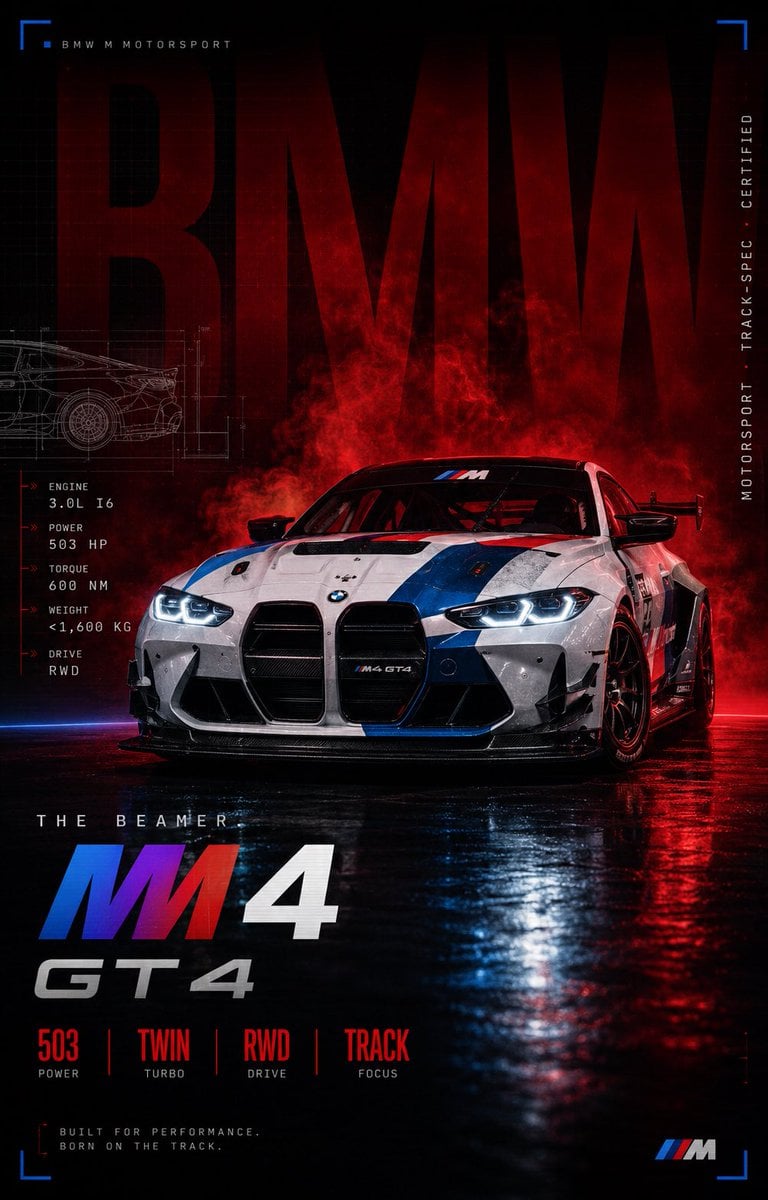
BMW M4 GT4 Motorsport Poster
Browse template categories
Pretzel Maker Storyboard Poster questions
How do I use the Pretzel Maker Storyboard Poster template?
Add your photo if the template asks for one, edit the prompt if you like — the template's model and format are already selected — and press Generate. Your version opens in PicX Studio.
Can I customize the Pretzel Maker Storyboard Poster template?
Yes. You can change the subject, setting, lighting, mood, format, and available model controls before creating your image.
Is the Pretzel Maker Storyboard Poster template free?
Opening and editing this template is free. Generating uses credits, shown on the Generate button when you are signed in.
Which AI model should I use?
Start with GPT Image 2, which is the model associated with this template. You can compare another compatible model for a different finish.
Looking for something else? Browse all templates.

Your photo, any look
Thousands of ready templates for every top image and video model, from one credit balance.