How do I use the Crystal Palace Blue Gown Contact Sheet template?
Choose the primary action to open PicX Studio with the available template settings. Review the model and format, personalize the creative direction, and generate when ready.
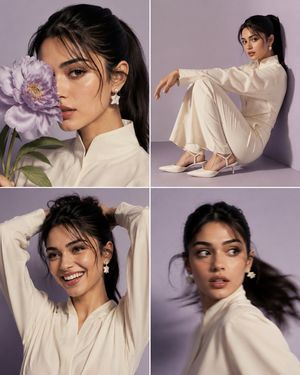
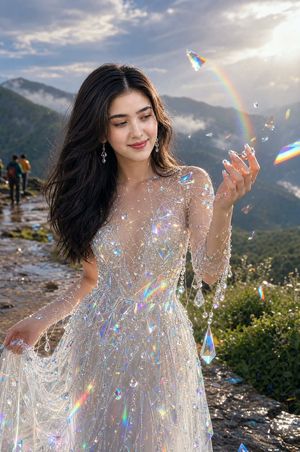
A six-panel luxury fashion editorial collage featuring a model in a sapphire gown inside an icy crystal palace.
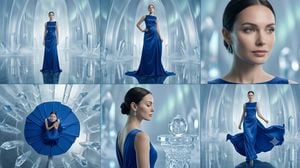
Create a cinematic fashion editorial contact sheet made of exactly 6 panels arranged in a 3-column by 2-row grid, separated by thin dark dividers, on a wide 16:9 canvas. The subject is a poised female fashion model wearing a {argument name="dress color" default="deep sapphire blue"} floor-length satin evening gown with elegant draping, a sleeveless high neckline, fitted waist, and long flowing skirt. The setting in every panel is an icy crystal palace with translucent arched walls, giant quartz-like crystal formations, cool blue-white mist, glossy reflective ice floors, and soft ethereal lighting. Panel 1, top left: full-body front view of the model standing centered in the distant crystal hall, dress falling straight to the floor with a small train reflection. Panel 2, top center: full-body three-quarter fashion pose, one hand on hip, gown pooling at the feet, face covered by a small neutral gray rectangular privacy block. Panel 3, top right: close-up portrait crop from shoulders to top of head, showing slick dark hair, blue dress neckline, dangling silver earrings, and a large neutral gray rectangular block obscuring the face. Panel 4, bottom left: overhead top-down shot of the model seated or crouched in the center of a dramatic circular fan of the blue gown, surrounded by radiating ice crystals, face covered by a small gray block. Panel 5, bottom center: back and side profile close-up of the model with a low elegant bun, bare upper back and blue shoulder strap visible, standing beside a carved crystal pedestal topped with a glass sphere, face covered by a medium gray rectangle. Panel 6, bottom right: full-body walking shot with the model holding the sides of the gown as it billows outward, reflective floor below, face covered by a small gray block. Use a luxury fantasy fashion photography style, high-end campaign lighting, cool cyan and silver palette, realistic fabric sheen, crisp crystal refractions, shallow depth of field in close-ups, and no text or logos.
Choose the primary action to open PicX Studio with the available template settings. Review the model and format, personalize the creative direction, and generate when ready.
Yes. You can change the subject, setting, lighting, mood, format, and available model controls before creating your image.
This template is free to open and customize. Generation usage is shown in PicX Studio before you create.
Start with GPT Image 2, which is the model associated with this template. You can compare another compatible model for a different finish.
Follow a topic to a crawlable collection of related PicX Studio templates.