How do I use the After Light Cinematic Portrait Poster template?
Choose the primary action to open PicX Studio with the available template settings. Review the model and format, personalize the creative direction, and generate when ready.
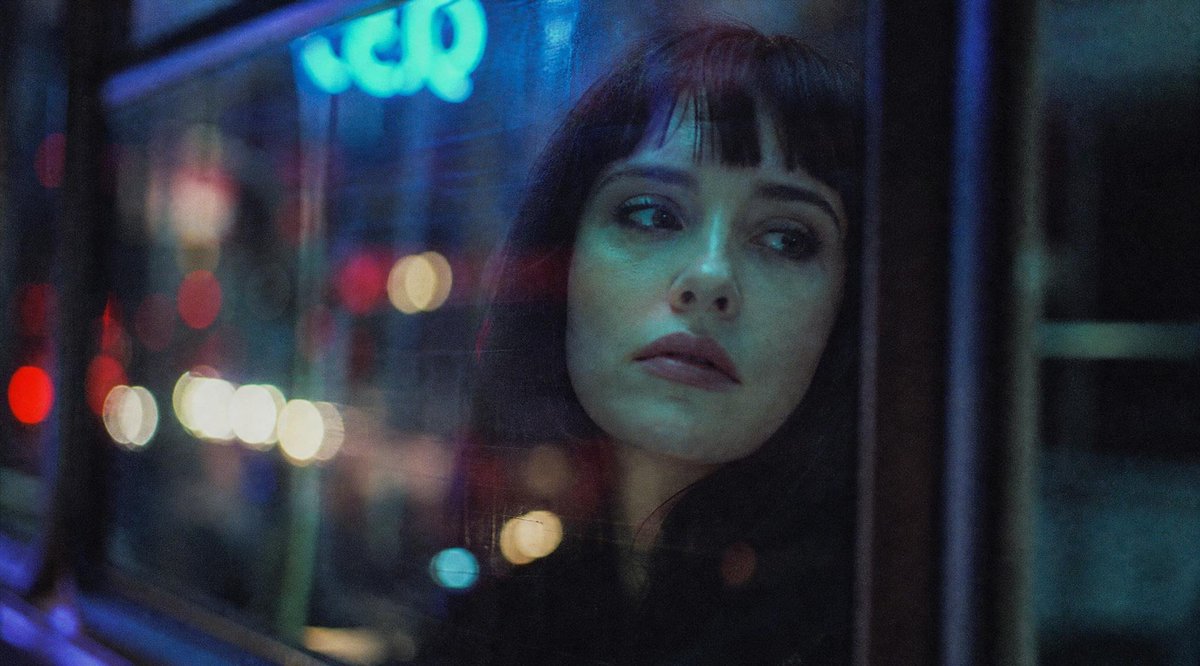
Generates a moody vertical art-house fashion poster with a fog-veiled portrait, red eye makeup, glass-fragment detail, and elegant editorial typography.
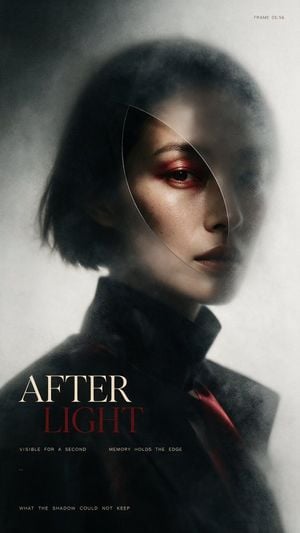
Create a vertical cinematic fashion poster in a dark, atmospheric editorial style. The image shows a close-up portrait of an androgynous young woman with a short messy black bob haircut, pale skin, sharp cheekbones, and a serious distant expression, turned slightly three-quarters to the viewer. Only one eye is clearly visible, accented with deep red smoky eye makeup; lips are dark muted plum. Her face is partially obscured by soft gray fog, translucent haze, and a delicate curved oval shard-like outline crossing over the face, as if seen through a thin piece of glass or a memory fragment. She wears a high-collared black coat or tailored jacket with a subtle dark red accent near the lower right. Lighting is moody and low-key, with a soft highlight on the visible cheek and forehead, heavy shadows, shallow depth of field, film grain, and a blurred charcoal-to-off-white background. Composition: portrait centered slightly to the right, head occupying the upper half, shoulders fading into darkness at the bottom. Add elegant magazine/poster typography in the lower left: large serif title text with exactly 2 stacked words, “{argument name="top title word" default="AFTER"}” in warm ivory and “{argument name="bottom title word" default="LIGHT"}” in dark blood red. Include exactly 4 additional small text elements: top-right tiny monospaced text “{argument name="frame label" default="FRAME 05:56"}”; beneath the title a thin spaced-out line reading “VISIBLE FOR A SECOND MEMORY HOLDS THE EDGE”; a tiny mark near the lower-left reading “1.9”; and a bottom-left spaced-out line reading “{argument name="bottom caption" default="WHAT THE SHADOW COULD NOT KEEP"}”. Use a refined art-house film poster aesthetic, smoky texture, muted desaturated palette, off-white margins of haze, realistic skin detail, no extra people, no extra text, no logos, no watermark.
Choose the primary action to open PicX Studio with the available template settings. Review the model and format, personalize the creative direction, and generate when ready.
Yes. You can change the subject, setting, lighting, mood, format, and available model controls before creating your image.
This template is free to open and customize. Generation usage is shown in PicX Studio before you create.
Start with GPT Image 2, which is the model associated with this template. You can compare another compatible model for a different finish.
Follow a topic to a crawlable collection of related PicX Studio templates.