How do I use the Watercolor Illustration of Guitar Player template?
Edit the prompt in the box under the preview — the template's model and format are already selected — and press Generate. Your version appears right on this page.
A delicate watercolor and ink illustration of a young girl playing an acoustic guitar in a Japanese artbook style.

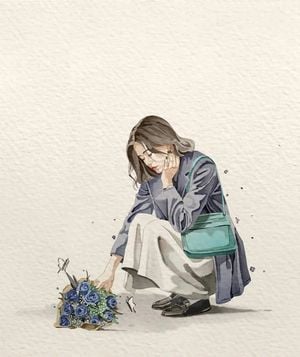
{ "A delicate watercolor illustration of a young girl sitting cross-legged on the ground, softly playing a mint-green acoustic guitar. She has short dark hair with bangs, wearing a white ringer t-shirt, blue jeans, and black shoes. Small yellow and blue flowers are scattered around her feet, with a few pastel butterflies floating nearby. Minimal composition with lots of negative space, centered subject, soft hand-painted brush strokes, subtle ink outlines, textured off-white paper background, dreamy and calm atmosphere, gentle shadows, expressive watercolor bleeding, elegant Japanese sketchbook style.", "style": { "medium": "watercolor and ink", "texture": "textured paper", "mood": "peaceful, nostalgic, soft", "detail": "medium-high" }, "camera": { "angle": "top-front slight angle", "framing": "full body centered" }, "aspect_ratio": "4:5" } { "A minimalist watercolor illustration of a woman walking away while holding a transparent umbrella above her head. She wears a flowing white dress tied with a black belt, ankle boots, and carries a small brown shoulder bag. Her dress moves gently in the wind, with ribbon strands flowing behind her. She walks on a simple tiled pathway with tiny grass growing between cracks. Large negative space around subject, soft watercolor washes in pale blue, gray, and white, delicate ink sketch lines, subtle paint splashes, textured off-white paper background, serene rainy-day atmosphere, elegant Japanese artbook style.", "style": { "medium": "watercolor and ink", "texture": "paper grain", "mood": "quiet, airy, melancholic", "detail": "medium-high" }, "camera": { "angle": "rear view eye-level", "framing": "full body centered" }, "aspect_ratio": "4:5" }
{ "A delicate watercolor illustration of a young girl sitting cross-legged on the ground, softly playing a mint-green acoustic guitar. She has short dark hair with bangs, wearing a white ringer t-shirt, blue jeans, and black shoes. Small yellow and blue flowers are scattered around her feet, with a few pastel butterflies floating nearby. Minimal composition with lots of negative space, centered subject, soft hand-painted brush strokes, subtle ink outlines, textured off-white paper background, dreamy and calm atmosphere, gentle shadows, expressive watercolor bleeding, elegant Japanese sketchbook style.", "style": { "medium": "watercolor and ink", "texture": "textured paper", "mood": "peaceful, nostalgic, soft", "detail": "medium-high" }, "camera": { "angle": "top-front slight angle", "framing": "full body centered" }, "aspect_ratio": "4:5" } { "A minimalist watercolor illustration of a woman walking away while holding a transparent umbrella above her head. She wears a flowing white dress tied with a black belt, ankle boots, and carries a small brown shoulder bag. Her dress moves gently in the wind, with ribbon strands flowing behind her. She walks on a simple tiled pathway with tiny grass growing between cracks. Large negative space around subject, soft watercolor washes in pale blue, gray, and white, delicate ink sketch lines, subtle paint splashes, textured off-white paper background, serene rainy-day atmosphere, elegant Japanese artbook style.", "style": { "medium": "watercolor and ink", "texture": "paper grain", "mood": "quiet, airy, melancholic", "detail": "medium-high" }, "camera": { "angle": "rear view eye-level", "framing": "full body centered" }, "aspect_ratio": "4:5" }
Edit the prompt in the box under the preview — the template's model and format are already selected — and press Generate. Your version appears right on this page.
Yes. You can change the subject, setting, lighting, mood, format, and available model controls before creating your image.
Opening and editing this template is free. Generating uses credits, shown on the Generate button when you are signed in.
Start with GPT Image 2, which is the model associated with this template. You can compare another compatible model for a different finish.
Follow a topic to a crawlable collection of related PicX Studio templates.