How do I use the Golden Rice Harvest Maiden template?
Edit the prompt in the box under the preview — the template's model and format are already selected — and press Generate. Your version appears right on this page.
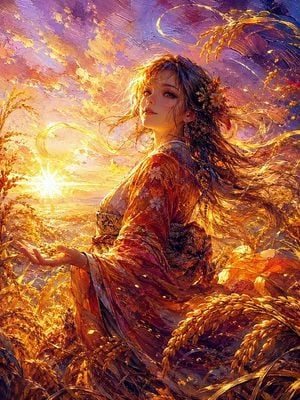
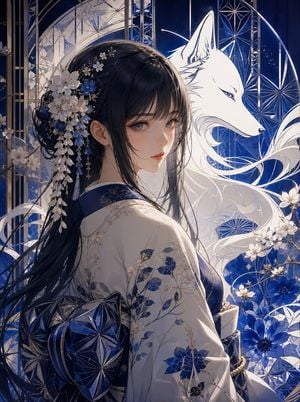
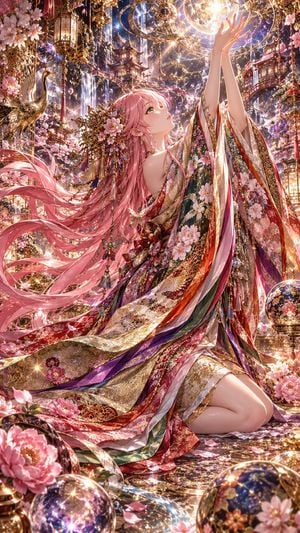
A radiant anime-style auspicious harvest maiden portrait with rice ears, golden light, and a sacred good-luck atmosphere.

This template uses your photo — add one with the + button.
Create a luminous vertical anime-style fantasy portrait of {argument name="character name" default="a golden harvest maiden"} surrounded by abundant ripe rice stalks and swirling golden light. She is shown from the chest up in a graceful three-quarter profile, looking upward toward the bright sun at the left with a serene, hopeful expression, large amber eyes, soft peach lips, delicate lashes, and smooth fair skin. Her {argument name="hair color" default="long flowing golden-blonde hair"} streams dramatically in the wind, blending with glowing ribbons of light and drifting rice petals. She wears an elegant white and pale gold kimono with subtle floral brocade patterns, a golden inner collar, a dark obi belt with ornate gold accents, and dangling gold earrings. A decorative cluster of rice ears and green leaves is tucked behind her right ear like a harvest crown. The scene is filled with exactly four prominent rice-stalk groups: one crown-like cluster at her temple, one sweeping arc across the upper background, one blurred foreground cluster at the lower right, and one smaller flowing stalk trail behind her hair. Use a warm sunrise palette of gold, amber, cream, and soft sky blue, with sparkling bokeh, glowing dust motes, curved magical light trails, and a strong backlit sun flare. The background should feel like an open harvest field transformed into a sacred lucky charm, auspicious and protective, with no text, no logo, no watermark. Highly detailed gpt-image-2 anime illustration, cinematic lighting, ethereal atmosphere, sharp focus on the face, shallow depth of field, radiant golden particles, vertical 4:5 composition.
Create a luminous vertical anime-style fantasy portrait of {argument name="character name" default="a golden harvest maiden"} surrounded by abundant ripe rice stalks and swirling golden light. She is shown from the chest up in a graceful three-quarter profile, looking upward toward the bright sun at the left with a serene, hopeful expression, large amber eyes, soft peach lips, delicate lashes, and smooth fair skin. Her {argument name="hair color" default="long flowing golden-blonde hair"} streams dramatically in the wind, blending with glowing ribbons of light and drifting rice petals. She wears an elegant white and pale gold kimono with subtle floral brocade patterns, a golden inner collar, a dark obi belt with ornate gold accents, and dangling gold earrings. A decorative cluster of rice ears and green leaves is tucked behind her right ear like a harvest crown. The scene is filled with exactly four prominent rice-stalk groups: one crown-like cluster at her temple, one sweeping arc across the upper background, one blurred foreground cluster at the lower right, and one smaller flowing stalk trail behind her hair. Use a warm sunrise palette of gold, amber, cream, and soft sky blue, with sparkling bokeh, glowing dust motes, curved magical light trails, and a strong backlit sun flare. The background should feel like an open harvest field transformed into a sacred lucky charm, auspicious and protective, with no text, no logo, no watermark. Highly detailed gpt-image-2 anime illustration, cinematic lighting, ethereal atmosphere, sharp focus on the face, shallow depth of field, radiant golden particles, vertical 4:5 composition.
Edit the prompt in the box under the preview — the template's model and format are already selected — and press Generate. Your version appears right on this page.
Yes. You can change the subject, setting, lighting, mood, format, and available model controls before creating your image.
Opening and editing this template is free. Generating uses credits, shown on the Generate button when you are signed in.
Start with GPT Image 2, which is the model associated with this template. You can compare another compatible model for a different finish.
Follow a topic to a crawlable collection of related PicX Studio templates.