How do I use the Anime Beach Character Regeneration template?
Choose the primary action to open PicX Studio with the available template settings. Review the model and format, personalize the creative direction, and generate when ready.
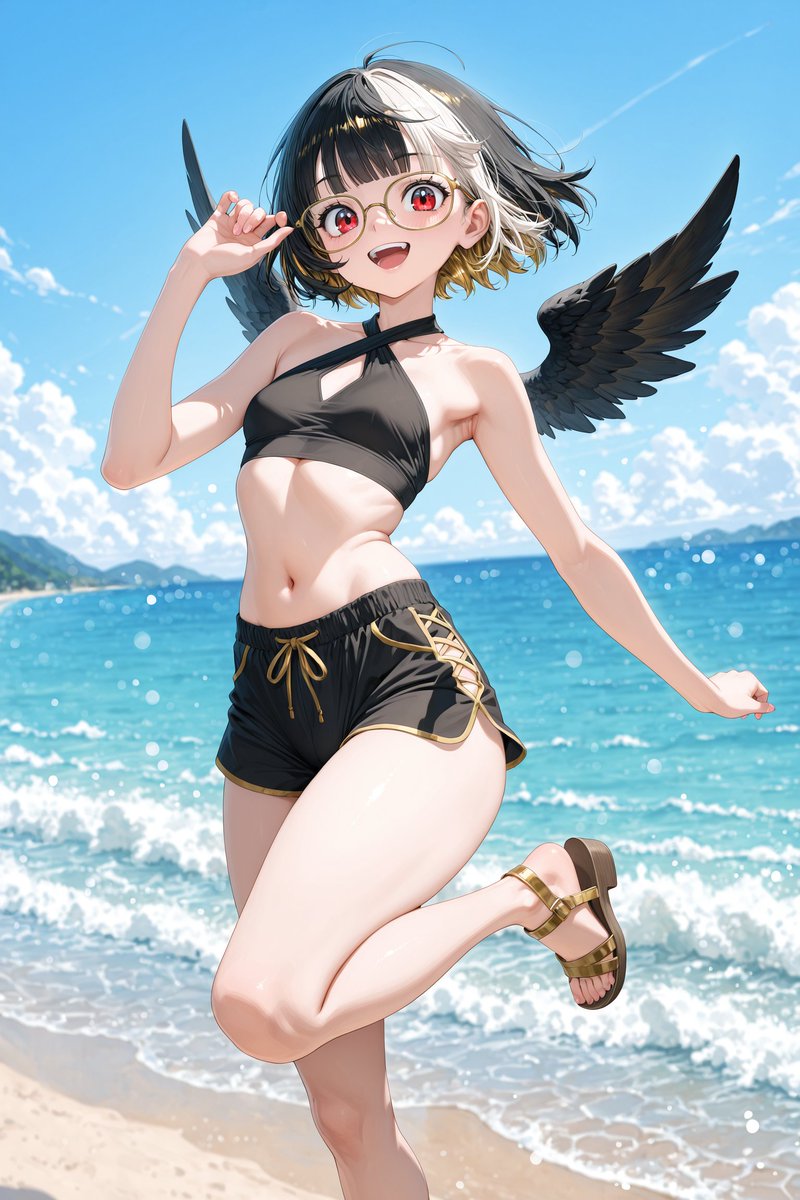
Transforms a reference anime beach character into a more dynamic glossy summer illustration with a playful pose and dramatic spread wings.

Using the provided reference image as the character base, regenerate the same anime beach character as a polished high-resolution illustration with a slightly closer, more dynamic front-facing composition. Keep the core identity, two-tone bob haircut, red eyes, round glasses, black wings, black-and-gold swim outfit, and gold sandals, but refine the anatomy and outfit into a more dramatic glossy anime style. Pose and composition: Change the pose so the character leans forward toward the viewer with a cheerful open-mouth smile. Have one hand lightly touching or adjusting the glasses near the face, the other arm extended out to the side for balance, and one leg lifted backward in a playful beach pose. Make the wings much larger and fully spread across the frame, extending nearly edge to edge. Setting and additions: Keep the tropical beach setting, but make the ocean more vivid turquoise and the sky a deeper bright blue with large fluffy white clouds. Add stronger sunlight from the upper left, visible lens flare, sparkling water highlights, floating water droplets/bubbles, and a small splash near the sand at the bottom. Include distant green islands or coastline on both sides of the horizon. Style: Create a vibrant, glossy, detailed anime illustration with crisp linework, saturated colors, cinematic lighting, soft skin shading, detailed feather texture, and sparkling summer atmosphere. Avoid text, logos, borders, or watermarks.
Anime Beach Character Regeneration needs input media to work. Open it in the studio and these load alongside the prompt — pick whichever ones your chosen model can take.
Choose the primary action to open PicX Studio with the available template settings. Review the model and format, personalize the creative direction, and generate when ready.
Yes. You can change the subject, setting, lighting, mood, format, and available model controls before creating your image.
This template is free to open and customize. Generation usage is shown in PicX Studio before you create.
Start with GPT Image 2, which is the model associated with this template. You can compare another compatible model for a different finish.
Follow a topic to a crawlable collection of related PicX Studio templates.