How do I use the Cinematic Lamborghini Night Scene template?
Choose the primary action to open PicX Studio with the available template settings. Review the model and format, personalize the creative direction, and generate when ready.
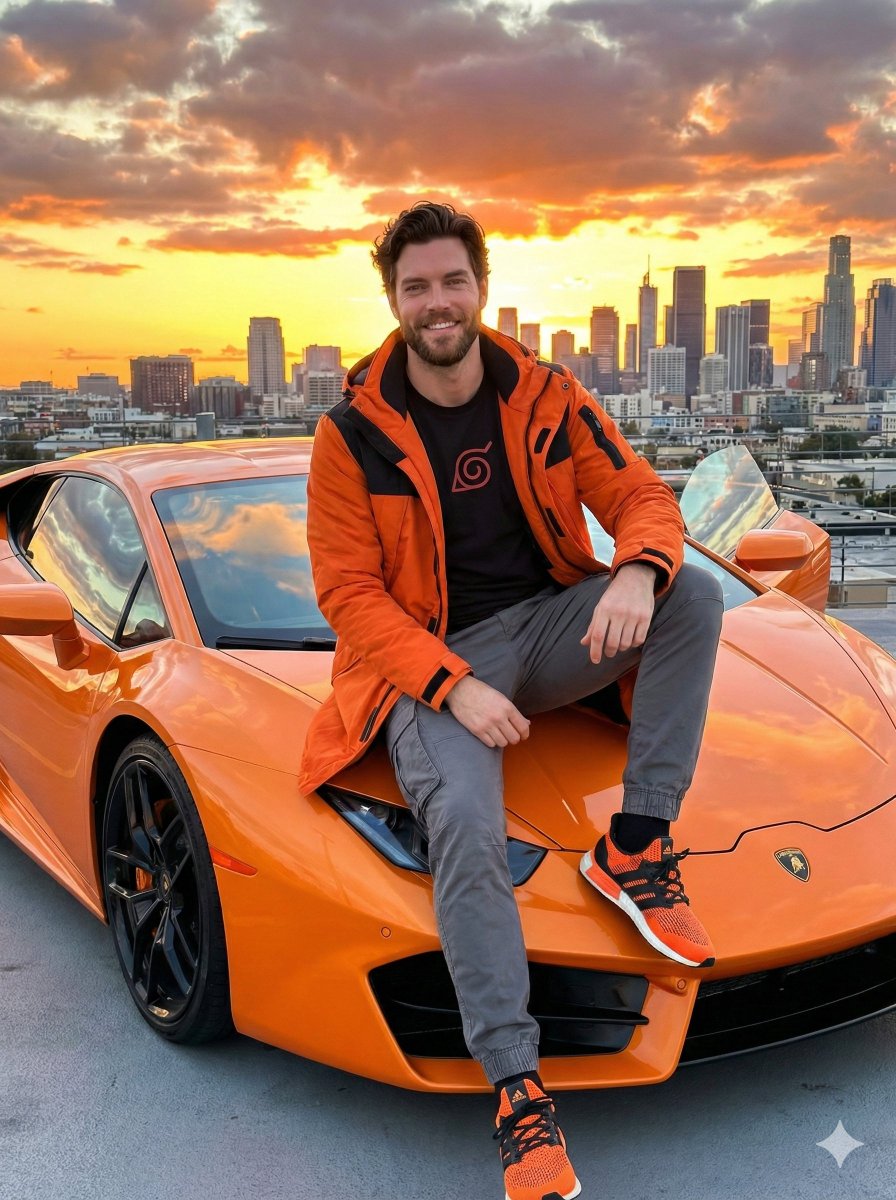
A dramatic photorealistic prompt for generating a full-body shot of a man next to an orange Lamborghini in a neon-lit urban environment like Tokyo.
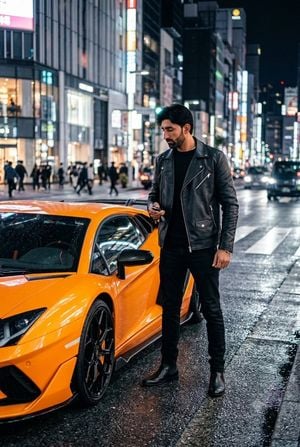
Using uploaded face 100% realistic. A cinematic, photorealistic full body shot captured from an eye-level angle on a {argument name="location" default="wet city street at night in a modern metropolis (like Tokyo or Dubai)"}. The man, based on [my-face-reference-photo], stands powerfully next to the driver's door of a striking, aggressively styled {argument name="car" default="bright orange Lamborghini Aventador SVJ"}. He has styled hair and a groomed beard. He wears a sleek, dark monochromatic look: a {argument name="outfit" default="black leather biker jacket over a black fine-gauge sweater, black slim-fit jeans, and black leather Chelsea boots"}. He holds the car key fob, looking at the car with a proud, intense expression. The car's angular bodywork and carbon fiber details are highly visible, reflecting the neon city lights. The asphalt is wet from recent rain, creating brilliant reflections of colorful neon signs and streetlights. The background is a blur of urban nightlife, skyscrapers, and wet streets. The lighting is dramatic low-key night lighting with strong color casts from the neon signs. Shot on an 85mm lens with an f/1.8 aperture, creating beautiful bokeh from the city lights and reflections.. must: 2:3r [upload face as reference 100%]
Choose the primary action to open PicX Studio with the available template settings. Review the model and format, personalize the creative direction, and generate when ready.
Yes. You can change the subject, setting, lighting, mood, format, and available model controls before creating your image.
This template is free to open and customize. Generation usage is shown in PicX Studio before you create.
Start with GPT Image 2, which is the model associated with this template. You can compare another compatible model for a different finish.
Follow a topic to a crawlable collection of related PicX Studio templates.