How do I use the Explosive Classical Composer Artwork template?
Choose the primary action to open PicX Studio with the available template settings. Review the model and format, personalize the creative direction, and generate when ready.
A dramatic cinematic prompt for generating a classical composer consumed by fiery musical chaos and emotional intensity.

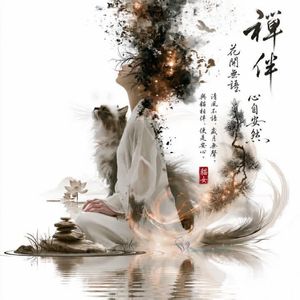
Create a cinematic widescreen 16:9 digital artwork showing {argument name="character" default="a Romantic-era classical composer and pianist"} in dramatic side-profile at the center-left, wearing a black 19th-century formal suit, white shirt, and cravat, eyes closed and face lifted as if overwhelmed by music. Place a black grand piano in the lower left, partly swallowed by dark ink splatter. The background should be split emotionally: on the left, an aged parchment beige wall with faint stains, scratches, and flowing curved musical staff lines with black notes; on the right, an explosive abstract burst of {argument name="energy color" default="red, orange, and black"} like a violent emotional gunfight, with sparks, shards, ink, smoke, and radial speed lines shooting outward. Add floating sheet-music fragments, bright white and black musical notes, violin/cello silhouettes, strings, and glowing streaks flying through the composition. Make the composer’s hair and upper body dissolve into the explosion, with black splatter transitioning into fiery particles. Use high contrast chiaroscuro lighting, painterly photorealistic textures, intense motion, dramatic orchestral energy, no text, no watermark, no frame.
Choose the primary action to open PicX Studio with the available template settings. Review the model and format, personalize the creative direction, and generate when ready.
Yes. You can change the subject, setting, lighting, mood, format, and available model controls before creating your image.
This template is free to open and customize. Generation usage is shown in PicX Studio before you create.
Start with GPT Image 2, which is the model associated with this template. You can compare another compatible model for a different finish.
Follow a topic to a crawlable collection of related PicX Studio templates.