How do I use the Rainy Day Relaxed Black Cat template?
Choose the primary action to open PicX Studio with the available template settings. Review the model and format, personalize the creative direction, and generate when ready.
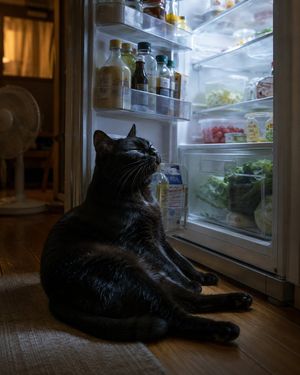
A photorealistic cozy rainy-day room scene featuring a black cat sprawled upside down on a rug by a rain-covered window.

Create a cozy photorealistic interior scene of a {argument name="cat color" default="black"} cat lying belly-up on a textured beige rug, completely relaxed with all four legs stretched outward in a starfish pose, head upside down toward the camera, eyes closed, tiny paws and whiskers visible. The cat is indoors beside a large wooden-framed floor-to-ceiling window covered in many raindrops, with a rainy garden or balcony softly blurred outside. Use a warm rainy-day atmosphere: soft natural gray light from the window mixed with a small amber table lamp glow in the background. Include exactly 5 main visible furnishing/background elements: 1 large rain-speckled window, 1 beige floor cushion leaning by the window, 1 low wooden side table or shelf with stacked books, 1 lit table lamp with a warm shade, and 1 ceramic mug on the rug near the cat. Add sheer cream curtains, wooden floor trim, muted brown walls, and shallow depth of field. Composition: vertical 4:5 photo, cat centered in the lower half, window filling the right side, cozy room details on the left, realistic fur texture, cinematic soft focus, no text, no people, no watermark.
Choose the primary action to open PicX Studio with the available template settings. Review the model and format, personalize the creative direction, and generate when ready.
Yes. You can change the subject, setting, lighting, mood, format, and available model controls before creating your image.
This template is free to open and customize. Generation usage is shown in PicX Studio before you create.
Start with GPT Image 2, which is the model associated with this template. You can compare another compatible model for a different finish.
Follow a topic to a crawlable collection of related PicX Studio templates.