How do I use the Immersive 4DX Cinema Scene template?
Choose the primary action to open PicX Studio with the available template settings. Review the model and format, personalize the creative direction, and generate when ready.
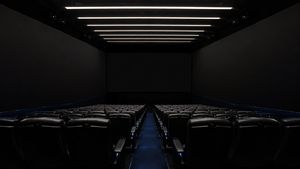
A cinematic prompt for generating a realistic wide-angle scene inside a 4DX theater, featuring an audience and a massive curved screen.

Ultra realistic cinematic {argument name="theater type" default="4DX theater"} scene, wide angle shot from inside a {argument name="lighting" default="dark"} cinema hall, audience seated in rows holding up smartphones filming. A massive {argument name="screen type" default="IMAX / 4DX"} curved screen dominates the room. The screen is breaking the boundary
Choose the primary action to open PicX Studio with the available template settings. Review the model and format, personalize the creative direction, and generate when ready.
Yes. You can change the subject, setting, lighting, mood, format, and available model controls before creating your image.
This template is free to open and customize. Generation usage is shown in PicX Studio before you create.
Start with GPT Image 2, which is the model associated with this template. You can compare another compatible model for a different finish.
Follow a topic to a crawlable collection of related PicX Studio templates.