
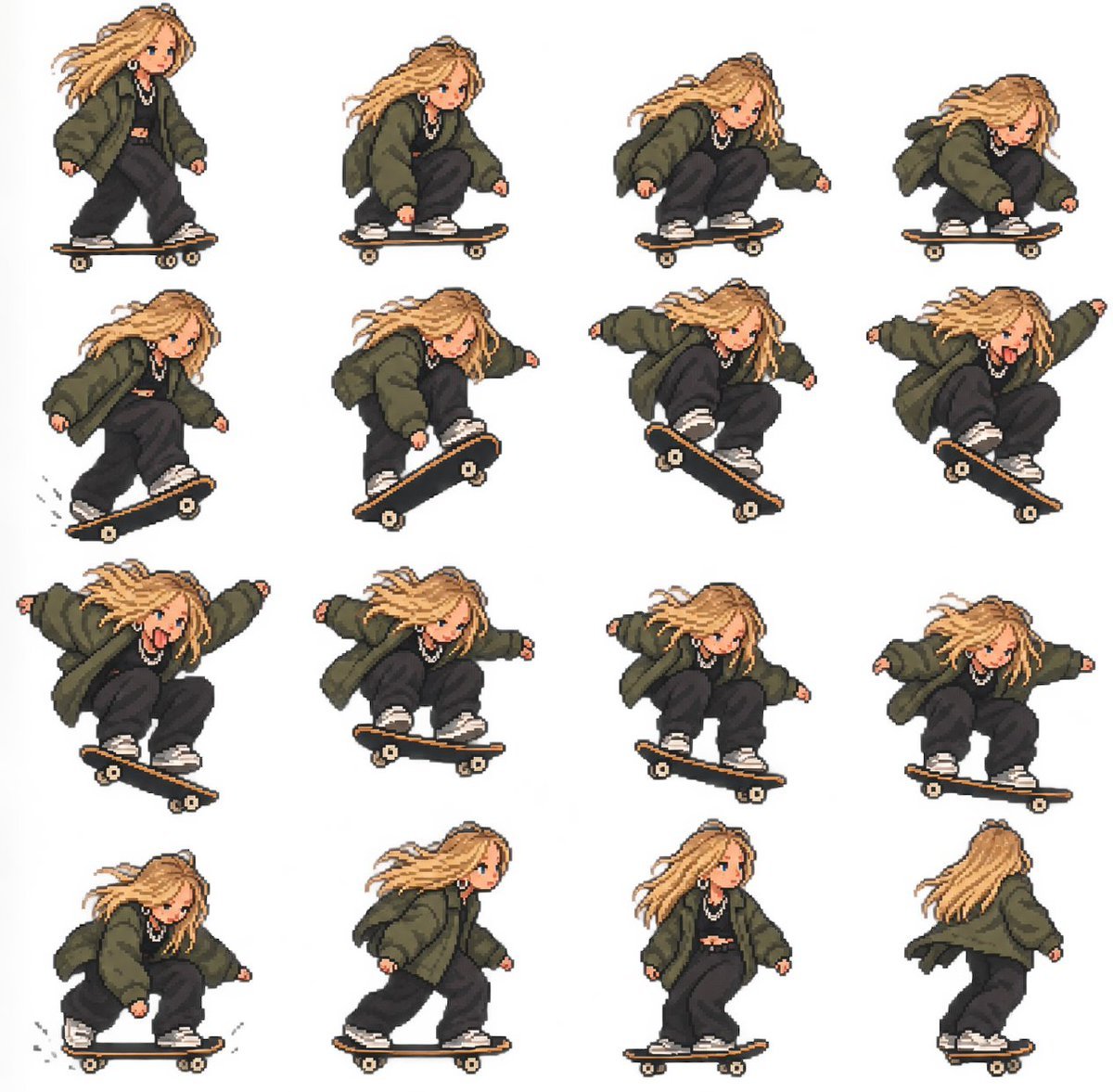
Pixel Art Skateboard Girl Sprite Sheet
Creates a 4x4 retro pixel-art sprite sheet of a streetwear girl performing a skateboard trick sequence for GIF animation or game assets.
- Prompt included
- Model and format preset
- Free template
The prompt behind this image
Copy the exact prompt behind Pixel Art Skateboard Girl Sprite Sheet, or open it in the studio and make it yours.
Goal: Create a clean 4x4 pixel-art sprite sheet of {argument name="character name" default="a stylish street girl"} skateboarding, suitable for animating into a GIF. Canvas: Square canvas, white or transparent background, no borders, no text, no watermark. Arrange exactly 16 separate full-body sprites in an evenly spaced 4 columns by 4 rows grid, each sprite isolated with consistent scale and generous white space. Visual style: High-quality retro pixel art with crisp blocky edges, limited palette, soft cel shading, cute chibi proportions, expressive face, dynamic hair motion, and a video-game character sprite-sheet feel. Character details: A young streetwear girl with {argument name="hair color" default="long messy blonde hair"} blowing with motion, small blue eyes, peach skin, silver hoop earrings, chunky silver chain necklace, oversized dark olive bomber jacket, black cropped top, baggy black pants, and white sneakers. Keep her proportions and outfit consistent across all frames. Skateboard details: A black skateboard with a tan wooden edge, small beige wheels, and pixelated trucks. The board angle changes with the trick, but the design remains consistent. Sprite count and poses: Include exactly 16 sprites, ordered left to right, top to bottom: 1. Standing upright on the skateboard, rolling forward, hair streaming left. 2. Beginning to crouch on the board, knees bent, one hand low. 3. Deep crouch preparing for a trick, body leaning forward. 4. Very low crouch, face focused, one hand near the board. 5. Rolling with board slightly tilted upward, crouched and balanced. 6. Popping the board upward, front foot lifting, hair flying. 7. Midair trick with board angled diagonally, arms out for balance. 8. Higher midair trick, board steeply angled, tongue sticking out playfully. 9. Peak jump pose, arms wide, tongue out, board crossing diagonally beneath her. 10. Descending from the trick, board nearly level, arms extended. 11. Landing crouch, board angled slightly, focused expression. 12. Stabilizing after landing, low stance with arms out. 13. Low rolling landing with small motion marks beside the wheels. 14. Rising from crouch while rolling forward, side profile. 15. Upright cruising pose, side profile, relaxed expression. 16. Rear-view cruising pose, showing her back and flowing hair. Constraints: Keep all 16 sprites the same character and scale, preserve a tidy grid layout, avoid extra props, avoid background scenery, and make the sheet readable as an animation sequence.
How to use Pixel Art Skateboard Girl Sprite Sheet in 3 steps
- 1Upload ImagePNG, JPG or paste
Add your photo
Upload the photo the template builds on. The prompt, model and format are already set.
- 2…a portrait of your subject in softgolden-hour light, 85mm…
Personalize
Edit the subject and creative details for your destination.
- 3Generate
Generate
Press Generate — your image is created in PicX Studio, so you can compare it with the original and refine one variable at a time.
More like this
Templates with the same subject, style or setup. Open one to see its prompt.
Red Alert Style Pixel Sprite Sheet
Cartoon Girl Skateboarding With Dog

Cute Blue Water Slime Pixel Sprite
Chibi Mascot Fighting Sprite Sheet

Character Battle Motion Sprite Sheet
Cartoon Character GIF Sprite Sheet

Teen Girl Alpine Lake Mountain View
Skateboarding Girl in Traditional Sari

Anime Lantern Girl Character Sheet

Gothic Girl Character Turnaround Sheet

Pixel Limited Finale Fireworks

Pixel Limited Garden Maze
Make it yours
Pixel Art Skateboard Girl Sprite Sheet works as-is. These are the safest ways to change it without losing the look.
Change one field
Copy a single group, rewrite it, and generate again so you can see what that field is doing.
Keep the frame, change the subject
Hold the composition and light of Pixel Art Skateboard Girl Sprite Sheet, then swap wardrobe, props or the person for a new take.
| If the result… | Why | Fix |
|---|---|---|
| The result drifts from the preview | Too many fields changed at once. | Reuse Pixel Art Skateboard Girl Sprite Sheet as-is first, then change one group — subject, light, or setting. |
| The model over-stylizes the scene | The prose prompt leaves finish and camera underspecified. | Add one camera or lighting sentence and stay on GPT Image 2. |
More GPT Image 2 templates
Other prompts made for GPT Image 2.

Six VTuber Japanese Logo Sheet

Realistic Portrait of Woman and Deer

The Vista Modular Condo Poster

AI Model Routing Comparison Infographic

2.5D Anime Art Board

Isometric Productivity Desk Scene

New York Double Exposure Poster

Four-Panel AI Landscape Comparison

Japanese Tatami Lifestyle Magazine Cover

NESCAFÉ Coffee Map Poster
More image prompts
Fresh picks from across the catalog.
1️⃣character prompt: Create a highly detailed fan

Censored Vintage Noir Film Still

2x2 SNS School Banner Ad Grid

Vintage Goa Travel Poster

Cinematic Composite Portrait of Multiple Emotional Selves
Cinematic Golden Glow Close-up Prompt

3D Caricature Meme Portrait

Fairy Tale Woodcut Engraving Style

Romantic Weekend Getaway Poster
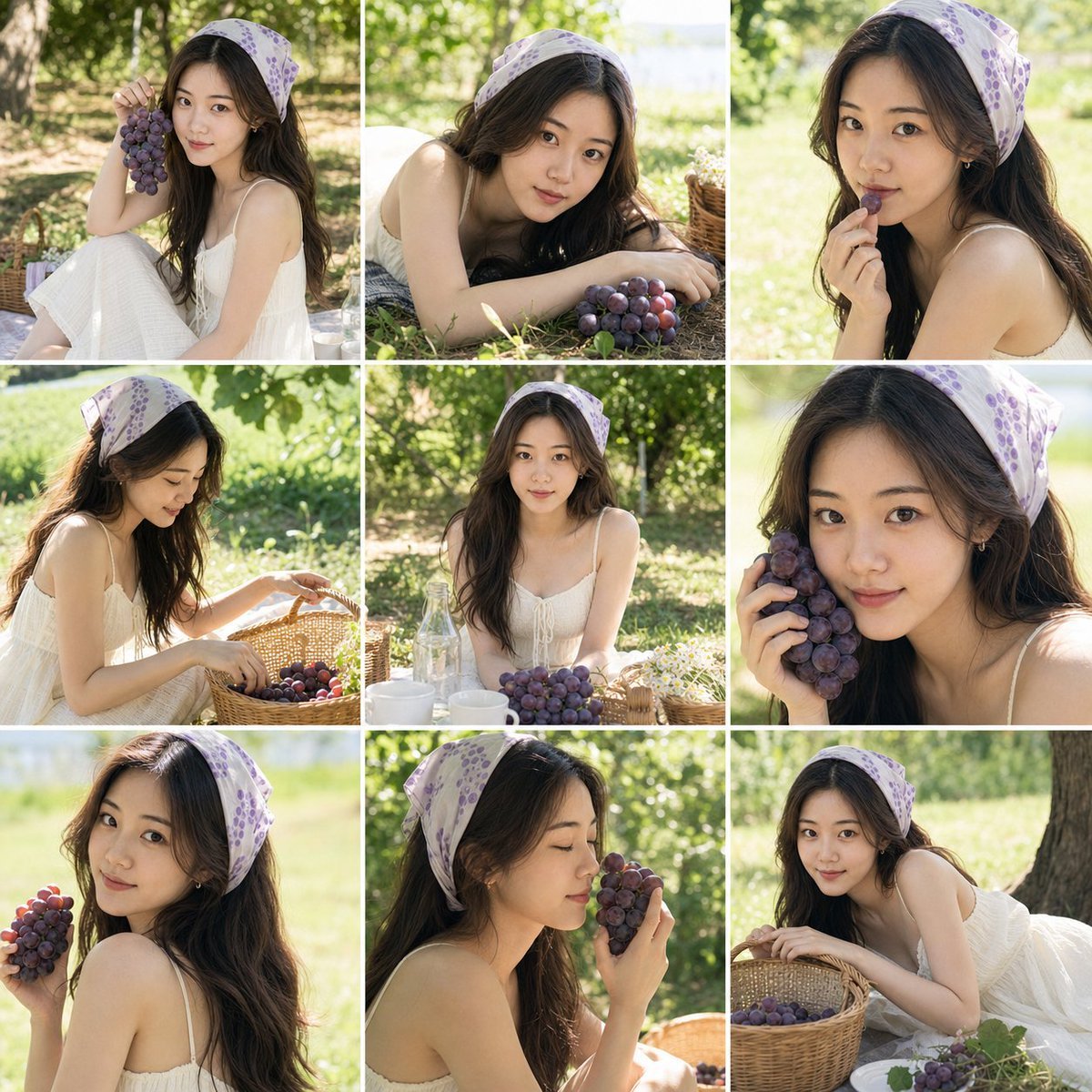
Summer Grape Girl Photo Series
Browse template categories
Pixel Art Skateboard Girl Sprite Sheet questions
How do I use the Pixel Art Skateboard Girl Sprite Sheet template?
Add your photo if the template asks for one, edit the prompt if you like — the template's model and format are already selected — and press Generate. Your version opens in PicX Studio.
Can I customize the Pixel Art Skateboard Girl Sprite Sheet template?
Yes. You can change the subject, setting, lighting, mood, format, and available model controls before creating your image.
Is the Pixel Art Skateboard Girl Sprite Sheet template free?
Opening and editing this template is free. Generating uses credits, shown on the Generate button when you are signed in.
Which AI model should I use?
Start with GPT Image 2, which is the model associated with this template. You can compare another compatible model for a different finish.
Looking for something else? Browse all templates.

Your photo, any look
Thousands of ready templates for every top image and video model, from one credit balance.