
Modern Anime Fashion Character
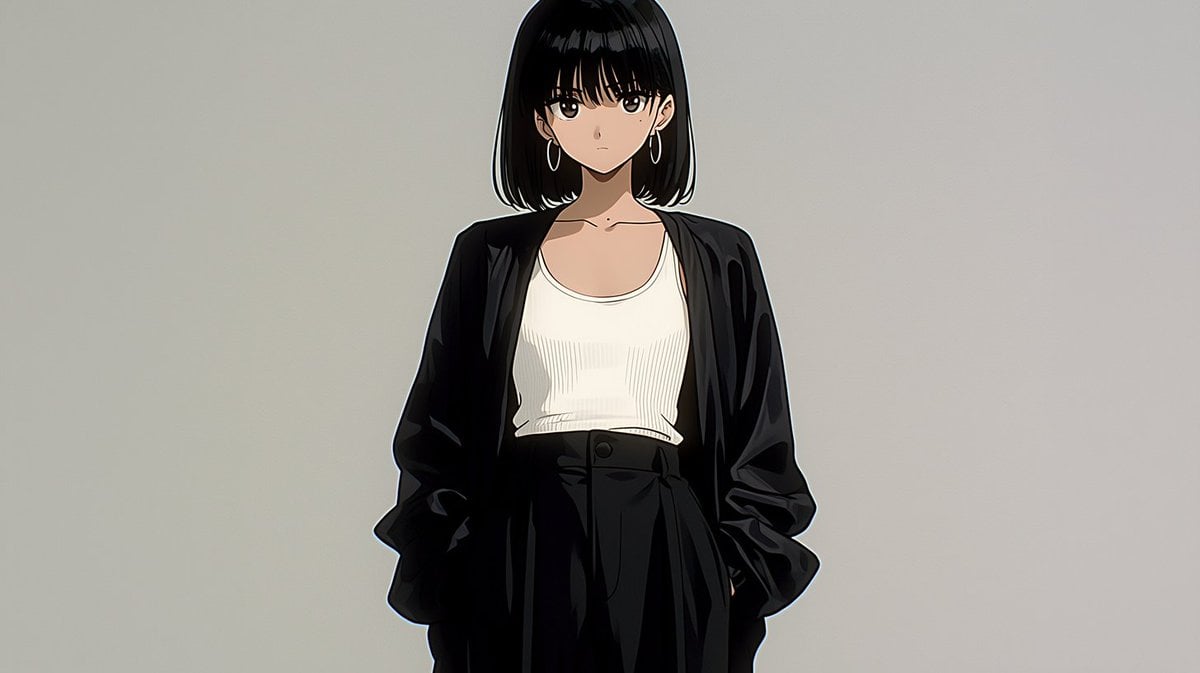
Creates a clean 16:9 anime fashion portrait from a loose Japanese graphic reference, useful for music-video character visuals or concept art.
- Prompt included
- Model and format preset
- Free template
The prompt behind this image
Copy the exact prompt behind Modern Anime Fashion Character, or open it in the studio and make it yours.
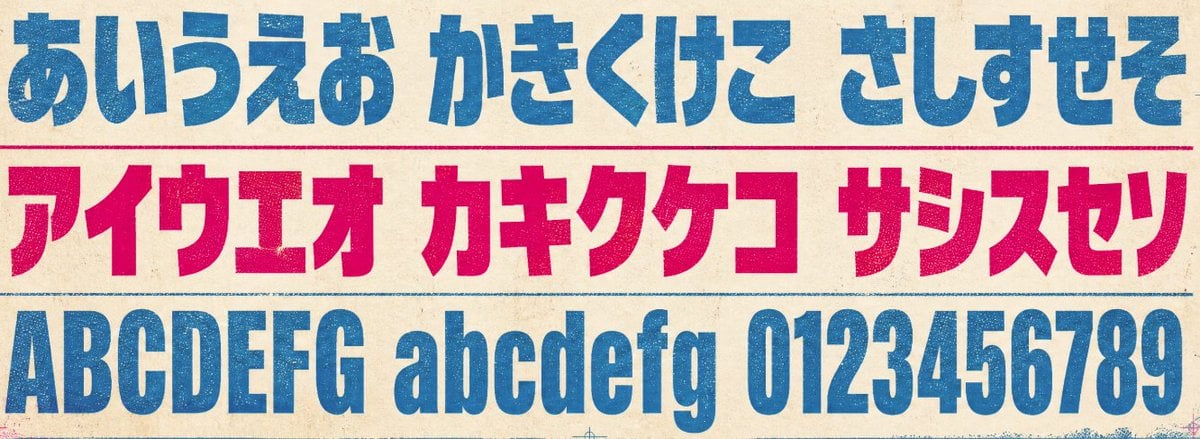
Using REFERENCE_0 only as a loose mood reference for a Japanese retro/graphic sensibility, create a clean anime-style character shot instead of typography. Replace all lettering with one original young woman centered on a plain light gray studio background. Character: a serious, fashionable anime woman with {argument name="hair color" default="black"} shoulder-length bob hair and straight bangs, facing forward with a calm neutral expression. Wardrobe/accessories: include exactly 4 visible fashion elements — 1 oversized black open jacket, 1 fitted white ribbed tank top, 1 pair of high-waisted black pleated trousers, and 1 pair of silver hoop earrings. Composition: medium full-body crop from head to upper thighs, centered slightly high, hands tucked in pockets, minimal negative space, cinematic 16:9 frame. Style: polished modern anime illustration with crisp line art, soft cel shading, subtle highlights on black fabric, natural skin tones, no text, no logo, no watermark.
Reference images included
Modern Anime Fashion Character needs input media to work. They load alongside the prompt when you open it in the studio.
How to use Modern Anime Fashion Character in 3 steps
- 1Upload ImagePNG, JPG or paste
Add your photo
Upload the photo the template builds on. The prompt, model and format are already set.
- 2…a portrait of your subject in softgolden-hour light, 85mm…
Personalize
Edit the subject and creative details for your destination.
- 3Generate
Generate
Press Generate — your image is created in PicX Studio, so you can compare it with the original and refine one variable at a time.
More like this
Templates with the same subject, style or setup. Open one to see its prompt.

80s College Gate

1988 Mall Style

80s Polka Dot Saree

Modern Korean Fashion Editorial Board
Modern Fashion Editorial Poster
Paper Cut Craft Illustration
Modern Interior Casual Fashion Portrait
Modern Fashion Editorial Collage Poster

Cel 2D Finale Fireworks
Cel 2D Underwater Reef
Cel 2D Library Night
Anime Splash Mountain Drop
Make it yours
Modern Anime Fashion Character works as-is. These are the safest ways to change it without losing the look.
Change one field
Copy a single group, rewrite it, and generate again so you can see what that field is doing.
Keep the frame, change the subject
Hold the composition and light of Modern Anime Fashion Character, then swap wardrobe, props or the person for a new take.
| If the result… | Why | Fix |
|---|---|---|
| The result drifts from the preview | Too many fields changed at once. | Reuse Modern Anime Fashion Character as-is first, then change one group — subject, light, or setting. |
| The model over-stylizes the scene | The prose prompt leaves finish and camera underspecified. | Add one camera or lighting sentence and stay on GPT Image 2. |
More GPT Image 2 templates
Other prompts made for GPT Image 2.

Six VTuber Japanese Logo Sheet

Realistic Portrait of Woman and Deer

The Vista Modular Condo Poster

AI Model Routing Comparison Infographic

2.5D Anime Art Board

Isometric Productivity Desk Scene

New York Double Exposure Poster

Four-Panel AI Landscape Comparison

Japanese Tatami Lifestyle Magazine Cover

NESCAFÉ Coffee Map Poster
More image prompts
Fresh picks from across the catalog.
Nano Banana 2 Prompt for Character Collaboration Menu
Japanese Thermometer Day Poster

Paris Watercolor Travel Poster
Gatsby Style Art Deco Wedding Photos
Mirror Selfie Athleisure Look with Detailed Anatomy
Nostalgic movie ticket stub prompt
Photorealistic Whimsical Fantasy Character Template
90s Retro Film Driving Shot
Hyperrealistic Anime Spotlight Portrait Prompt
Ultra-Detailed Dewy Skin Portrait
Browse template categories
Modern Anime Fashion Character questions
How do I use the Modern Anime Fashion Character template?
Add your photo if the template asks for one, edit the prompt if you like — the template's model and format are already selected — and press Generate. Your version opens in PicX Studio.
Can I customize the Modern Anime Fashion Character template?
Yes. You can change the subject, setting, lighting, mood, format, and available model controls before creating your image.
Is the Modern Anime Fashion Character template free?
Opening and editing this template is free. Generating uses credits, shown on the Generate button when you are signed in.
Which AI model should I use?
Start with GPT Image 2, which is the model associated with this template. You can compare another compatible model for a different finish.
Looking for something else? Browse all templates.

Your photo, any look
Thousands of ready templates for every top image and video model, from one credit balance.