How do I use the Edit moon position and change painting style template?
Choose the primary action to open PicX Studio with the available template settings. Review the model and format, personalize the creative direction, and generate when ready.
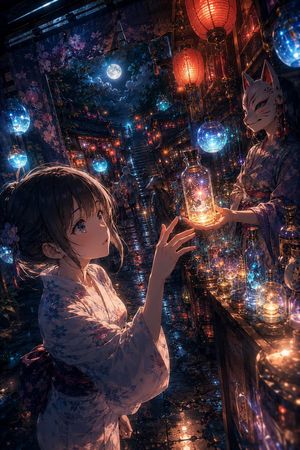
An editing prompt that moves the painted moon to the left of a woman and switches the art style to transparent watercolor. Change the subject, setting, or lighting one variable at a time.

女性の背景に描いている月を向かって左に移動させてください。絵のタッチを透明水彩に変えて。
Choose the primary action to open PicX Studio with the available template settings. Review the model and format, personalize the creative direction, and generate when ready.
Yes. You can change the subject, setting, lighting, mood, format, and available model controls before creating your image.
This template is free to open and customize. Generation usage is shown in PicX Studio before you create.
Start with Nano Banana 2, which is the model associated with this template. You can compare another compatible model for a different finish.
© 2026 PicX Studio. All rights reserved.

Follow a topic to a crawlable collection of related PicX Studio templates.
43,474 public templates available. Verified via the PicX Studio public templates API; refreshed hourly.













![Naive doodle-style subject illustration — A doodle-style {argument name="subject" default="[subject]"}, naive lines, humorous shape exaggeration](https://pbs.twimg.com/media/G6Wl2YxbsAARB2b.jpg)


















![Hyper-realistic Street Fashion Portrait with Identity Preservation — Subject: A stylish man [100% real face from uploaded image ] with messy dark hair and a bro](https://pbs.twimg.com/media/G-iSABxX0AAkIfc.jpg)






![Ultra-Realistic Cinematic Female Superhero Portrait — Ultra-realistic cinematic portrait of {argument name="character name" default="[[your character]]"}, femal](https://pbs.twimg.com/media/HATSFwuXsAAhjBH.jpg)