How do I use the Chanel Promotion Shoot template?
Choose the primary action to open PicX Studio with the available template settings. Review the model and format, personalize the creative direction, and generate when ready.
A ready image prompt for PicX Studio. Change the subject, setting, or lighting one variable at a time.

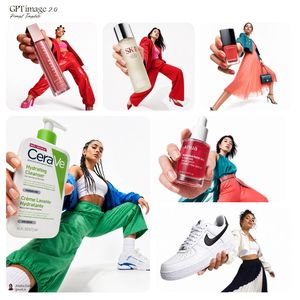
Product-focused promotional scene featuring the uploaded image reaching toward the camera in a dynamic fisheye shot. She stands in a small room with seamless bright-blue walls and a blue-and-white checkered floor. She wears a pink zip-up jacket, matching pink pants, pink platform shoes, and black oval sunglasses. Her right arm stretches toward the camera, creating exaggerated depth. In the foreground, a large tube of CHANEL skincare product , red rectangular bottle with black cap (labelled “N°1 DE CHANEL REVITALIZING SERUM) appears prominently. Two additional product tubes stand in the background, smaller due to perspective. The lighting is soft, bright, and evenly diffused. The brand name CHANEL appears in white on the top right. Overall style: modern, commercial, playful, and wide-angle surreal.
Choose the primary action to open PicX Studio with the available template settings. Review the model and format, personalize the creative direction, and generate when ready.
Yes. You can change the subject, setting, lighting, mood, format, and available model controls before creating your image.
This template is free to open and customize. Generation usage is shown in PicX Studio before you create.
Choose a compatible model in PicX Studio based on the style, speed, and output controls your project needs.
© 2026 PicX Studio. All rights reserved.

Follow a topic to a crawlable collection of related PicX Studio templates.
43,474 public templates available. Verified via the PicX Studio public templates API; refreshed hourly.










![8k Ultra-Realistic Promotional — 8k Ultra-Realistic Promotional
Generate a whimsical miniature world featuring [KASHMIR SNOWFALL LAND MARK NAME] crafted entirel](https://images.meigen.ai/tweets/2008765662488059907/0.jpg)




![8K Ultra-Realistic Promotional — 8K Ultra-Realistic Promotional
Present a clear, 45° top-down isometric miniature 3D scene of the [SUBWAY SYSTEM / LINE NAME]. T](https://images.meigen.ai/tweets/2011751906318958830/0.jpg)


![Character promotional poster using a unified vertical portrait key — Create a character promotional poster for “[XXX]”, using a unified vertical (portrait) key](https://images.meigen.ai/tweets/2048961908238070178/0.jpg)



![Needle-Felt Country Diorama — Country: {argument name="country" default="[INSERT COUNTRY NAME]"}\n\nA miniature felt diorama made of fluffy yarn, wool, and need](https://cms-assets.youmind.com/media/1777971027163_j6khtv_HHeuCzmaAAEwa_1.jpg)