How do I use the Cinderella Glass Slipper Editorial template?
Choose the primary action to open PicX Studio with the available template settings. Review the model and format, personalize the creative direction, and generate when ready.
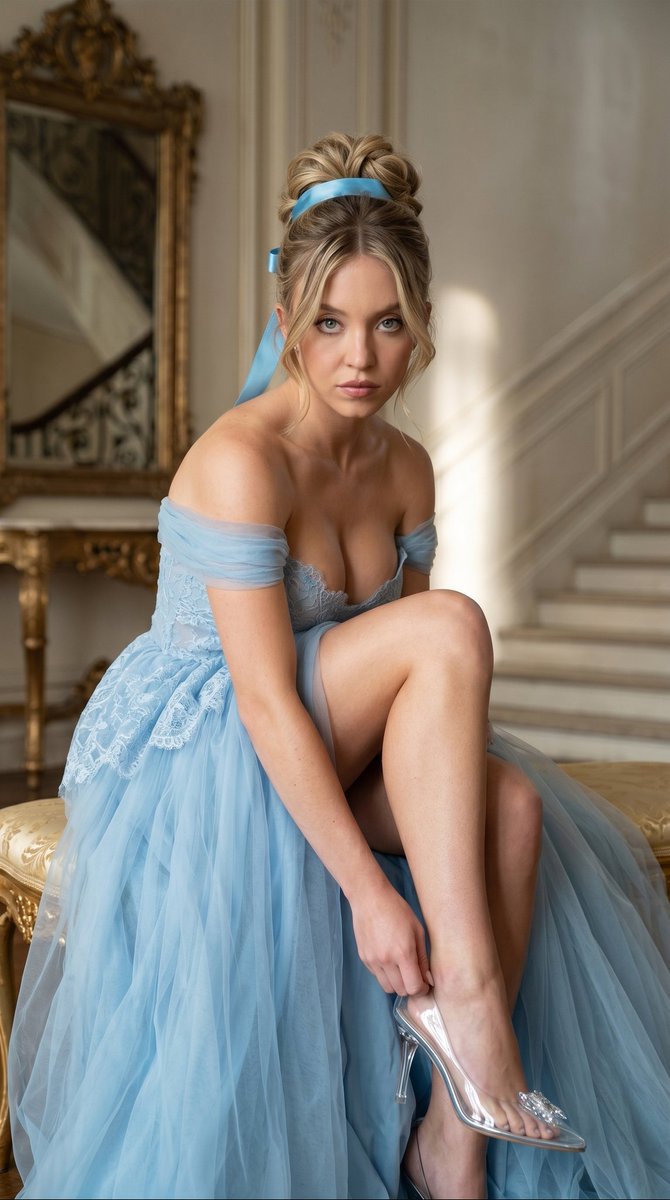
A vertical couture fairy-tale portrait of a Cinderella-inspired woman adjusting a crystal slipper in an ornate palace interior. (free to use) — Free AI image template on PicX Studio.
Create a vertical high-fashion editorial photograph of {argument name="character" default="a graceful Cinderella-inspired blonde woman"} seated on an ornate gilded bench in an opulent palace interior, leaning forward while delicately adjusting a transparent crystal glass slipper on her extended foot. Her face is fully covered by a flat beige rectangular anonymizing block, while her posture remains elegant and poised. She wears {argument name="dress color" default="pale sky blue"} off-the-shoulder tulle and lace ball gown with sheer draped sleeves, a fitted lace bodice, a plunging neckline, and voluminous translucent layers pooling around the bench, exposing her bare legs. Her hair is styled in a sculptural blonde updo with soft curled tendrils, tied with a bright azure satin ribbon trailing behind her head. The glass slipper is clear and glossy with a slim heel and sparkling crystal embellishment at the toe. Set the scene in a refined classical chamber with a large ornate gilded mirror on the left, an antique gold console table beneath it, cream marble walls, and a softly blurred sweeping staircase in the background on the right. Use soft cinematic side lighting from the left, shallow depth of field, warm highlights, cool blue fairy-tale atmosphere, luxurious fabric texture, realistic skin, elegant composition, centered subject, 9:16 vertical crop, editorial fashion photography style.
Use Cinderella Glass Slipper Editorial to plan an AI image around gpt-image-2 generation, themes such as en and gpt-image-2. Match the preview's composition first, then personalize the subject, setting, and mood for your own project.
Use the primary action to load the template settings in PicX Studio.
Adjust the subject and creative details for your destination.
Create the image, compare the result with the preview, and refine one variable at a time.
A continuous mix — similar concepts first, woven with same-model prompts and fresh picks from the catalog.
Choose the primary action to open PicX Studio with the available template settings. Review the model and format, personalize the creative direction, and generate when ready.
Yes. You can change the subject, setting, lighting, mood, format, and available model controls before creating your image.
This template is free to open and customize. Generation usage is shown in PicX Studio before you create.
Start with gpt-image-2, which is the model associated with this template. You can compare another compatible model for a different finish.
Follow a topic to a crawlable collection of related PicX Studio templates.
39,157 public templates available. Verified via the PicX Studio public templates API; refreshed hourly.
A continuous mix — similar concepts first, woven with same-model prompts and fresh picks from the catalog.