How do I use the Pink Kawaii Beauty Collage template?
Choose the primary action to open PicX Studio with the available template settings. Review the model and format, personalize the creative direction, and generate when ready.

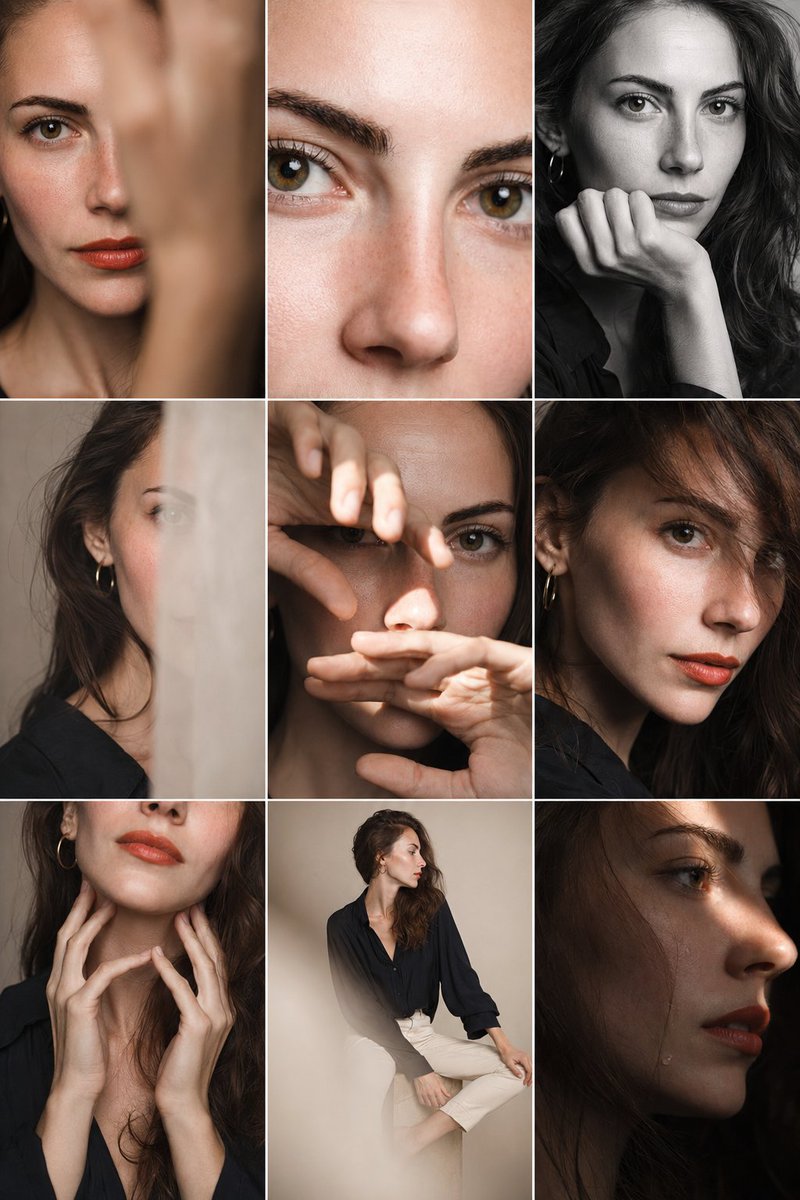
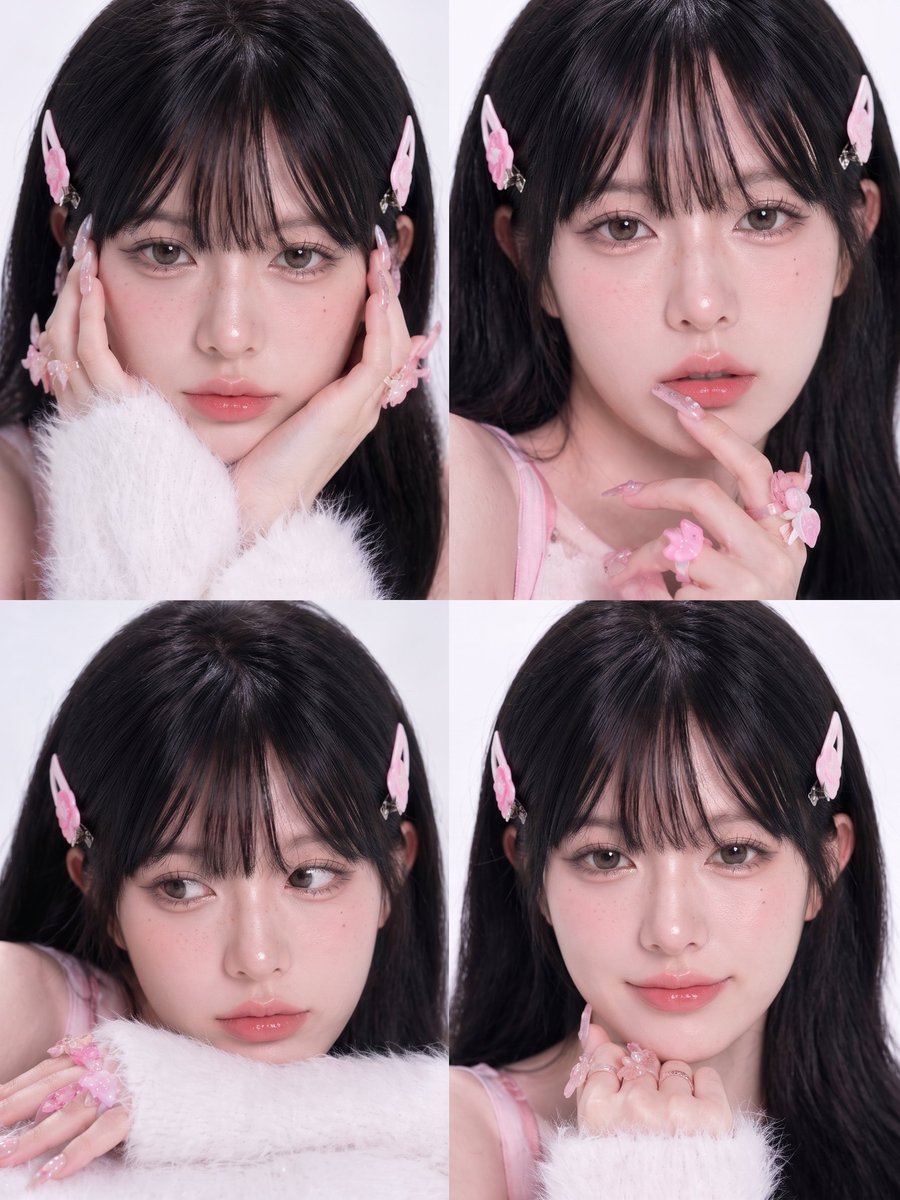
This prompt generates a soft studio-style four-panel beauty collage of a feminine model in pink accessories and fluffy white sleeves, suitable for makeup, nail art, or kawaii fashion editorial imagery. (free to use) — Free AI image template on PicX Studio.

{"type":"beauty photo collage","subject":{"gender_presentation":"feminine young woman","hair":{"color":"{argument name=\"hair color\" default=\"jet black\"}","style":"long, straight, glossy hair with a center part"},"styling":{"hair_accessories_count":2,"hair_accessories":["pink butterfly hair clip on the left side","pink butterfly hair clip on the right side"],"top":"soft pastel pink spaghetti-strap camisole","outerwear":"fluffy white fuzzy sweater sleeves covering part of the hands","jewelry":"delicate dangling earrings","nails":"long glossy almond-shaped manicure in pale pink with rhinestones and translucent 3D floral accents","rings_count":2,"rings":["pink flower ring","small decorative ring"],"extra_accessories":["pink flower hand accessory near the fingers"]},"composition":{"layout":"2x2 grid collage","panel_count":4,"background":"clean light gray studio background","crop":"tight head-and-shoulders to chest beauty crop in every panel","lighting":"high-key soft studio lighting, bright and diffused, minimal shadows","camera_style":"editorial beauty photography, shallow depth of field, crisp strands of hair, soft luminous skin"},"panels":[{"position":"top-left","pose":"face angled slightly forward, one hand raised to the cheek, fluffy white sleeve prominent in the foreground"},{"position":"top-right","pose":"one hand lifted near the lips and chin, fingers elegantly curved to showcase the manicure and flower ring"},{"position":"bottom-left","pose":"leaning slightly lower with crossed hands resting near the bottom edge, white fuzzy sleeve visible, emphasizing nails"},{"position":"bottom-right","pose":"both hands tucked under the chin in a cute beauty pose, pink nails and rings centered"}],"style":{"mood":"sweet, soft, feminine, kawaii-inspired beauty editorial","color_palette":"pale pink, white, soft blush, and black hair contrast","retouching":"high-detail skin texture, refined edges around eyes, lashes, lips, and hair, polished luxury cosmetics campaign finish"},"image_goal":"Create a four-panel collage of the same {argument name=\"character type\" default=\"young woman\"} in coordinated pastel pink styling, emphasizing glossy black hair, pink butterfly clips, fluffy white sleeves, and elaborate pink nail art with subtle pose variations in each panel. Preserve a minimal studio setting and soft romantic tone.","quality":"ultra-detailed, high resolution, sharp focus, clean skin texture, premium beauty photography","aspect_ratio":"3:4"}
Use Pink Kawaii Beauty Collage to plan an AI image around gpt-image-2 generation, themes such as en and gpt-image-2. Match the preview's composition first, then personalize the subject, setting, and mood for your own project.
Use the primary action to load the template settings in PicX Studio.
Adjust the subject and creative details for your destination.
Create the image, compare the result with the preview, and refine one variable at a time.
A continuous mix — similar concepts first, woven with same-model prompts and fresh picks from the catalog.
Choose the primary action to open PicX Studio with the available template settings. Review the model and format, personalize the creative direction, and generate when ready.
Yes. You can change the subject, setting, lighting, mood, format, and available model controls before creating your image.
This template is free to open and customize. Generation usage is shown in PicX Studio before you create.
Start with gpt-image-2, which is the model associated with this template. You can compare another compatible model for a different finish.
A continuous mix — similar concepts first, woven with same-model prompts and fresh picks from the catalog.
Follow a topic to a crawlable collection of related PicX Studio templates.
28,404 public templates available. Verified via the PicX Studio public templates API; refreshed hourly.