How do I use the Sprite Commercial Beverage Splash template?
Choose the primary action to open PicX Studio with the available template settings. Review the model and format, personalize the creative direction, and generate when ready.
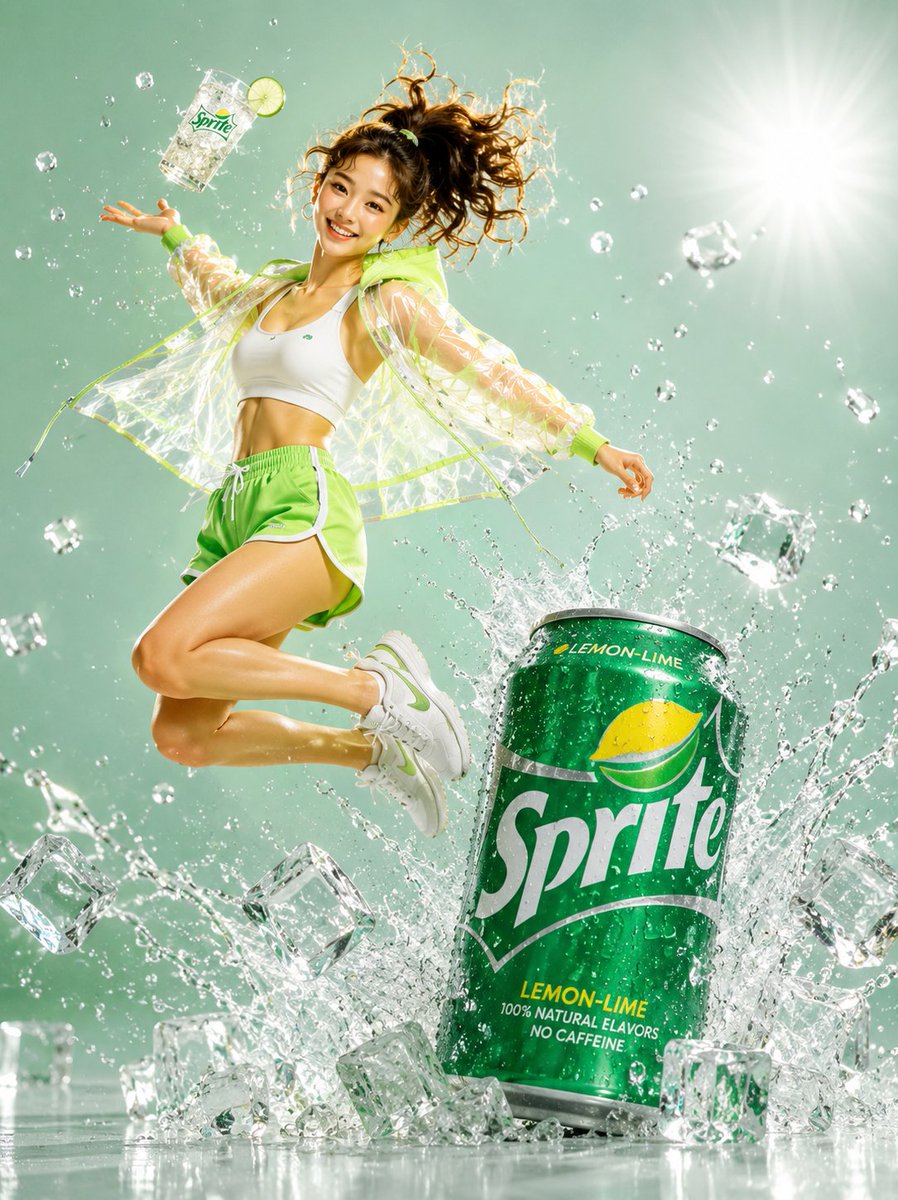
A high-energy beverage commercial prompt featuring a dynamic mid-air action pose, explosive ice splashes, and vibrant studio lighting. (free to use) — Free AI image template on PicX Studio.
A young woman mid-air jumping pose, high ponytail flying, pure excitement on her face, wearing a white crop top, neon green athletic shorts, transparent PVC windbreaker with lime accents, white sneakers with green details. She tosses an iced drink glass upward with one hand while a giant oversized Sprite can sits below surrounded by explosive ice cube burst and water splash. Mint green studio background with dramatic backlight bloom. Frozen motion water droplets and bubbles mid-air. Full body dynamic shot, ultra realistic 3D render, hyperrealistic commercial photography, glossy reflective floor, 8K resolution, cinematic action lighting. --style raw, photorealistic, commercial ad campaign, 8K resolution, studio photography, product visualization, hyperdetailed water droplets, cinematic lighting 1744x2336
Use Sprite Commercial Beverage Splash to plan an AI image around gpt-image-2 generation, themes such as en and gpt-image-2. Match the preview's composition first, then personalize the subject, setting, and mood for your own project.
Use the primary action to load the template settings in PicX Studio.
Adjust the subject and creative details for your destination.
Create the image, compare the result with the preview, and refine one variable at a time.
A continuous mix — similar concepts first, woven with same-model prompts and fresh picks from the catalog.
Choose the primary action to open PicX Studio with the available template settings. Review the model and format, personalize the creative direction, and generate when ready.
Yes. You can change the subject, setting, lighting, mood, format, and available model controls before creating your image.
This template is free to open and customize. Generation usage is shown in PicX Studio before you create.
Start with gpt-image-2, which is the model associated with this template. You can compare another compatible model for a different finish.
Follow a topic to a crawlable collection of related PicX Studio templates.
39,157 public templates available. Verified via the PicX Studio public templates API; refreshed hourly.
A continuous mix — similar concepts first, woven with same-model prompts and fresh picks from the catalog.