
Futuristic Corporate Enablement Infographic
Generates a high-tech, dark-mode presentation slide with glowing nodes and data visualization elements, perfect for corporate strategy or tech architecture pitches.
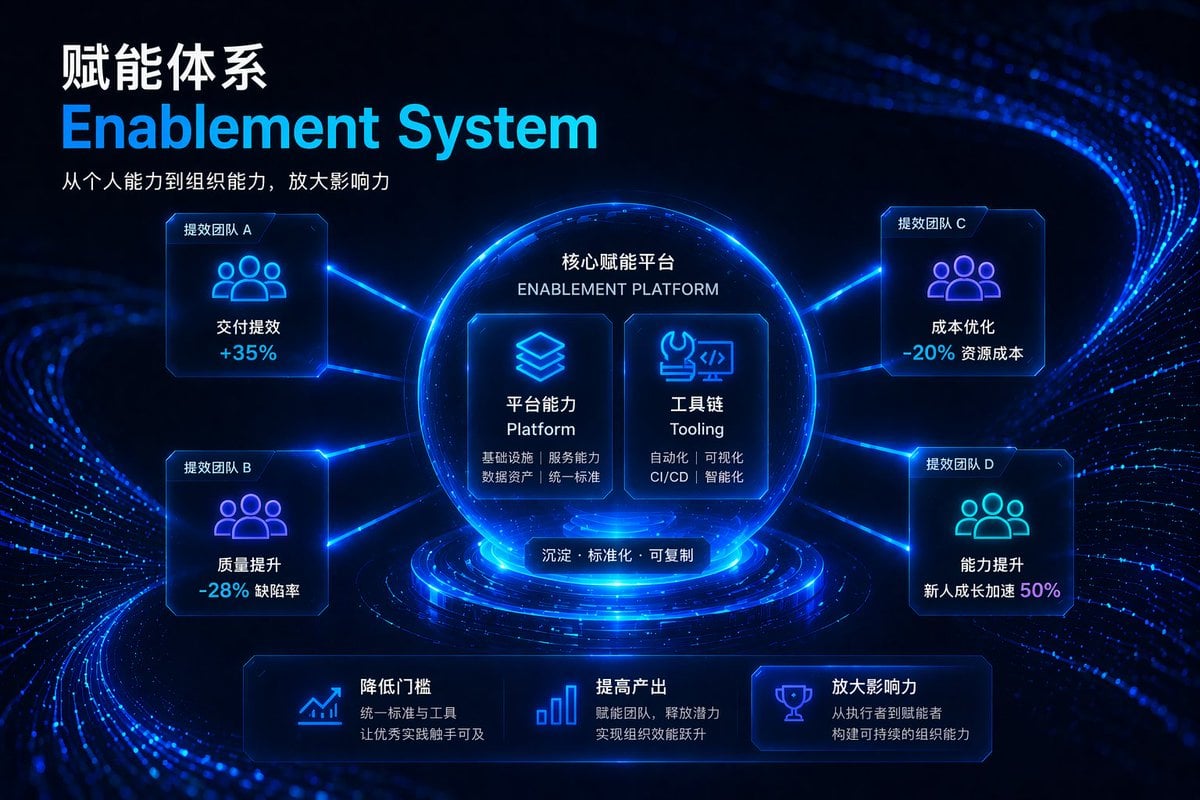
- Prompt included
- Model and format preset
- Free template
The prompt behind this image
Copy the exact prompt behind Futuristic Corporate Enablement Infographic, or open it in the studio and make it yours.
- Type
- corporate presentation slide infographic
- Style
- dark mode, futuristic, high-tech HUD, glowing fiber-optic lines, {argument name="theme color" default="neon blue and cyan"}
- Header › Position
- top-left
- Header › Title Chinese
- {argument name="main title" default="赋能体系"}
- Header › Title English
- {argument name="english title" default="Enablement System"}
- Header › Subtitle
- {argument name="subtitle" default="从个人能力到组织能力,放大影响力"}
- Layout › Centerpiece › Description
- glowing spherical pedestal
- Layout › Centerpiece › Title
- {argument name="platform name" default="核心赋能平台"}
- Layout › Centerpiece › Subtitle
- ENABLEMENT PLATFORM
- Layout › Centerpiece › Inner Cards Count
- 2
- Layout › Centerpiece › Inner Cards › 0 › Icon
- layered squares
- Layout › Centerpiece › Inner Cards › 0 › Title
- 平台能力 Platform
- Layout › Centerpiece › Inner Cards › 0 › Details
- 基础设施 | 服务能力 | 数据资产 | 统一标准
- Layout › Centerpiece › Inner Cards › 1 › Icon
- wrench and code bracket
- Layout › Centerpiece › Inner Cards › 1 › Title
- 工具链 Tooling
- Layout › Centerpiece › Inner Cards › 1 › Details
- 自动化 | 可视化 | CI/CD | 智能化
- Layout › Centerpiece › Bottom Label
- 沉淀 · 标准化 · 可复制
- Layout › Surrounding Nodes Count
- 4
- Layout › Surrounding Nodes › 0 › Position
- top-left
- Layout › Surrounding Nodes › 0 › Label
- 提效团队 A
- Layout › Surrounding Nodes › 0 › Icon
- three people silhouette
- Layout › Surrounding Nodes › 0 › Metric
- 交付提效 +35%
- Layout › Surrounding Nodes › 1 › Position
- bottom-left
- Layout › Surrounding Nodes › 1 › Label
- 提效团队 B
Raw JSON
{
  "type": "corporate presentation slide infographic",
  "style": "dark mode, futuristic, high-tech HUD, glowing fiber-optic lines, {argument name=\"theme color\" default=\"neon blue and cyan\"}",
  "header": {
    "position": "top-left",
    "title_chinese": "{argument name=\"main title\" default=\"赋能体系\"}",
    "title_english": "{argument name=\"english title\" default=\"Enablement System\"}",
    "subtitle": "{argument name=\"subtitle\" default=\"从个人能力到组织能力,放大影响力\"}"
  },
  "layout": {
    "centerpiece": {
      "description": "glowing spherical pedestal",
      "title": "{argument name=\"platform name\" default=\"核心赋能平台\"}",
      "subtitle": "ENABLEMENT PLATFORM",
      "inner_cards_count": 2,
      "inner_cards": [
        {
          "icon": "layered squares",
          "title": "平台能力 Platform",
          "details": "基础设施 | 服务能力 | 数据资产 | 统一标准"
        },
        {
          "icon": "wrench and code bracket",
          "title": "工具链 Tooling",
          "details": "自动化 | 可视化 | CI/CD | 智能化"
        }
      ],
      "bottom_label": "沉淀 · 标准化 · 可复制"
    },
    "surrounding_nodes_count": 4,
    "surrounding_nodes": [
      {
        "position": "top-left",
        "label": "提效团队 A",
        "icon": "three people silhouette",
        "metric": "交付提效 +35%"
      },
      {
        "position": "bottom-left",
        "label": "提效团队 B",
        "icon": "three people silhouette",
        "metric": "质量提升 -28% 缺陷率"
      },
      {
        "position": "top-right",
        "label": "提效团队 C",
        "icon": "three people silhouette",
        "metric": "成本优化 -20% 资源成本"
      },
      {
        "position": "bottom-right",
        "label": "提效团队 D",
        "icon": "three people silhouette",
        "metric": "能力提升 新人成长加速 50%"
      }
    ],
    "footer_sections_count": 3,
    "footer_sections": [
      {
        "icon": "line chart",
        "title": "降低门槛",
        "description": "统一标准与工具 让优秀实践触手可及"
      },
      {
        "icon": "bar chart",
        "title": "提高产出",
        "description": "赋能团队,释放潜力 实现组织效能跃升"
      },
      {
        "icon": "trophy",
        "title": "放大影响力",
        "description": "从执行者到赋能者 构建可持续的组织能力"
      }
    ]
  }
}How to use Futuristic Corporate Enablement Infographic in 3 steps
- 1Upload ImagePNG, JPG or paste
Add your photo
Upload the photo the template builds on. The prompt, model and format are already set.
- 2…a portrait of your subject in softgolden-hour light, 85mm…
Personalize
Edit the subject and creative details for your destination.
- 3Generate
Generate
Press Generate — your image is created in PicX Studio, so you can compare it with the original and refine one variable at a time.
More like this
Templates with the same subject, style or setup. Open one to see its prompt.

Japan Travel Brochure Poster

Futuristic Chrome Helmet Fashion Portrait

Futuristic Studio Neon Ring Minimalist Portrait
Futuristic Chrome Helmet Fashion Portrait
Futuristic Studio Neon Ring Minimalist Portrait

Black Liquid Cyberpunk Portrait Poster

Cyberpunk Neon Brazil World Cup Poster

Playful Futuristic Brand Kit Board

Isometric Process Educational Diorama

Isometric Vehicle Teardown Infographic Template
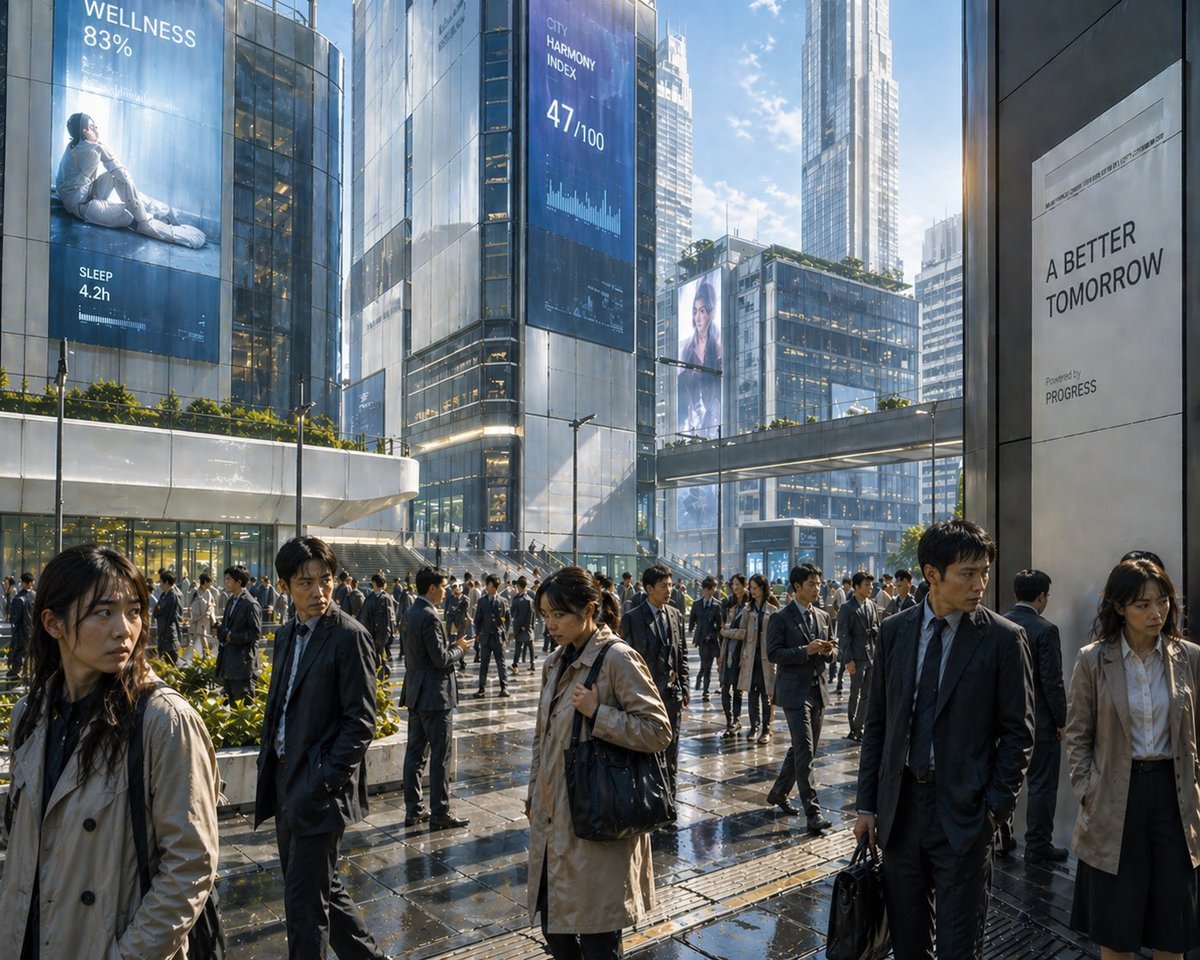
Futuristic Corporate Plaza With Data Billboards
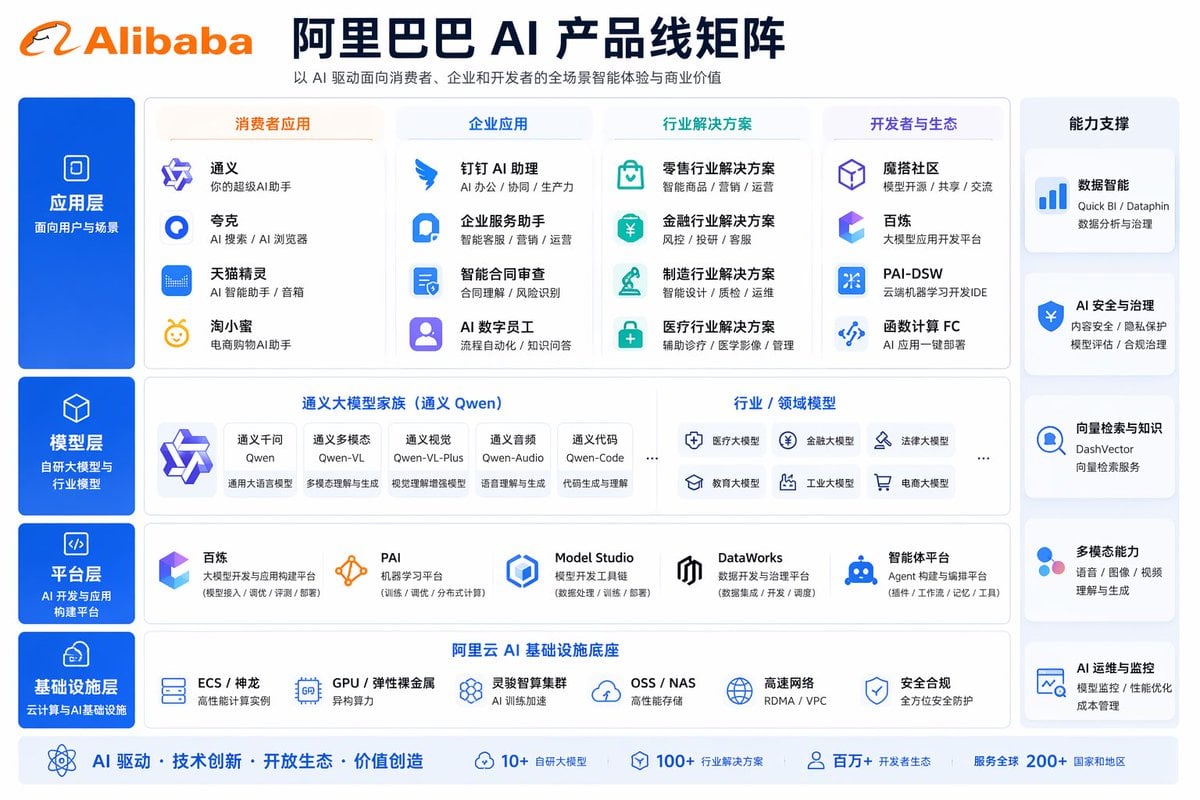
Corporate AI Product Line Infographic
Make it yours
Futuristic Corporate Enablement Infographic works as-is. These are the safest ways to change it without losing the look.
Change one field
Copy a single group, rewrite it, and generate again so you can see what that field is doing.
Keep the frame, change the subject
Hold the composition and light of Futuristic Corporate Enablement Infographic, then swap wardrobe, props or the person for a new take.
| If the result… | Why | Fix |
|---|---|---|
| The result drifts from the preview | Too many fields changed at once. | Reuse Futuristic Corporate Enablement Infographic as-is first, then change one group — subject, light, or setting. |
| GPT Image 2 ignores part of the JSON | Some models flatten or skip nested keys. | Keep the same values and paste them as a short paragraph instead. |
More GPT Image 2 templates
Other prompts made for GPT Image 2.

Six VTuber Japanese Logo Sheet

Realistic Portrait of Woman and Deer

The Vista Modular Condo Poster

AI Model Routing Comparison Infographic

2.5D Anime Art Board

Isometric Productivity Desk Scene

New York Double Exposure Poster

Four-Panel AI Landscape Comparison

Japanese Tatami Lifestyle Magazine Cover

NESCAFÉ Coffee Map Poster
More image prompts
Fresh picks from across the catalog.
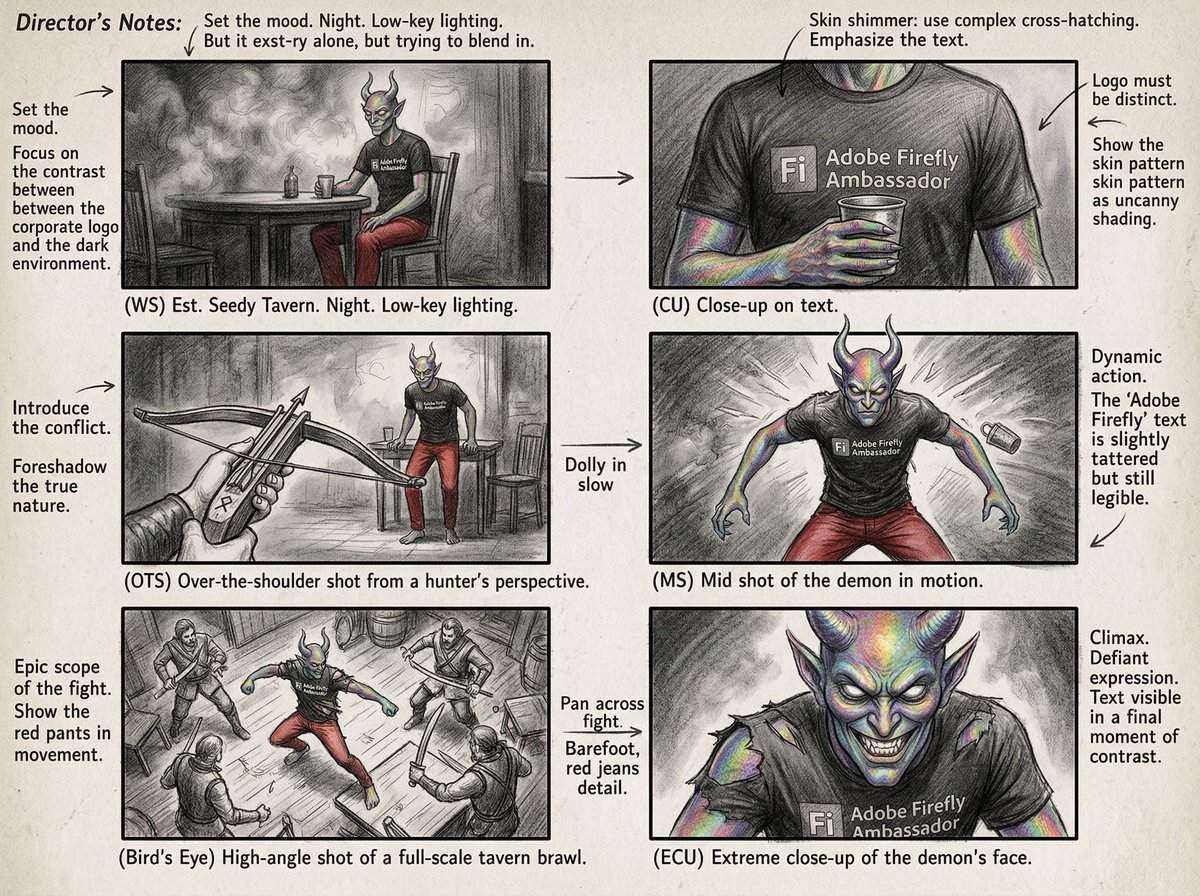
Six-Panel Cinematic Storyboard Sketch

Sports League Invitation Poster Prompt

Sun Wukong Epic Fantasy Poster

Cinematic Street Portrait of Woman in Puffer Jacket (3 Variations)

Cinematic Diptych with Identity Lock and Blue Tones

Cozy Night Living Room Candid

Elementary Student Exchange Notebook

Live Stream App UI Mockup

Vibrant Abstract Circle Splatter Art

3D Stylized Character in Clay-Morphism Style
Browse template categories
Futuristic Corporate Enablement Infographic questions
How do I use the Futuristic Corporate Enablement Infographic template?
Add your photo if the template asks for one, edit the prompt if you like — the template's model and format are already selected — and press Generate. Your version opens in PicX Studio.
Can I customize the Futuristic Corporate Enablement Infographic template?
Yes. You can change the subject, setting, lighting, mood, format, and available model controls before creating your image.
Is the Futuristic Corporate Enablement Infographic template free?
Opening and editing this template is free. Generating uses credits, shown on the Generate button when you are signed in.
Which AI model should I use?
Start with GPT Image 2, which is the model associated with this template. You can compare another compatible model for a different finish.
Looking for something else? Browse all templates.

Your photo, any look
Thousands of ready templates for every top image and video model, from one credit balance.