
Romantic Tokyo Couple Photo Collage
Generates a nostalgic 12-panel collage of intimate candid couple moments in Tokyo, ideal for moodboards, social-media aesthetic visuals, or romantic lifestyle imagery.
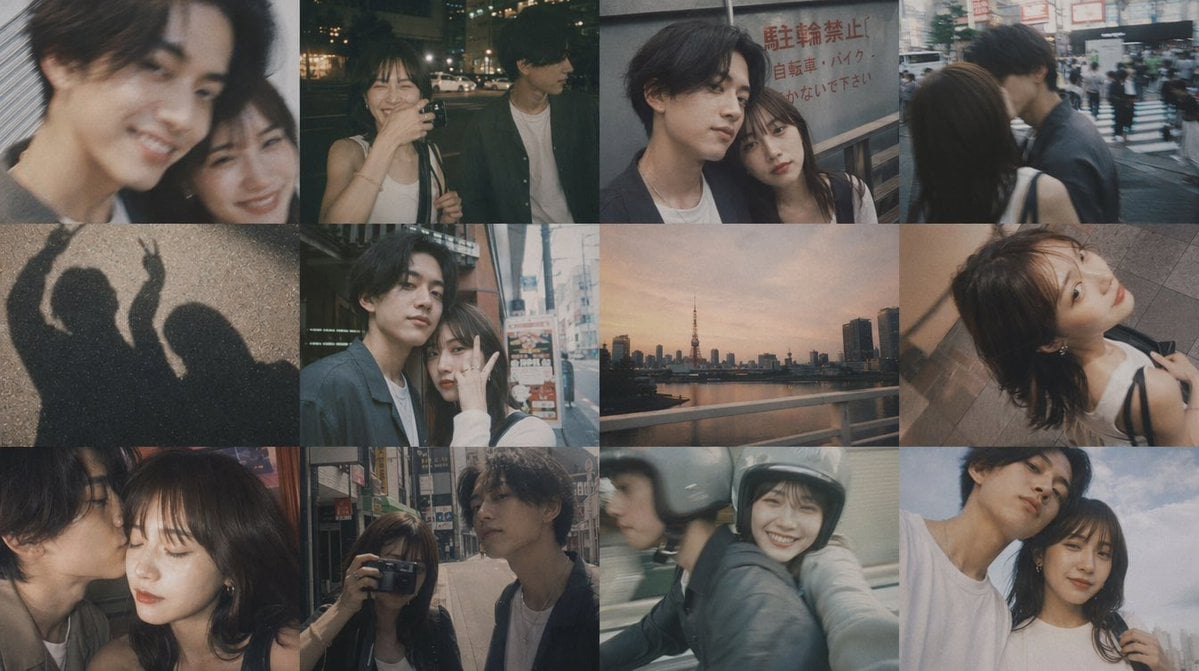
- Prompt included
- Model and format preset
- Free template
The prompt behind this image
Copy the exact prompt behind Romantic Tokyo Couple Photo Collage, or open it in the studio and make it yours.
A moody 4-by-3 photo collage made of 12 candid smartphone-style snapshots of a young couple during summer nights in Tokyo, shot with a nostalgic film look, soft grain, muted colors, slight blur, low contrast, dim ambient street lighting, and intimate casual framing. The overall tone is romantic, youthful, private, and documentary-like, with a warm gray-brown palette and a slightly desaturated teal-orange night city atmosphere. The man has messy dark hair, a slim build, and wears a dark overshirt or lightweight jacket over a white T-shirt; the woman has long dark brown hair, a slim build, and wears a white sleeveless top with thin black shoulder straps from a bag. In every panel, both faces are intentionally obscured by large soft-edged blur blocks for anonymity. Include exactly 12 images arranged in a tight seamless grid: top row panel 1, an extreme close-up side profile of the man at night; panel 2, the woman taking a mirror or phone selfie while standing beside the man outdoors at night; panel 3, the couple pressed close together near a street sign with Japanese text; panel 4, the couple kissing at a busy crosswalk in the city. Middle row panel 5, a pavement shadow photo of two people, one making a peace sign; panel 6, the couple standing close on a sidewalk in an urban shopping street; panel 7, a sunset skyline over water with Tokyo Tower visible, no people; panel 8, a high-angle shot looking down on the woman and the man close together on stairs or a walkway. Bottom row panel 9, a tight intimate close-up of the couple touching faces or kissing; panel 10, the man adjusting or touching the woman's hair on a city street; panel 11, the couple riding together on a scooter or motorcycle, both wearing helmets, captured in motion blur; panel 12, the couple embracing against a pale blue sky, framed from the shoulders up. Backgrounds should include Japanese city streets, storefronts, crosswalks, signage, buildings, night traffic, and urban evening ambience. Keep the composition casual and imperfect like real memories, with varied crops, soft focus, motion blur, and authentic handheld phone photography.
How to use Romantic Tokyo Couple Photo Collage in 3 steps
- 1Upload ImagePNG, JPG or paste
Add your photo
Upload the photo the template builds on. The prompt, model and format are already set.
- 2…a portrait of your subject in softgolden-hour light, 85mm…
Personalize
Edit the subject and creative details for your destination.
- 3Generate
Generate
Press Generate — your image is created in PicX Studio, so you can compare it with the original and refine one variable at a time.
More like this
Templates with the same subject, style or setup. Open one to see its prompt.
Film Contact Sheet Couple
Together We Are Perfect a Romantic Coupl

Romantic Cinematic Still of a Couple in

Sunday Afternoon, 1988

Two Tickets, One Night

If We Met in 1985

Found Photograph: Us, 1970

One Dance Before Midnight

Before We said Goodbye

Our Song was on a Cassette

Meet Me When It Rains

The Date After College
Make it yours
Romantic Tokyo Couple Photo Collage works as-is. These are the safest ways to change it without losing the look.
Change one field
Copy a single group, rewrite it, and generate again so you can see what that field is doing.
Keep the frame, change the subject
Hold the composition and light of Romantic Tokyo Couple Photo Collage, then swap wardrobe, props or the person for a new take.
| If the result… | Why | Fix |
|---|---|---|
| The result drifts from the preview | Too many fields changed at once. | Reuse Romantic Tokyo Couple Photo Collage as-is first, then change one group — subject, light, or setting. |
| The model over-stylizes the scene | The prose prompt leaves finish and camera underspecified. | Add one camera or lighting sentence and stay on GPT Image 2. |
More GPT Image 2 templates
Other prompts made for GPT Image 2.

Six VTuber Japanese Logo Sheet

Realistic Portrait of Woman and Deer

The Vista Modular Condo Poster

AI Model Routing Comparison Infographic

2.5D Anime Art Board

Isometric Productivity Desk Scene

New York Double Exposure Poster

Four-Panel AI Landscape Comparison

Japanese Tatami Lifestyle Magazine Cover

NESCAFÉ Coffee Map Poster
More image prompts
Fresh picks from across the catalog.
Calligraphic Design with Vibrant Illustration Style

Cinematic Urban Night Fashion Editorial
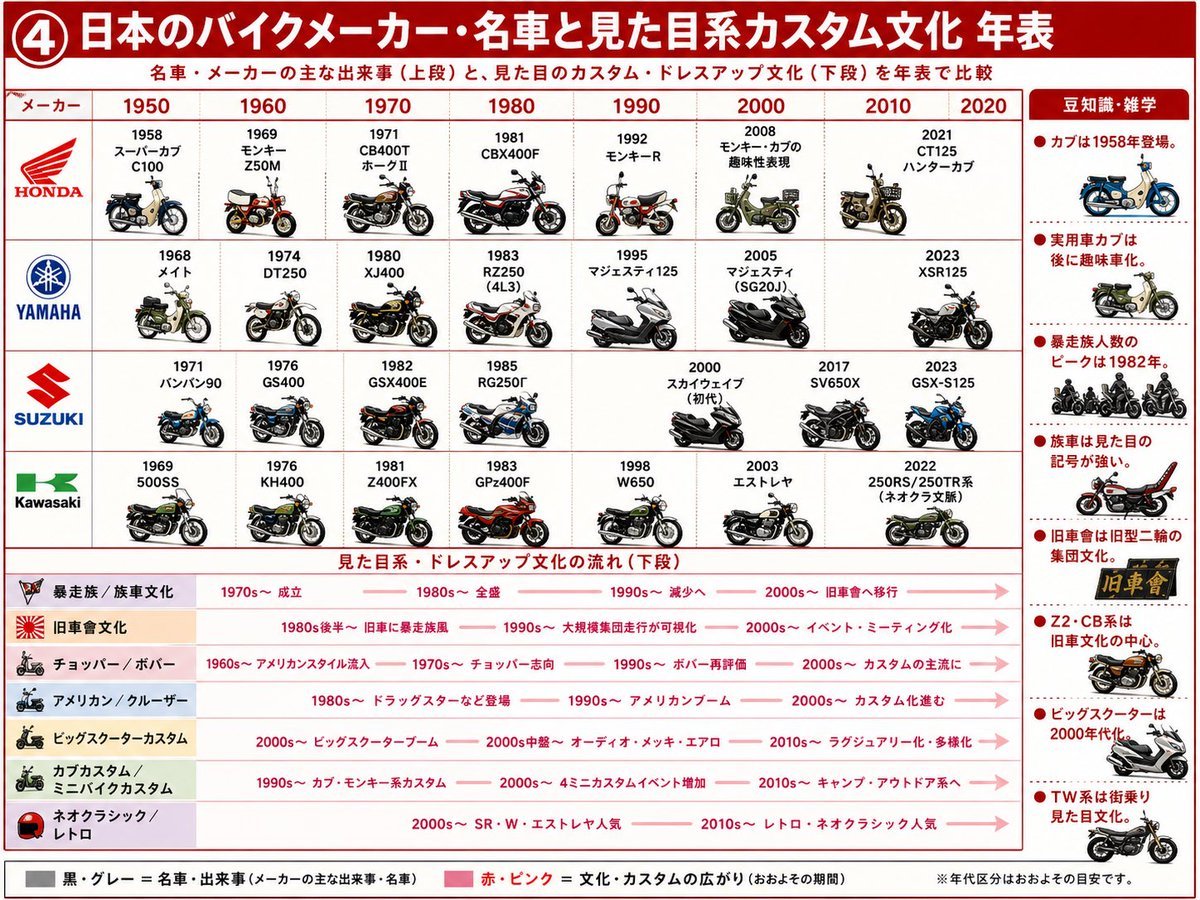
Japanese Motorcycle Culture Timeline

Monochromatic Burnt-Orange Fashion Portrait
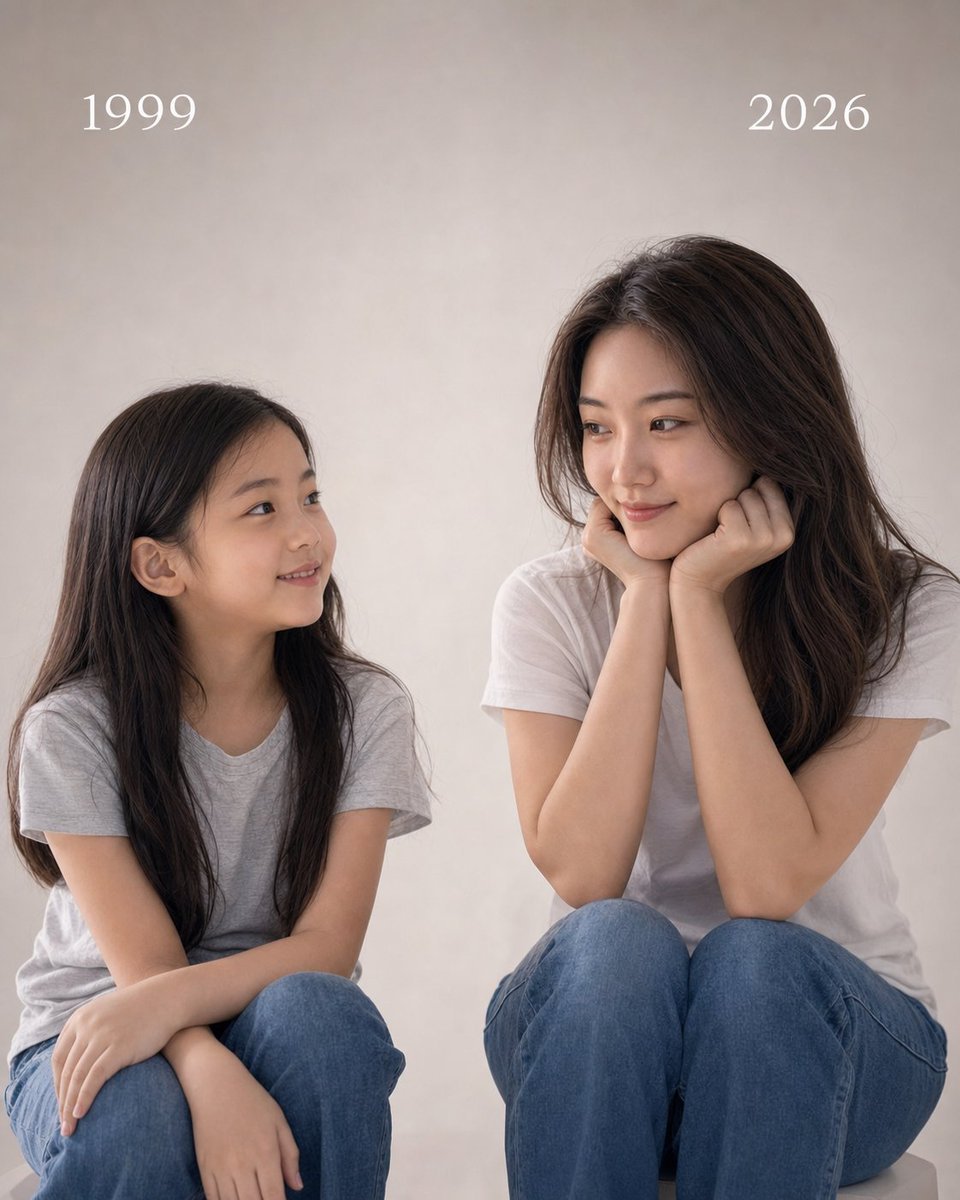
Childhood and Present Self Encounter
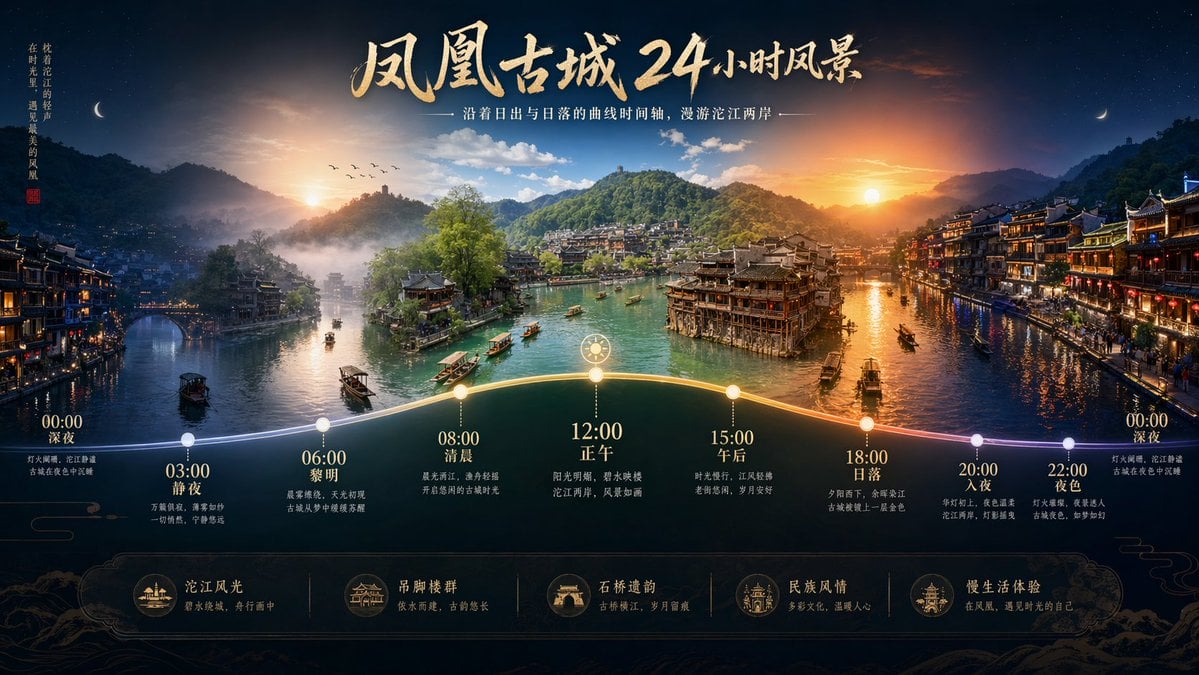
Time-lapse Timeline Landscape Prompt

McDonald's x Starbucks Promo Poster
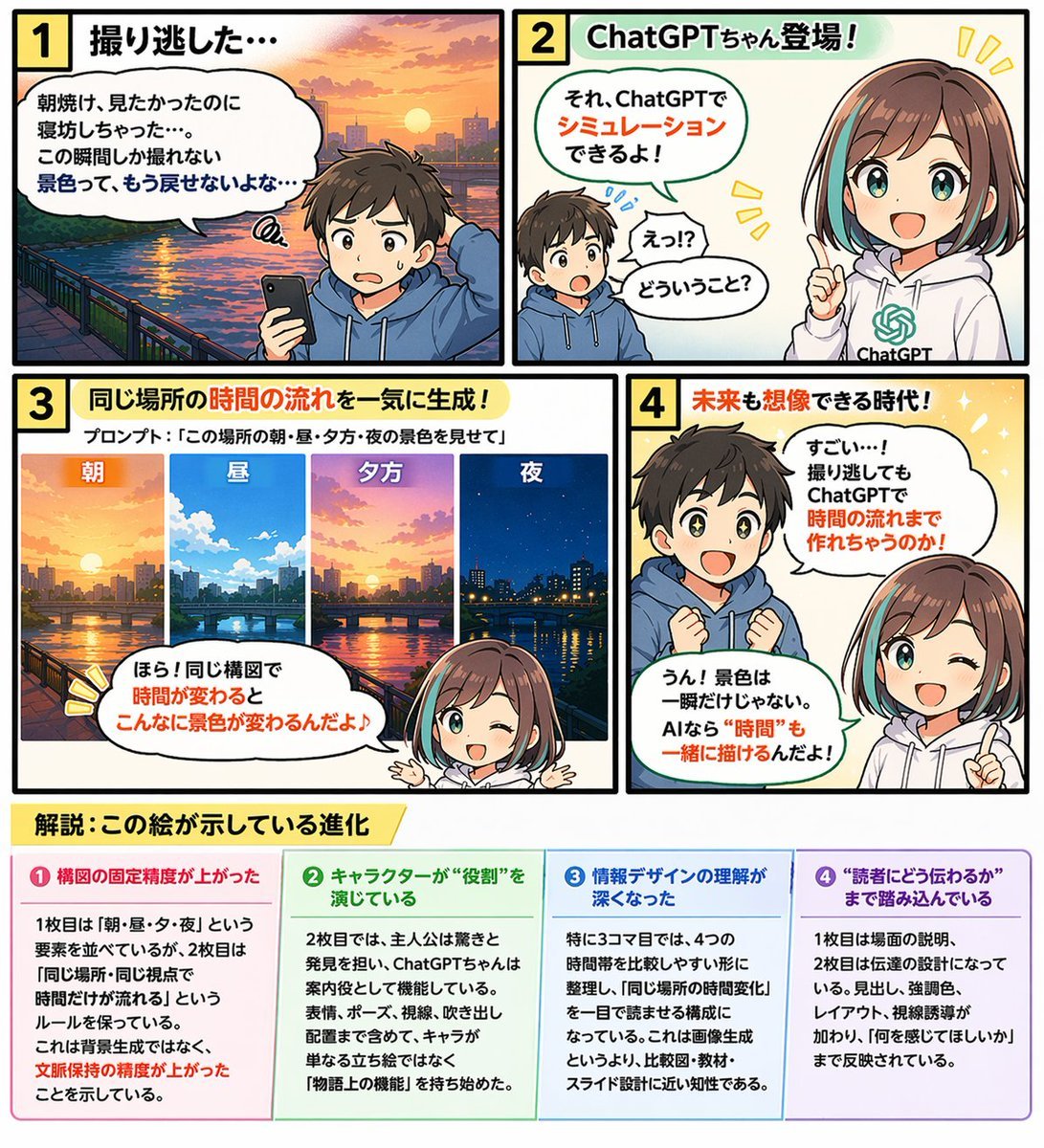
Educational 4-Panel Manga with Infographic
Hyper-Realistic Berry Smoothie Explosion Food Photography Prompt
Fashion Editorial Portrait on Modern Sofa Prompt
Browse template categories
Romantic Tokyo Couple Photo Collage questions
How do I use the Romantic Tokyo Couple Photo Collage template?
Add your photo if the template asks for one, edit the prompt if you like — the template's model and format are already selected — and press Generate. Your version opens in PicX Studio.
Can I customize the Romantic Tokyo Couple Photo Collage template?
Yes. You can change the subject, setting, lighting, mood, format, and available model controls before creating your image.
Is the Romantic Tokyo Couple Photo Collage template free?
Opening and editing this template is free. Generating uses credits, shown on the Generate button when you are signed in.
Which AI model should I use?
Start with GPT Image 2, which is the model associated with this template. You can compare another compatible model for a different finish.
Looking for something else? Browse all templates.

Your photo, any look
Thousands of ready templates for every top image and video model, from one credit balance.