- type
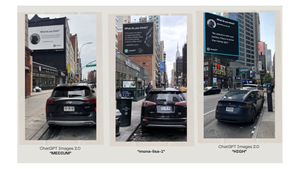
- wide social-media comparison graphic / screenshot collage
- canvas
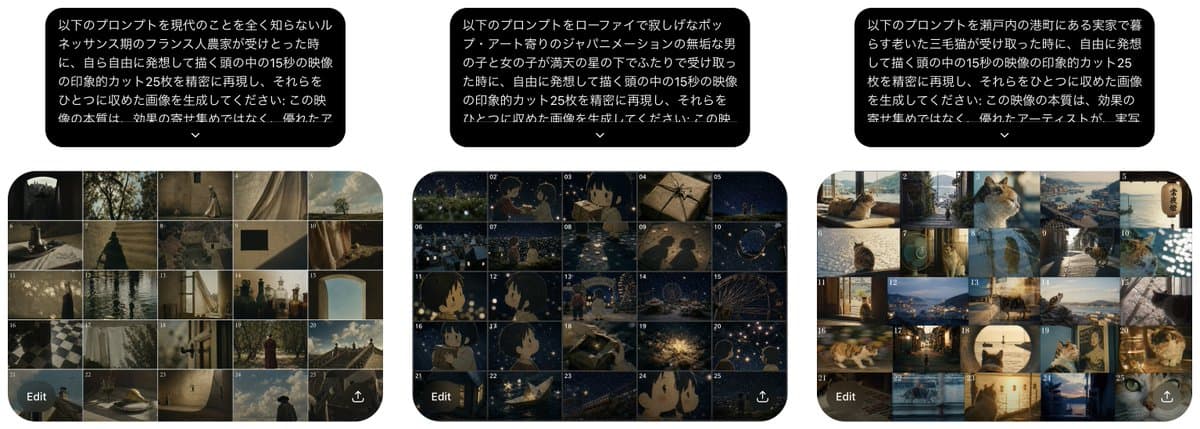
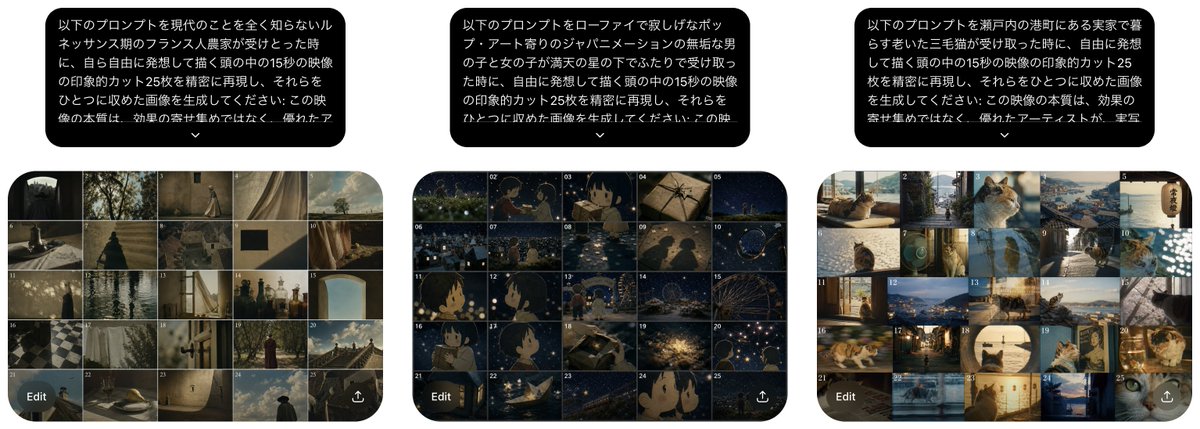
- ultra-wide horizontal image, white background, approximately 2.7:1 aspect ratio, resembling a captured post showing three generated storyboard results side by side
- column count
- 3
- position
- left third
- type
- rounded black speech-bubble prompt box
- text color
- white
- language
- Japanese
- text
- {argument name="left prompt text" default="以下のプロンプトを現代のことを全く知らないルネッサンス期のフランス人農家が受けとった時に、自ら自由に発想して描く頭の中の15秒の映像の印象的カット25枚を精密に再現し、それらをひとつに収めた画像を生成してください。この映像の本質は、効果の寄せ集めではなく、優れたアー..."}
- shape
- large rounded rectangle with a small downward chevron centered underneath
- type
- storyboard contact sheet
- position
- below bubble
- grid
- 5 columns x 5 rows
- frame count
- 25
- labels
- tiny white frame numbers 1 through 25 in the upper-left of each thumbnail
- visual theme
- muted Renaissance rural imagination, painterly cinematic sepia and olive tones, old stone walls, farm paths, curtains, cloaked figures, arches, handmade objects, distant sky, antiquated European atmosphere
- ui overlay
- rounded dark translucent Edit button at bottom left and small share/export icon at bottom right
- position
- center third
- type
- rounded black speech-bubble prompt box
- text color
- white
- language
- Japanese
- text
- {argument name="center prompt text" default="以下のプロンプトをローファイで寂しげなポップ・アート寄りのジャパニメーションの無垢な男の子と女の子が満天の星の下でみたって受け取った時に、自由に発想して描く頭の中の15秒の映像の印象的カット25枚を精密に再現し、それらをひとつに収めた画像を生成してください。この映..."}
- shape
- large rounded rectangle with a small downward chevron centered underneath
- type
- storyboard contact sheet
- position
- below bubble
- grid
- 5 columns x 5 rows
- frame count
- 25
- labels
- tiny white frame numbers 1 through 25 in the upper-left of each thumbnail
- visual theme
- lo-fi lonely pop-art Japanese animation, innocent boy and girl under a star-filled night sky, deep navy palette, glowing stars, riverside reflections, soft grain, nostalgic anime close-ups, silhouettes, tiny lights, whimsical melancholy
- ui overlay
- rounded dark translucent Edit button at bottom left and small share/export icon at bottom right
- position
- right third
- type
- rounded black speech-bubble prompt box
- text color
- white
- language
- Japanese
- text
- {argument name="right prompt text" default="以下のプロンプトを瀬戸内の港町にある実家で暮らす老いた三毛猫が受け取った時に、自由に発想して描く頭の中の15秒の映像の印象的カット25枚を精密に再現し、それらをひとつに収めた画像を生成してください。この映像の本質は、効果の寄せ集めではなく、優れたアーティストが、宇宙..."}
- shape
- large rounded rectangle with a small downward chevron centered underneath
- type
- storyboard contact sheet
- position
- below bubble
- grid
- 5 columns x 5 rows
- frame count
- 25
- labels
- tiny white frame numbers 1 through 25 in the upper-left of each thumbnail
- visual theme
- Setouchi harbor hometown seen through an elderly calico cat, warm coastal daylight, tatami rooms, windows, fishing boats, harbor water, narrow streets, cat close-ups, domestic nostalgia, sunlit sea, gentle documentary cinematic style
- ui overlay
- rounded dark translucent Edit button at bottom left and small share/export icon at bottom right
- total prompt bubbles
- 3
- total storyboard grids
- 3
- total thumbnails
- 75
- grid rounding
- each 25-frame contact sheet is clipped inside a large rounded rectangle with dark borders between thumbnails
- composition
- even spacing, three columns aligned horizontally, prompt bubbles above grids, clean white margins, looks like an explanatory comparison of three different interpretation directions for the same text-to-video prompt
- rendering style
- realistic screenshot mockup with crisp Japanese typography, miniature cinematic thumbnails, subtle compression-like softness, no extra captions outside the three bubbles and storyboard UI elements