How do I use the Yoga Book Two-Page Spread template?
Choose the primary action to open PicX Studio with the available template settings. Review the model and format, personalize the creative direction, and generate when ready.
Generates a realistic two-page layout for a yoga instruction manual, featuring a main pose photo, step-by-step guide, and bilingual text. (free to use) — Free AI image template on PicX Studio.
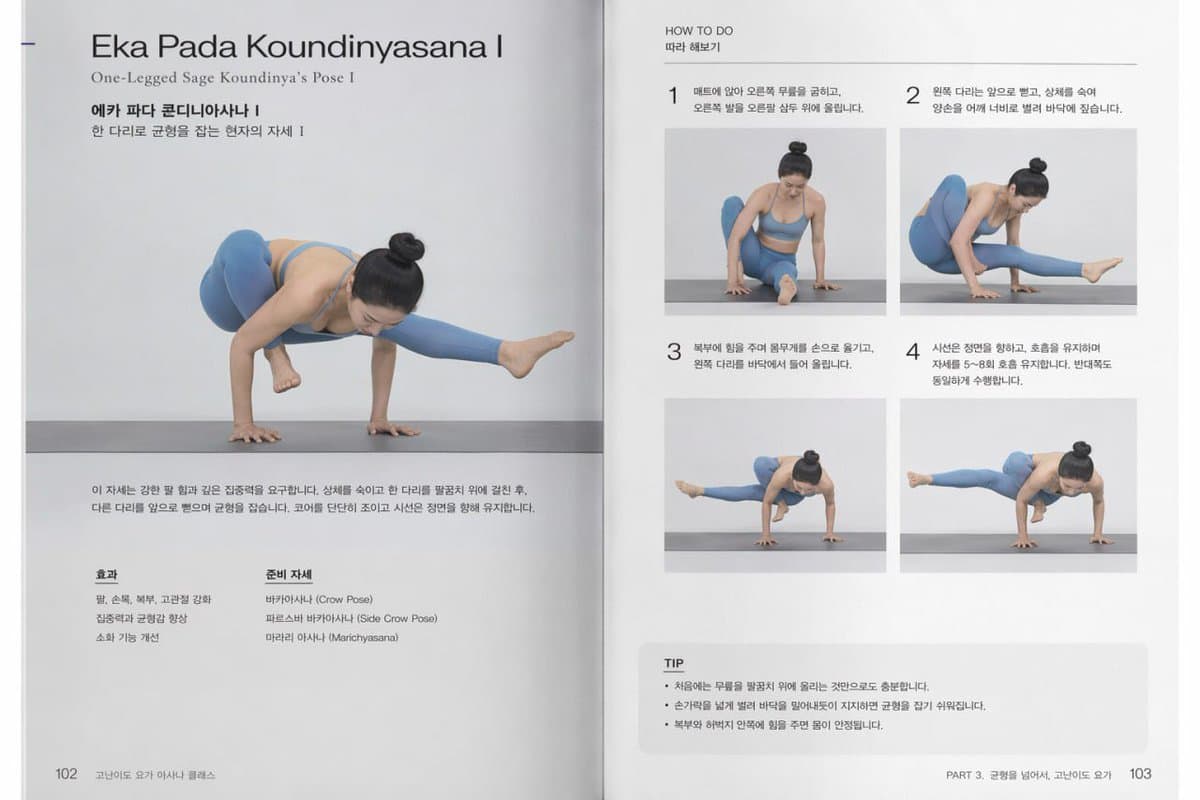
{ "type": "two-page yoga instruction book spread", "subject": "Asian woman with hair in a high bun, wearing {argument name=\"subject outfit\" default=\"blue sports bra and matching leggings\"}", "layout": { "left_page": { "header": { "title_english": "{argument name=\"pose name english\" default=\"Eka Pada Koundinyasana I\"}", "subtitle_english": "One-Legged Sage Koundinya's Pose I", "title_korean": "{argument name=\"pose name korean\" default=\"에카 파다 콘디니아사나 I\"}", "subtitle_korean": "한 다리로 균형을 잡는 현자의 자세 I" }, "main_image": "large photo of the subject performing the full arm balance pose on a grey yoga mat", "description": "paragraph of Korean text explaining the pose", "bottom_columns": [ { "title": "효과", "count": 3, "description": "list of physical benefits" }, { "title": "준비 자세", "count": 3, "description": "list of preparatory poses" } ], "footer": "page {argument name=\"page number left\" default=\"102\"} and section title" }, "right_page": { "header": "HOW TO DO / 따라 해보기", "steps_grid": { "count": 4, "description": "numbered steps 1 to 4 with Korean instructions and progression photos", "images": [ "Step 1: sitting, preparing arm and leg", "Step 2: leaning forward, hands on mat", "Step 3: lifting off the ground", "Step 4: full balanced pose" ] }, "tip_box": { "title": "TIP", "count": 3, "description": "bulleted Korean text lines in a shaded box" }, "footer": "section title and page {argument name=\"page number right\" default=\"103\"}" } } }
Use Yoga Book Two-Page Spread to plan an AI image around gpt-image-2 generation, themes such as en and gpt-image-2. Match the preview's composition first, then personalize the subject, setting, and mood for your own project.
Use the primary action to load the template settings in PicX Studio.
Adjust the subject and creative details for your destination.
Create the image, compare the result with the preview, and refine one variable at a time.
A continuous mix — similar concepts first, woven with same-model prompts and fresh picks from the catalog.
Choose the primary action to open PicX Studio with the available template settings. Review the model and format, personalize the creative direction, and generate when ready.
Yes. You can change the subject, setting, lighting, mood, format, and available model controls before creating your image.
This template is free to open and customize. Generation usage is shown in PicX Studio before you create.
Start with gpt-image-2, which is the model associated with this template. You can compare another compatible model for a different finish.
A continuous mix — similar concepts first, woven with same-model prompts and fresh picks from the catalog.
Follow a topic to a crawlable collection of related PicX Studio templates.

36,410 public templates available. Verified via the PicX Studio public templates API; refreshed hourly.