
Durian Ripening Lifecycle Infographic
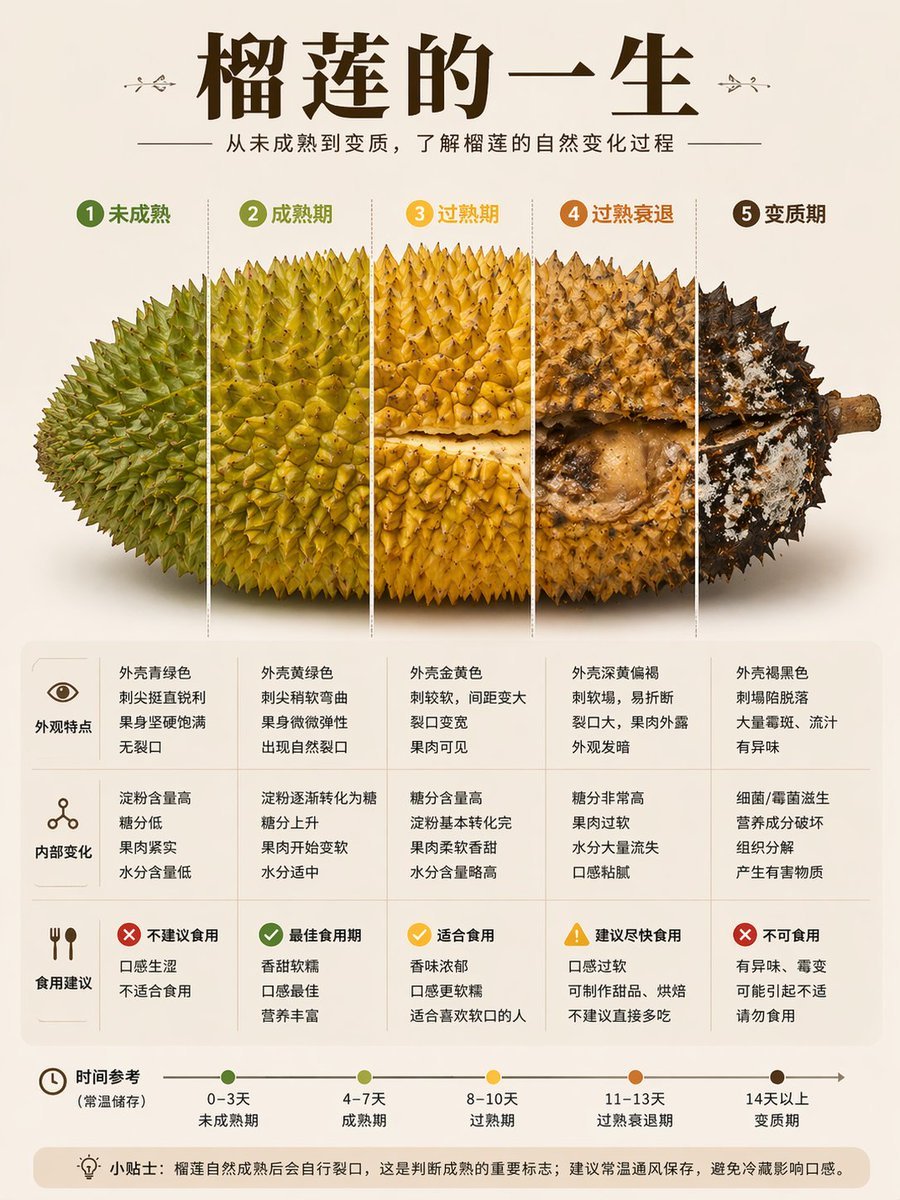
A Chinese educational infographic poster showing five durian ripening stages with realistic fruit visuals, comparison notes, and a storage timeline for social media knowledge-sharing content.
- Prompt included
- Model and format preset
- Free template
The prompt behind this image
Copy the exact prompt behind Durian Ripening Lifecycle Infographic, or open it in the studio and make it yours.
- Type
- Chinese infographic poster
- Topic
- jackfruit ripening lifecycle
- Style
- clean editorial food science infographic, high information density, realistic cutout fruit photography combined with minimal flat design, warm neutral beige background, premium social-media educational graphic
- Canvas › Orientation
- portrait
- Canvas › Aspect Ratio
- 3:4
- Headline › Title
- {argument name="headline text" default="榴莲的一生"}
- Headline › Subtitle
- 从未成熟到变质,了解榴莲的自然变化过程
- Main Visual › Subject
- one whole durian shown horizontally across the center, stem on the right, isolated on a light beige background with a soft diffuse shadow below
- Main Visual › Segmentation › Count
- 5
- Main Visual › Segmentation › Direction
- vertical slices separated by thin white divider lines
- Main Visual › Segmentation › Stages › 0 › Index
- 1
- Main Visual › Segmentation › Stages › 0 › Label
- 未成熟
- Main Visual › Segmentation › Stages › 0 › Badge Color
- olive green
- Main Visual › Segmentation › Stages › 0 › Appearance
- leftmost section, green husk, dense sharp spikes, firm unripe look
- Main Visual › Segmentation › Stages › 1 › Index
- 2
- Main Visual › Segmentation › Stages › 1 › Label
- 成熟期
- Main Visual › Segmentation › Stages › 1 › Badge Color
- yellow green
- Main Visual › Segmentation › Stages › 1 › Appearance
- greenish yellow husk, spikes slightly curved, shell beginning natural cracking
- Main Visual › Segmentation › Stages › 2 › Index
- 3
- Main Visual › Segmentation › Stages › 2 › Label
- 过熟期
- Main Visual › Segmentation › Stages › 2 › Badge Color
- golden yellow
- Main Visual › Segmentation › Stages › 2 › Appearance
- yellow husk, wider cracks, one horizontal opening reveals pale creamy flesh inside
- Main Visual › Segmentation › Stages › 3 › Index
- 4
- Main Visual › Segmentation › Stages › 3 › Label
- 过熟衰退
Raw JSON
{"type":"Chinese infographic poster","topic":"jackfruit ripening lifecycle","style":"clean editorial food science infographic, high information density, realistic cutout fruit photography combined with minimal flat design, warm neutral beige background, premium social-media educational graphic","canvas":{"orientation":"portrait","aspect_ratio":"3:4"},"headline":{"title":"{argument name=\"headline text\" default=\"榴莲的一生\"}","subtitle":"从未成熟到变质,了解榴莲的自然变化过程"},"main_visual":{"subject":"one whole durian shown horizontally across the center, stem on the right, isolated on a light beige background with a soft diffuse shadow below","segmentation":{"count":5,"direction":"vertical slices separated by thin white divider lines","stages":[{"index":1,"label":"未成熟","badge_color":"olive green","appearance":"leftmost section, green husk, dense sharp spikes, firm unripe look"},{"index":2,"label":"成熟期","badge_color":"yellow green","appearance":"greenish yellow husk, spikes slightly curved, shell beginning natural cracking"},{"index":3,"label":"过熟期","badge_color":"golden yellow","appearance":"yellow husk, wider cracks, one horizontal opening reveals pale creamy flesh inside"},{"index":4,"label":"过熟衰退","badge_color":"orange brown","appearance":"deeper yellow-brown shell, obvious split cavity with collapsed interior, darker surface stains"},{"index":5,"label":"变质期","badge_color":"dark brown","appearance":"near-black rotten husk with white mold patches and severe decay around the right end near the stem"}]}} ,"layout":{"sections":[{"title":"外观特点","position":"lower table row 1 left label","count":5,"cells":["外壳青绿色 刺尖挺直锐利 果身坚硬饱满 无裂口","外壳黄绿色 刺尖稍软弯曲 果身微微弹性 出现自然裂口","外壳金黄色 刺较软,间距变大 裂口变宽 果肉可见","外壳深黄偏褐 刺较塌,易折断 裂口大,果肉外露 外观发暗","外壳褐黑色 刺塌陷脱落 大量霉斑、流汁 有异味"]},{"title":"内部变化","position":"lower table row 2 left label","count":5,"cells":["淀粉含量高 糖分低 果肉紧实 水分含量低","淀粉逐渐转化为糖 糖分上升 果肉开始变软 水分适中","糖分含量高 淀粉基本转化完 果肉柔软香甜 水分含量略高","糖分非常高 果肉过软 水分大量流失 口感黏腻","细菌/霉菌滋生 营养成分破坏 组织分解 产生有害物质"]},{"title":"食用建议","position":"lower table row 3 left label","count":5,"cells":["不建议食用 口感生涩 不适合食用","最佳食用期 香甜软糯 口感最佳 营养丰富","适合食用 香味浓郁 口感更软糯 适合喜欢软口的人","建议尽快食用 口感过软 可制作甜品、烘焙 不建议直接多吃","不可食用 有异味、霉变 可能引起不适 请勿食用"]},{"title":"时间参考(常温储存)","position":"bottom timeline","count":5,"labels":["0–3天 未成熟期","4–7天 成熟期","8–10天 过熟期","11–13天 过熟衰退期","14天以上 变质期"]}],"footer_note":"小贴士:榴莲自然成熟后会自行裂口,这是判断成熟的重要标志;建议常温通风保存,避免冷藏影响口感。"},"design_details":{"palette":["beige","dark brown","olive green","yellow green","golden yellow","orange brown"],"typography":"large bold Chinese serif headline, smaller clean sans-serif body text","icons":"4 small category icons on the left side of the table: eye for appearance, molecular/network icon for internal changes, fork-and-knife for eating advice, clock for timeline","composition":"centered symmetrical infographic with large fruit dominating the upper middle and a rounded-corner comparison table beneath"}}How to use Durian Ripening Lifecycle Infographic in 3 steps
- 1Upload ImagePNG, JPG or paste
Add your photo
Upload the photo the template builds on. The prompt, model and format are already set.
- 2…a portrait of your subject in softgolden-hour light, 85mm…
Personalize
Edit the subject and creative details for your destination.
- 3Generate
Generate
Press Generate — your image is created in PicX Studio, so you can compare it with the original and refine one variable at a time.
More like this
Templates with the same subject, style or setup. Open one to see its prompt.

Japan Travel Brochure Poster

Isometric Process Educational Diorama

Isometric Vehicle Teardown Infographic Template

Gpt2 E Commerce Main Image Earbuds E Commerce Infographic

Gpt2 Infographic Edu Visual Alishan One Day Travel Poster

Gpt2 Infographic Edu Visual Ethnographic Plate for Tibetan Ceremonial Hat

Gpt2 Infographic Edu Visual Earth Signs Zodiac Character Poster

Gpt2 Infographic Edu Visual Water Signs Zodiac Character Poster

Gpt2 Infographic Edu Visual Ink Wash Tribute Poster for Chen Uen

Gpt2 Infographic Edu Visual Vintage Claude Shannon Infographic Poster

Gpt2 Infographic Edu Visual Taoist Three Souls Seven Po Poster

Gpt2 Infographic Edu Visual Biomimetic Skyray Aircraft Poster
Make it yours
Durian Ripening Lifecycle Infographic works as-is. These are the safest ways to change it without losing the look.
Change one field
Copy a single group, rewrite it, and generate again so you can see what that field is doing.
Keep the frame, change the subject
Hold the composition and light of Durian Ripening Lifecycle Infographic, then swap wardrobe, props or the person for a new take.
| If the result… | Why | Fix |
|---|---|---|
| The result drifts from the preview | Too many fields changed at once. | Reuse Durian Ripening Lifecycle Infographic as-is first, then change one group — subject, light, or setting. |
| GPT Image 2 ignores part of the JSON | Some models flatten or skip nested keys. | Keep the same values and paste them as a short paragraph instead. |
More GPT Image 2 templates
Other prompts made for GPT Image 2.

Six VTuber Japanese Logo Sheet

Realistic Portrait of Woman and Deer

The Vista Modular Condo Poster

AI Model Routing Comparison Infographic

2.5D Anime Art Board

Isometric Productivity Desk Scene

New York Double Exposure Poster

Four-Panel AI Landscape Comparison

Japanese Tatami Lifestyle Magazine Cover

NESCAFÉ Coffee Map Poster
More image prompts
Fresh picks from across the catalog.

Image Generation with One Prompt and Reference

Realistic Gym Mirror Selfie Prompt

Split-Reality Street Art Portrait with Identity Lock

Four-Panel Manga Generation: The Day Our Bus Stops

Cozy Retro Loungewear with Shaggy Faux Fur

Two Anime Girls with Flashy Hair

Historical Epic Scene: 1887 Yellow River Flood

Anonymous Male Editorial Contact Sheet
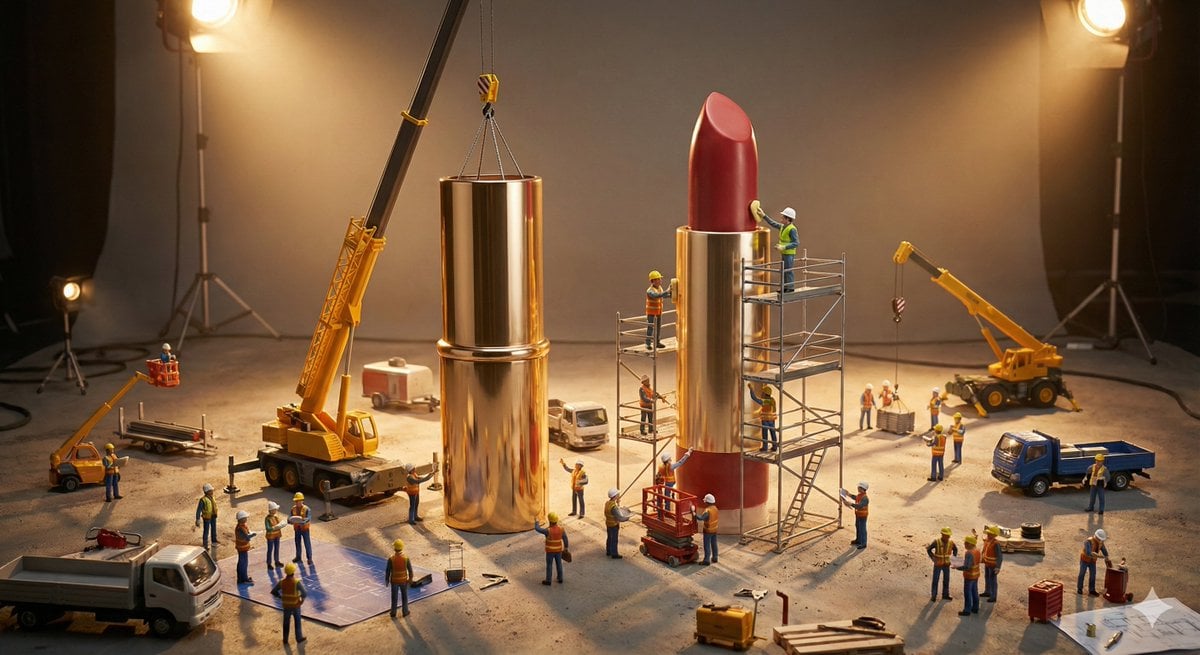
Construction of the Impossible Prompt: Miniature Engineers
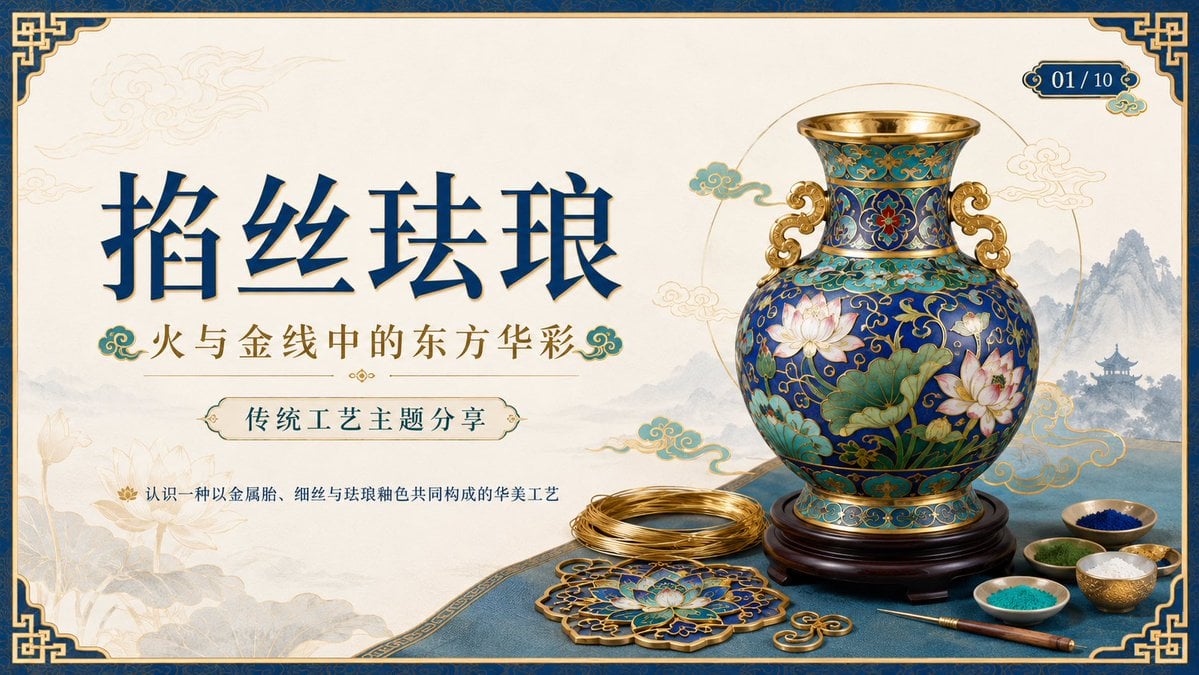
Cloisonné Craft PPT Cover
Browse template categories
Durian Ripening Lifecycle Infographic questions
How do I use the Durian Ripening Lifecycle Infographic template?
Add your photo if the template asks for one, edit the prompt if you like — the template's model and format are already selected — and press Generate. Your version opens in PicX Studio.
Can I customize the Durian Ripening Lifecycle Infographic template?
Yes. You can change the subject, setting, lighting, mood, format, and available model controls before creating your image.
Is the Durian Ripening Lifecycle Infographic template free?
Opening and editing this template is free. Generating uses credits, shown on the Generate button when you are signed in.
Which AI model should I use?
Start with GPT Image 2, which is the model associated with this template. You can compare another compatible model for a different finish.
Looking for something else? Browse all templates.

Your photo, any look
Thousands of ready templates for every top image and video model, from one credit balance.