Japanese Y-DNA History Infographic Poster
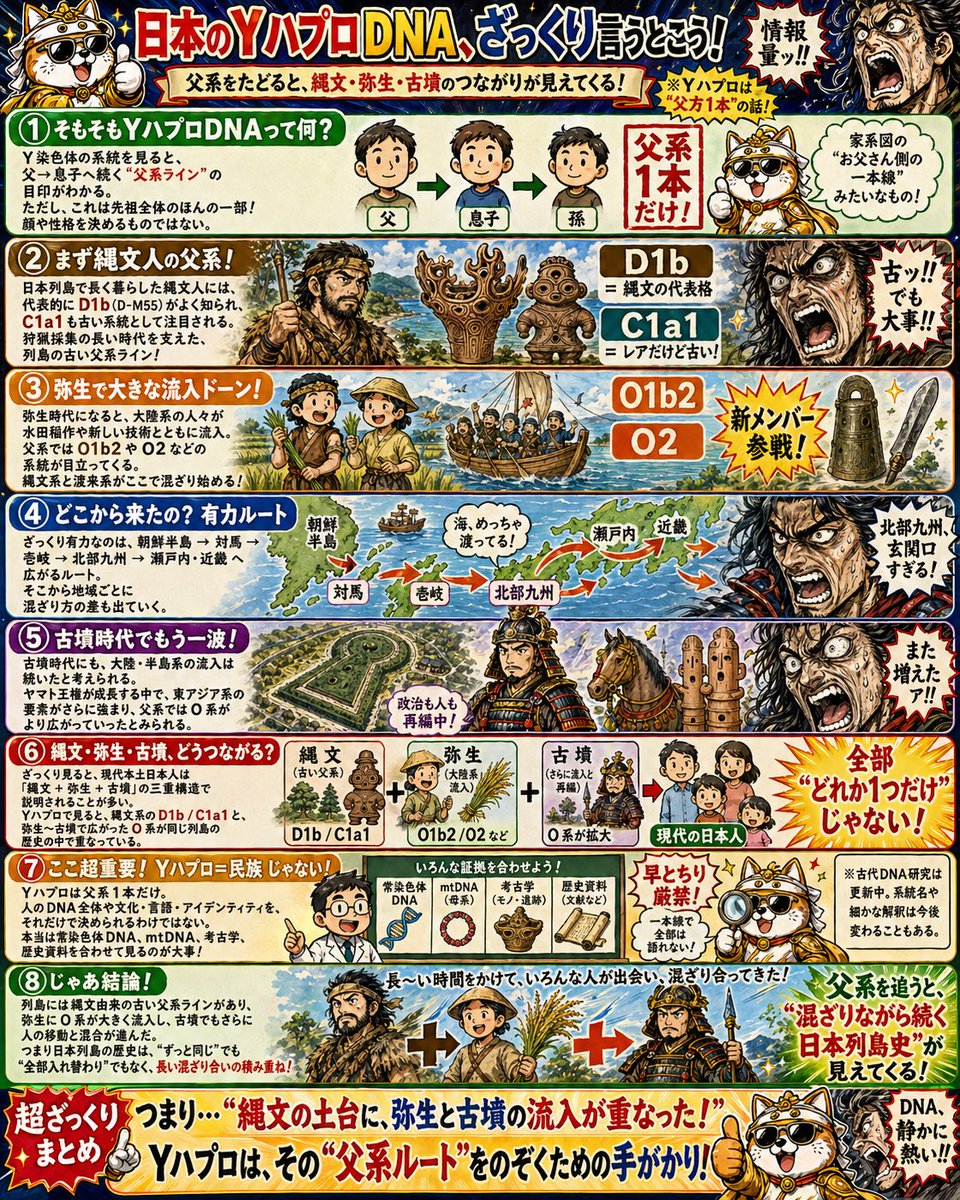
Japanese educational history infographic poster · busy manga-style educational poster, highly saturated colors, thick ink outlines, dramatic comic energy, glossy print look, textured paper illustration, designed for children, humorous but informative · Y-chromosome DNA and the broad paternal-line history of the Japanese archipelago · Japanese · portrait 3:4 · {argument name="headline text" default="日本のYハプロDNA、ざっくり言うとこう!"} · 父系をたどると、縄文・弥生・古墳のつながりが見えてくる! · 情報量ッ!! · cartoon dog historian mascot · 4 · round white-and-tan dog with black nose, expressive mouth, wearing ornate gold historical costume with crown-like headpiece, often pointing or giving a thumbs-up, comical teacher role · 8 numbered horizontal panels stacked vertically plus top banner and bottom summary banner · ① そもそもYハプロDNAって何? · top panel under banner · 1 · explanation text block about father-to-son inheritance of Y chromosome, 3 male head icons in sequence labeled 父, 息子, 孫 connected by green arrows, large red text 父系1本だけ!, mascot speech bubble comparing it to one branch in a family tree · ② まず縄文人の父系! · upper section · 1 · illustration of a rugged Jomon hunter holding spear, 3 Jomon artifacts/totems arranged center, brown label D1b = 縄文の代表格, blue label C1a1 = レアだけど古い!, dramatic shouting manga face at right with text 古ッ!!! でも大事!! · ③ 弥生で大きな流入ドーン! · upper-middle section · 1 · cheerful Yayoi-era figures standing on shore, boat full of migrants arriving from the continent, orange labels O1b2 and O2, starburst text 新メンバー参戦!, small haniwa and stone blade illustration at far right · ④ どこから来たの? 有力ルート · middle section · 1 · map of Korea Strait and western Japan, visible place labels 朝鮮半島, 対馬, 壱岐, 北部九州, 瀬戸内, 近畿, many red arrows showing migration routes eastward, speech bubble over sea saying 海、めっちゃ渡ってる!, dramatic warrior face at right with text 北部九州、玄関口すぎる! · ⑤ 古墳時代でもう一波! · lower-middle section · 1 · large aerial view style keyhole-shaped kofun tomb landscape, armored Kofun-era horseman in center, horse and 3 haniwa figures to the right, shouting manga face at far right with text また増えたァ!!, caption near warrior 政治も人も再編中! · ⑥ じゃあ現代と古墳、どうつながる? · lower section · 1 · diagram showing 縄文 + 弥生 + 古墳 = 現代の日本人, 3 labeled mini-blocks: 縄文(古い父系), 弥生(大陸系), 古墳(さらに流入), haplogroup labels D1b / C1a1 and O1b2 / O2, arrow pointing to modern Japanese family icon, orange burst text 全部“どれか1つだけ”じゃない! · ⑦ ご注意! Yハプロ=民族じゃない! · second from bottom · 1 · scientist or teacher figure pointing at a board, 5 evidence icons in a row: 常染色体, mtDNA, 考古学, 歴史資料, いろんな証拠を合わせよう!, red warning burst 早とちり厳禁!, mascot speech bubble saying 一本筋で全部は語れない!, small note saying research updates over time · ⑧ じゃあ結論! · bottom content panel · 1 · three large historical figures side by side separated by plus signs: Jomon person, Yayoi farmer with rice, Kofun armored warrior with spear, large concluding sentence about many people mixing over long periods, bright red emphasis text about the Japanese archipelago continuing while mixing, mascot at lower right praising the DNA clue · 1 · 超ざっくり つまり…“縄文の土台に、弥生と古墳の流入が重なった!” Yハプロは、その“父系ルート”をのぞくための手がかり! · Jomon · 2 · rugged spear hunter, small block in ancestry equation · Yayoi · 3 · 2 cheerful migrants/farmers, small block in ancestry equation · Kofun · 2 · armored horseman, small block in ancestry equation · 3 · 3 exaggerated manga reaction faces at the right edges of sections 2, 4, and 5 · 4 · 3 Jomon clay figures or ritual artifacts, 1 boat of migrants, 1 haniwa and 1 stone blade in Yayoi panel, 3 haniwa beside horse in Kofun panel · crimson red, gold, deep blue, forest green, orange, cream, black · each panel has a different accent color with white text boxes and comic burst callouts · very high, many explanatory paragraphs, labels, arrows, speech bubbles, and impact words · Create a kid-friendly Japanese history teaching poster that explains paternal-line Y-DNA haplogroups in a simplified way, combining manga comedy, historical illustration, archaeology, migration maps, and bold callout typography. Keep the page extremely packed, energetic, and easy to scan, with 8 numbered sections and recurring dog mascot commentary.













![Impasto Oil Architectural Painting — Create a sophisticated fine-art architectural painting of [STRUCTURE / LANDMARK], presented as a highly tactile, three-dime](https://cms-assets.youmind.com/media/1788163891448_cwh0eu_HQ8zY0FaUAAXBua-300x375.jpg)






![Minimalist Flat Vector Travel Poster — Premium minimalist flat-vector travel poster for {argument name="city name" default="[CITY_NAME]"}, 3:4 vertical format.](https://cms-assets.youmind.com/media/1787917359711_3ug846_HQX205cbMAA6F6S-300x400.jpg)
























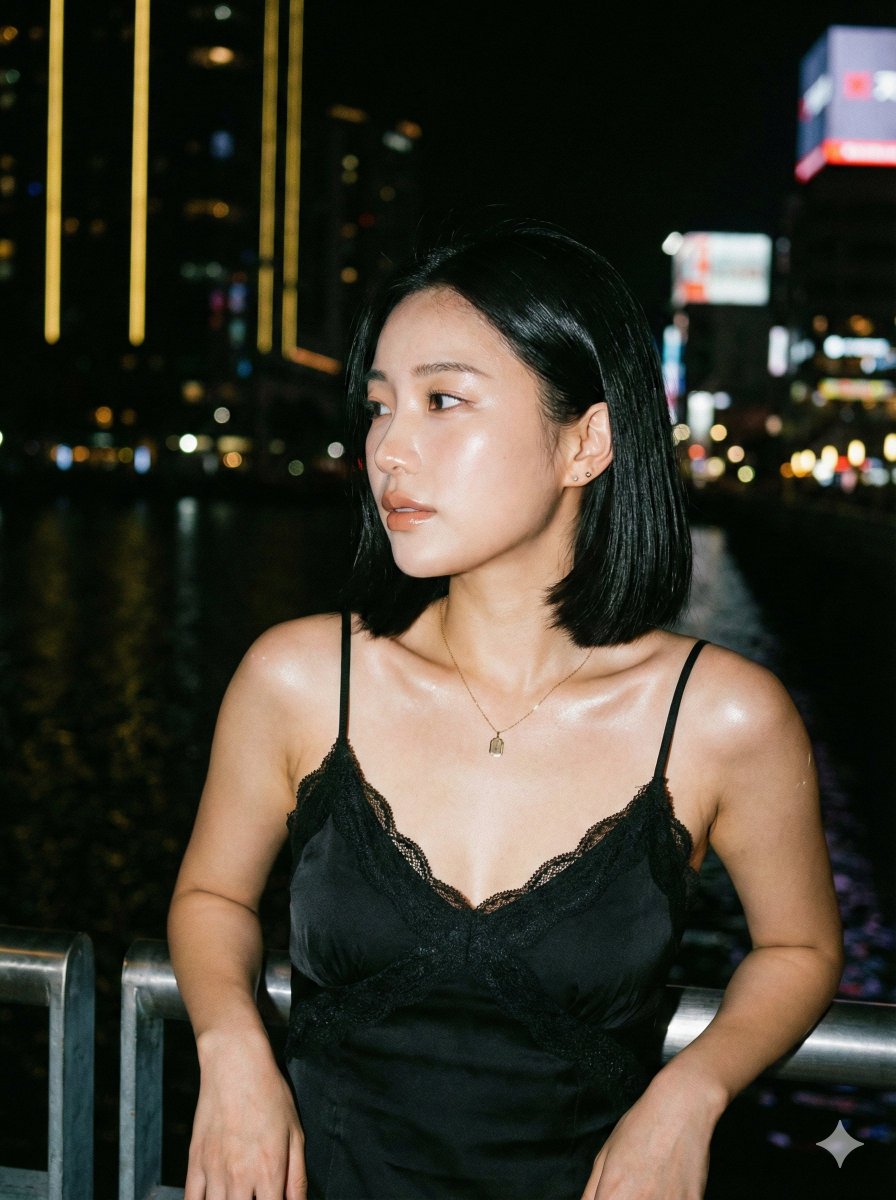
![Douyin Luxury Night Portrait Prompt — [Subject]
person = {argument name="person" default="Woman"}
facial_reference = {argument name="facia…](https://pbs.twimg.com/media/G8icE-VboAEdLdQ.jpg)













![Surreal Studio Ghibli food advertisement prompt — Create a surreal 1:1 advertisement for [{argument name="brand name" default="Pringles"}], placing the hyper-re](https://pbs.twimg.com/media/G_Myqg8bcAA8X86.jpg)