How do I use the Photorealistic Beach Selfie with Custom Text template?
Choose the primary action to open PicX Studio with the available template settings. Review the model and format, personalize the creative direction, and generate when ready.
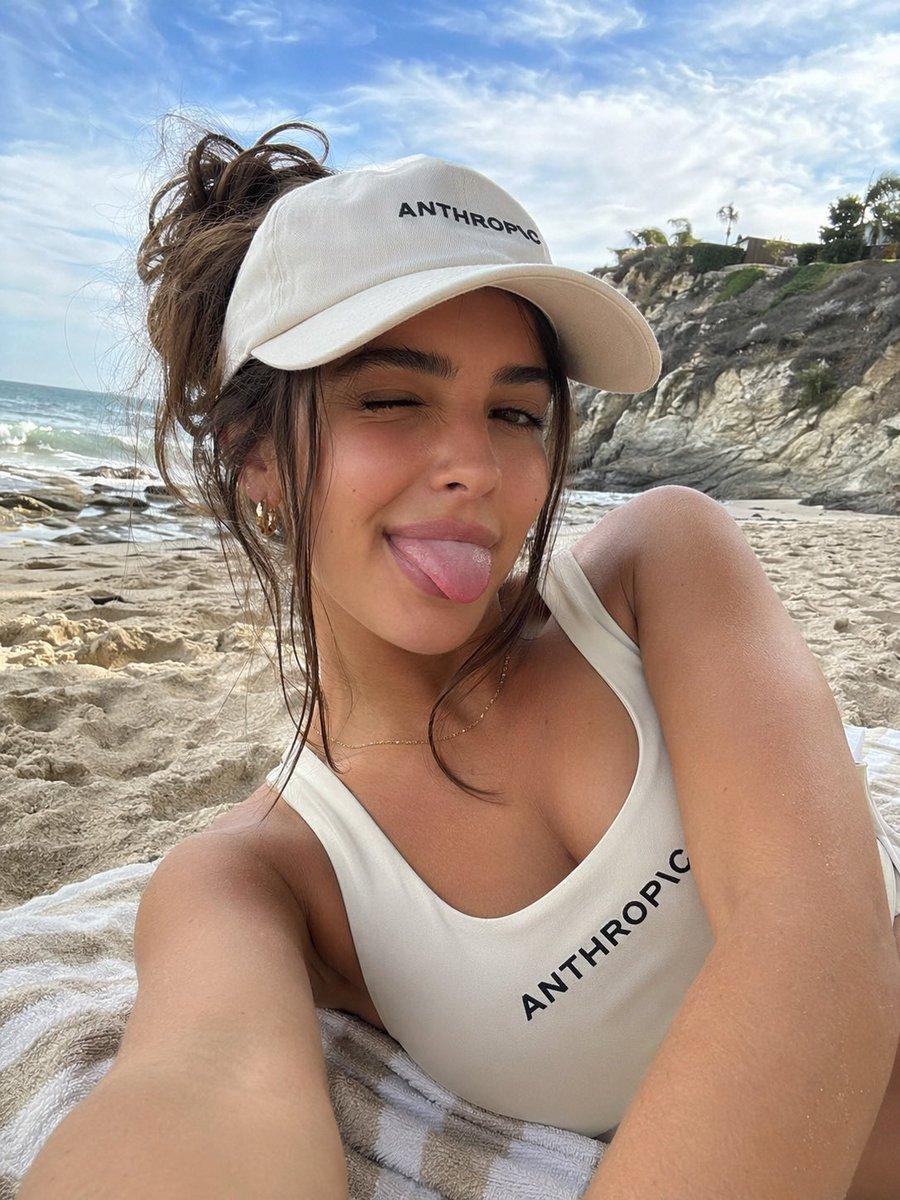
Generates a photorealistic selfie of a woman on a beach wearing branded apparel with customizable text. (free to use) — Free AI image template on PicX Studio.
A photorealistic selfie of a young tanned woman lying on a striped towel at a {argument name="location" default="sandy beach with rocky cliffs"}. She has a messy brown bun and makes a playful face, {argument name="facial expression" default="winking and sticking her tongue out"}. She wears a white baseball cap and a white swimsuit, both displaying the text "{argument name="clothing text" default="ANTHROPIC"}" in black. Bright daylight, ocean waves, and a partly cloudy sky complete the background.
Photorealistic Beach Selfie with Custom Text needs input media to work. Open it in the studio and these load alongside the prompt — pick whichever ones your chosen model can take.
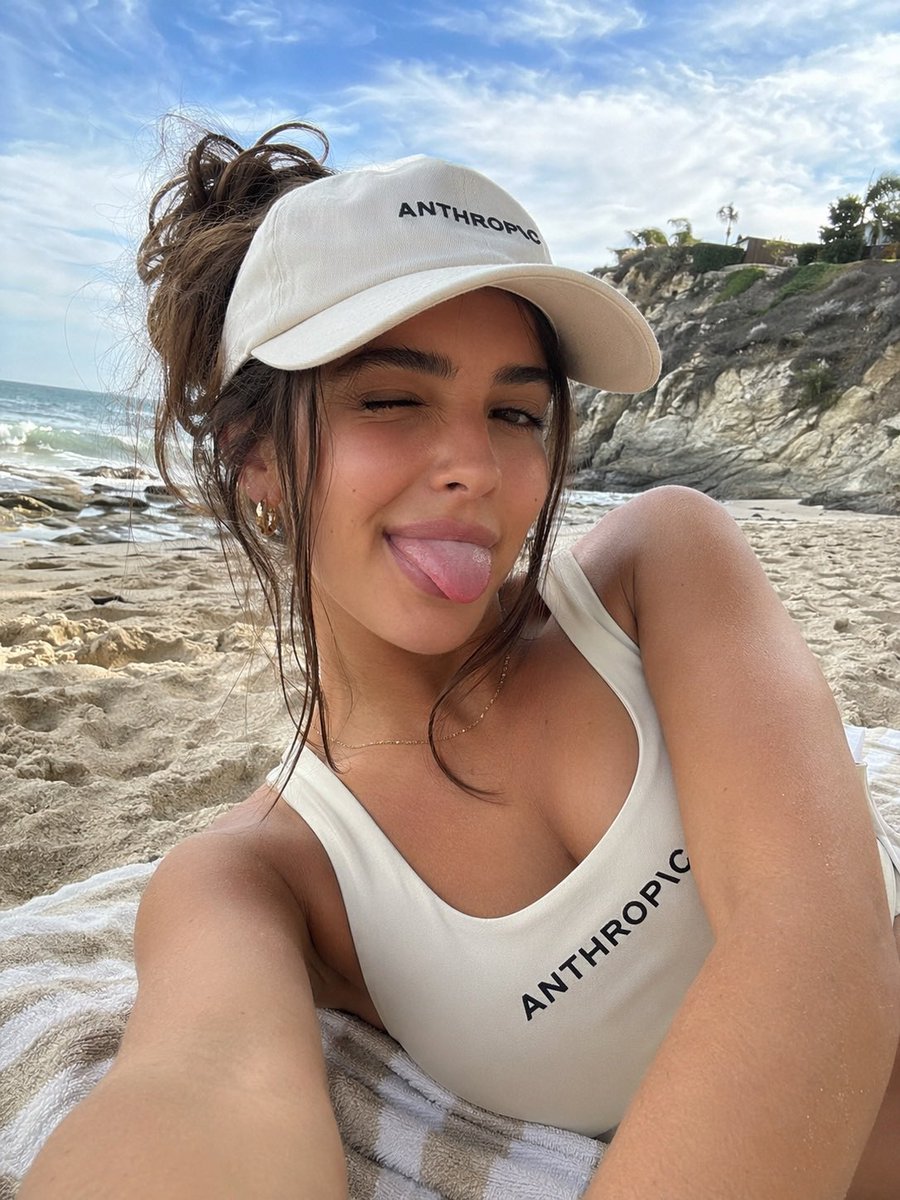
Use Photorealistic Beach Selfie with Custom Text to plan an AI image around gpt-image-2 generation, themes such as en and gpt-image-2. Match the preview's composition first, then personalize the subject, setting, and mood for your own project.
Use the primary action to load the template settings in PicX Studio.
Adjust the subject and creative details for your destination.
Create the image, compare the result with the preview, and refine one variable at a time.
A continuous mix — similar concepts first, woven with same-model prompts and fresh picks from the catalog.
Choose the primary action to open PicX Studio with the available template settings. Review the model and format, personalize the creative direction, and generate when ready.
Yes. You can change the subject, setting, lighting, mood, format, and available model controls before creating your image.
This template is free to open and customize. Generation usage is shown in PicX Studio before you create.
Start with gpt-image-2, which is the model associated with this template. You can compare another compatible model for a different finish.
Follow a topic to a crawlable collection of related PicX Studio templates.
39,155 public templates available. Verified via the PicX Studio public templates API; refreshed hourly.
A continuous mix — similar concepts first, woven with same-model prompts and fresh picks from the catalog.