How do I use the Cinematic Cycling Storyboard template?
Choose the primary action to open PicX Studio with the available template settings. Review the model and format, personalize the creative direction, and generate when ready.
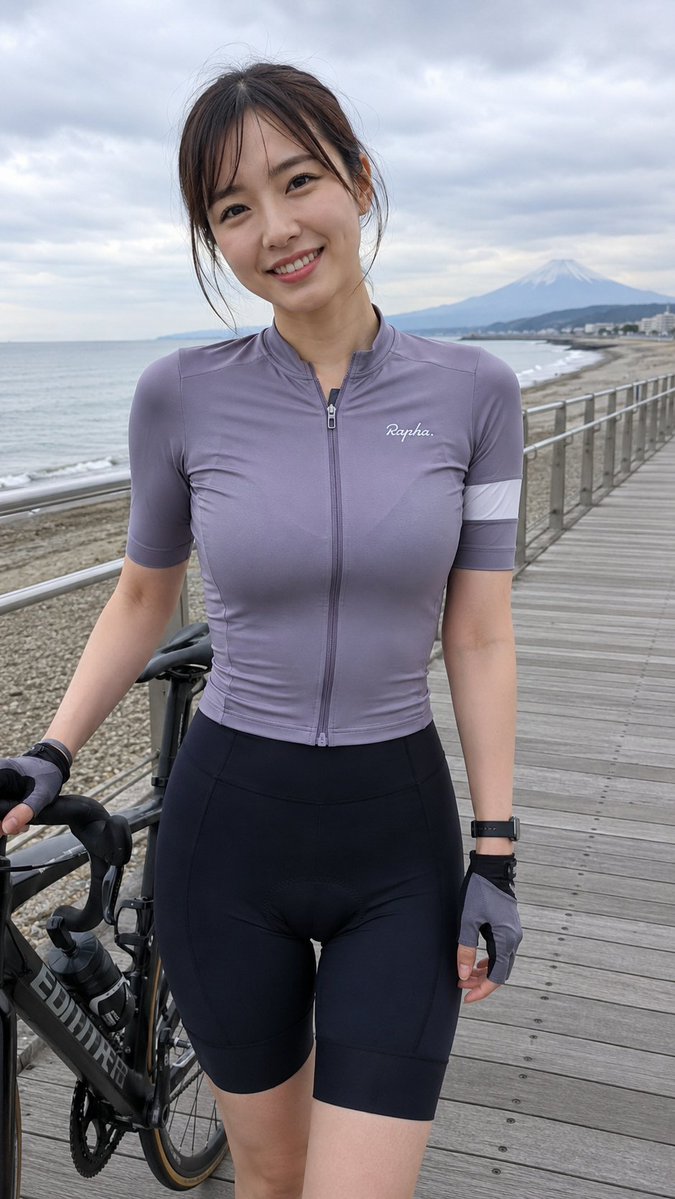
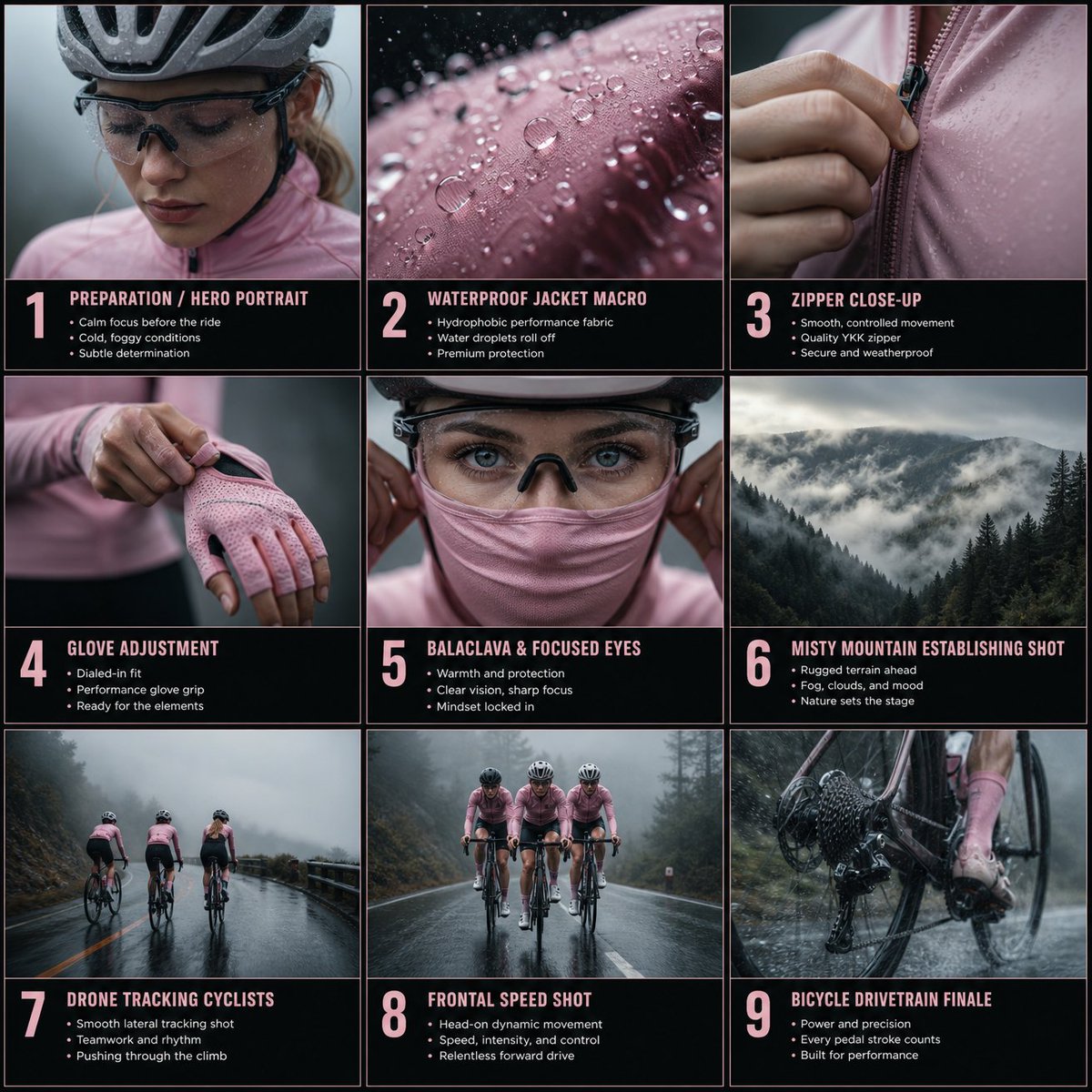
A multi-panel storyboard prompt for a cinematic project featuring a female cyclist in various atmospheric, foggy mountain settings. Change the subject, setting, or lighting one variable at a time.
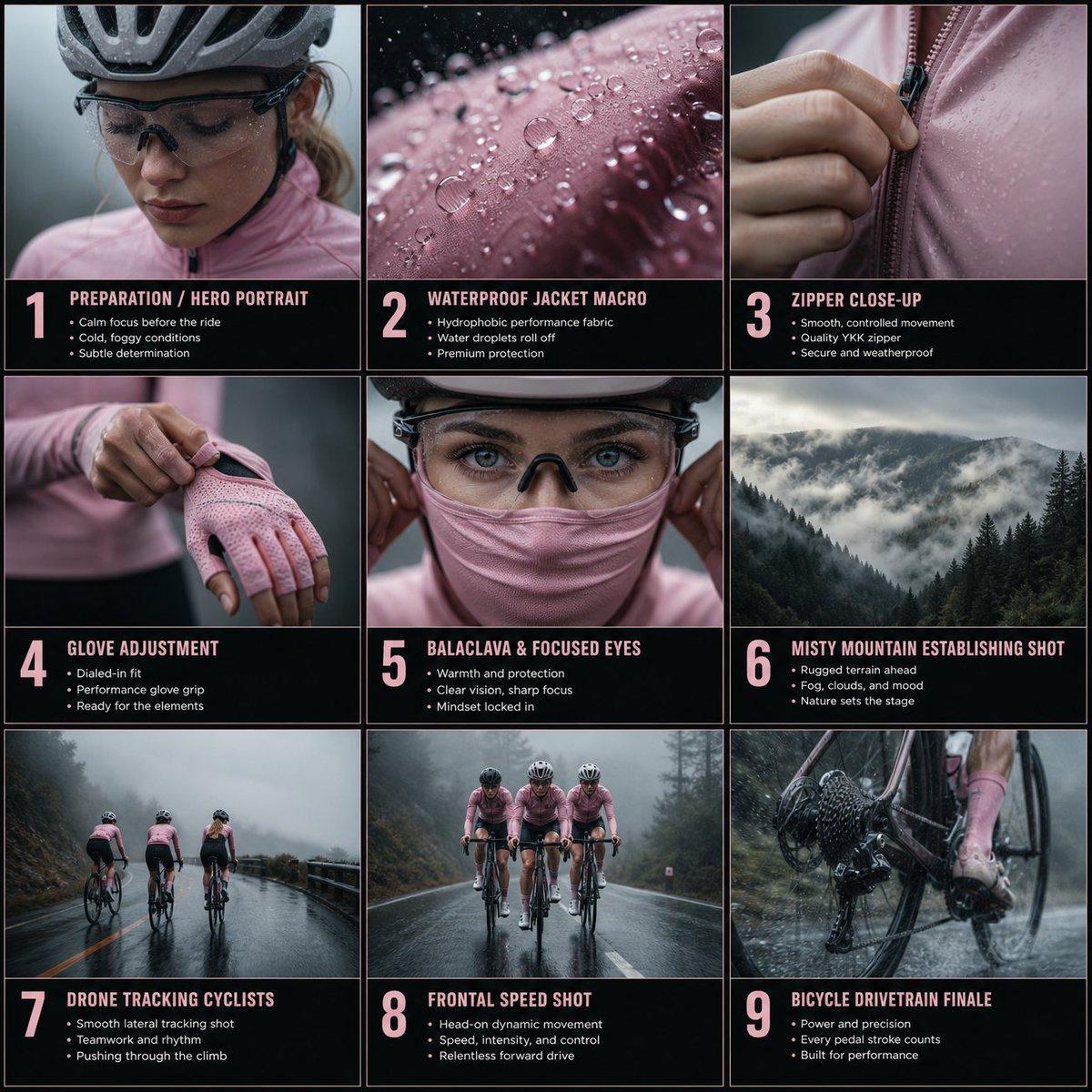
Ultra-realistic cinematic close-up of a female cyclist tightening a baby pink performance glove around her wrist. Focus on fingers, tendons, and fabric stretch. Realistic tension and folds in the glove material. Cool foggy environment, soft diffused light, cinematic shallow depth of field, subtle breathing movement transferred into frame, ultra-realistic textures. Panel 5 — Balaclava & Focused Eyes Ultra-realistic cinematic close-up of a female cyclist wearing helmet and performance glasses while adjusting a baby pink balaclava over the lower half of her face. Tight symmetrical framing focused on eyes and hands. Slow controlled movement as the fabric stretches softly around her face. Slight condensation on glasses, calm determined eyes shifting subtly to the side. Foggy blurred background, cool cinematic lighting, photorealistic detail. Panel 6 — Misty Mountain Establishing Shot Ultra-realistic cinematic wide shot of foggy mountain valleys and dense forest under overcast skies. Heavy fog drifting through trees and across the road. Cold moody atmosphere, soft volumetric fog, subtle wind movement in branches and grass. Cool cinematic color grading, high dynamic range, deep atmospheric depth, almost static camera with very subtle cinematic push-in. Panel 7 — Drone Tracking Cyclists Ultra-realistic wide cinematic drone shot of three female road cyclists riding uphill together on a wet mountain road in foggy weather. The cyclists wear baby pink performance cycling apparel contrasting against the cold gray environment. Smooth lateral drone tracking movement parallel to the cyclists. Wet asphalt reflecting soft light, subtle tire spray, drifting fog crossing the road, synchronized pedaling rhythm, natural movement, documentary realism. Panel 8 — Frontal Speed Shot Ultra-realistic cinematic frontal drone shot of three female cyclists riding fast in single-file formation on a wet mountain road. Camera flies backward at the exact same speed, keeping constant framing and centered composition. Baby pink cycling jackets visible through rain and fog. Wet asphalt reflections, water spray from wheels, dynamic rain particles, cinematic stabilization with subtle natural drone float, cold atmospheric mountain background. Panel 9 — Bicycle Drivetrain Finale Ultra-realistic cinematic close-up from a camera mounted near the rear wheel and drivetrain of a road bicycle. Baby pink cycling shoe and lower apparel visible while pedaling intensely uphill in rain. Detailed chain, cassette, crankset, and wheel movement with realistic mechanical motion. Water droplets splashing onto the drivetrain, wet asphalt texture sharp and reflective. Natural vibrations from the bike, shallow depth of field, cinematic motion blur, foggy mountain atmosphere, premium high-end commercial realism.
Choose the primary action to open PicX Studio with the available template settings. Review the model and format, personalize the creative direction, and generate when ready.
Yes. You can change the subject, setting, lighting, mood, format, and available model controls before creating your image.
This template is free to open and customize. Generation usage is shown in PicX Studio before you create.
Start with GPT Image 2, which is the model associated with this template. You can compare another compatible model for a different finish.
© 2026 PicX Studio. All rights reserved.

Follow a topic to a crawlable collection of related PicX Studio templates.
43,474 public templates available. Verified via the PicX Studio public templates API; refreshed hourly.














![Un storyboard limpio en cuadrícula 3 3 con nueve paneles iguales en — Un storyboard limpio en cuadrícula 3×3 con nueve paneles iguales en proporción [ratio], de](https://images.meigen.ai/tweets/2027526257018024246/0.jpg)
































![Overhead Direct-Flash Bedroom Portrait — Create an [overhead direct-flash editorial portrait] style fashion image of an adult woman, aspect ratio [aspect ratio]](https://cms-assets.youmind.com/media/1779959528513_nraq1s_HJT6kJdbMAA_We3.jpg)