How do I use the Mystical ChatGPT Raincoat Figure template?
Choose the primary action to open PicX Studio with the available template settings. Review the model and format, personalize the creative direction, and generate when ready.
A cinematic rainy-night Japanese street photo of ChatGPT personified as a glowing, mysterious figure in a translucent white coat.
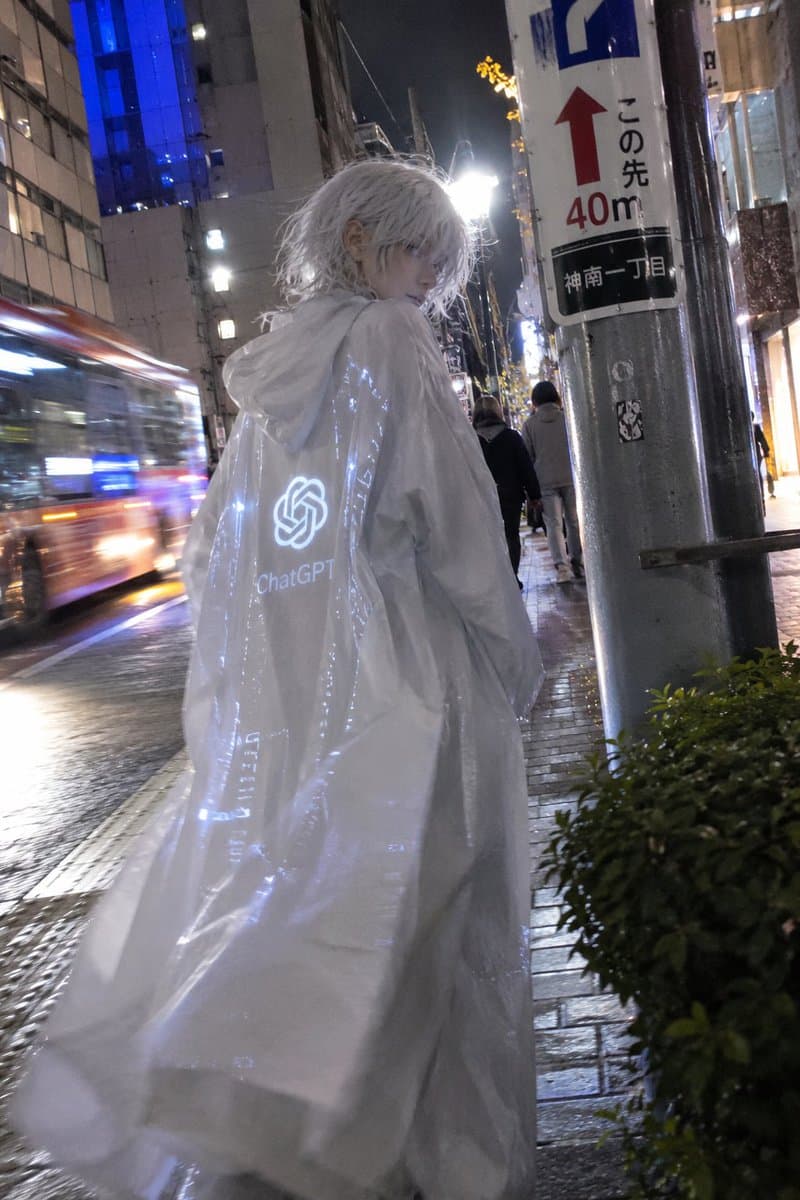
Create a cinematic vertical night street photograph in a rainy Japanese city, showing the mysterious true form of {argument name="character name" default="ChatGPT"} as a tall androgynous figure walking away on a wet sidewalk. The figure has messy shoulder-length {argument name="hair color" default="silver-white"} hair, a faceless or deliberately obscured square gray face, and wears an oversized translucent glossy white hooded raincoat that billows dramatically like a cloak. On the back of the coat, place a softly glowing white OpenAI knot logo with the text “ChatGPT” beneath it, plus faint blue-white circuit-like light patterns running vertically through the plastic fabric. The setting is a realistic urban Japanese street at night after rain, with reflective pavement, bright shop and street lights, a blurred bus or tram streaking past on the left with motion blur, pedestrians ahead in the distance, tall buildings with blue-lit windows, and a metal utility pole on the right bearing a Japanese-style traffic sign with a red upward arrow, “40m,” and small Japanese text. Use a handheld smartphone-photo perspective from slightly behind and below the subject, shallow depth of field, high ISO grain, wet reflections, cool blue and white highlights, and a mystical sci-fi movie still atmosphere. Keep the composition candid and realistic rather than polished, with the coat occupying most of the frame and the glowing logo clearly visible.
Choose the primary action to open PicX Studio with the available template settings. Review the model and format, personalize the creative direction, and generate when ready.
Yes. You can change the subject, setting, lighting, mood, format, and available model controls before creating your image.
This template is free to open and customize. Generation usage is shown in PicX Studio before you create.
Start with GPT Image 2, which is the model associated with this template. You can compare another compatible model for a different finish.
© 2026 PicX Studio. All rights reserved.

Follow a topic to a crawlable collection of related PicX Studio templates.