Sun-Kissed Strawberry Girl Bikini Snapshot
{
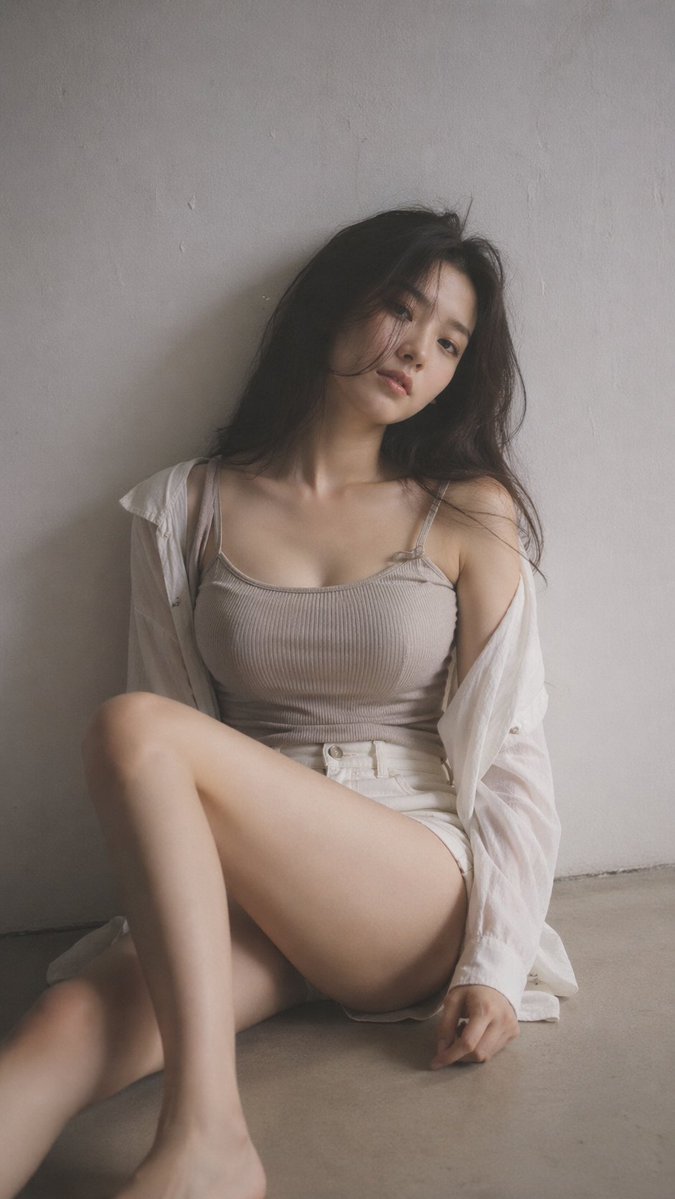
"photo_type": "Amateur smartphone snapshot",
"subject": {
"age": "Early 20s",
"body_type": "Young Woman, exaggerated Large round breast shape, prominent projected profile, fuller bust measurement, large-breasted proportions, fuller chest frame, shapely upper silhouette, top-heavy silhouette, buxom figure, high waist-to-hip contrast, defined waistline, fuller glute measurement, curvy, prominent hips, rounded hip contour, curvy lower body, thick, powerful thighs, full thighs, push-up bra effect",
"description": "A woman with a curvaceous figure and an oval-shaped face, standing casually outdoors. She has high cheekbones and a sun-kissed, smooth complexion. Her hair is long, thick, and dark wavy, framing her features. Her physique is shapely with a high waist-to-hip contrast and a defined waistline.",
"ethnicity": "NA",
"expression": "Slightly parted lips, neutral but relaxed gaze",
"gender": "Female",
"mirror_rules": "None",
"pose_description": "Leaning back slightly against a white balcony railing, hands resting on the ledge to her sides, body angled slightly toward the camera.",
"tattoos": "None"
},
"clothing": {
"bottom": {
"color": "White",
"details": "Embroidered large red strawberry motif with green leaves on the front leg",
"fabric": "Knit crochet",
"type": "High-waisted mini shorts"
},
"fit_and_physics": "The bikini top is strained over a fuller bust, creating tension lines in the fabric. The knit shorts show minor bunching at the waist and compression creases where the fabric meets the hips.",
"outerwear": {
"color": "None",
"details": "None",
"fabric": "None",
"type": "None"
},
"shoes": {
"color": "None",
"details": "None",
"fabric": "None",
"type": "None"
},
"top": {
"color": "{argument name="bikini color" default="Red and white"}",
"details": "Thin horizontal stripes, white scalloped trim along the edges",
"fabric": "Spandex-blend",
"type": "Triangle bikini top"
}
},
"hair": {
"color": "Dark brown to black",
"interaction": "Loose and voluminous, slightly wind-blown with a few strands resting across her face",
"style": "Long, thick, dark wavy hair with a natural side part"
},
"face": {
"description": "Use the uploaded character reference image, keep all facial details 100% unchanged",
"eyebrows": "Defined, arched eyebrows",
"eyes": "Large, almond-shaped brown eyes",
"lips": "Full with a well-defined cupid’s bow",
"makeup": "Minimal, subtle winged eyeliner and a glossy lip"
},
"skin_texture": "Natural sun-kissed skin with visible pores on the nose and cheeks, slight sheen from moisture or sun-protection, and subtle dermal translucency.",
"biological_features": {
"eye_complexity": "Wetness of the tear duct and sharp corneal reflections from natural sunlight",
"hair_strand_physics": "Individual f










![Japan Travel Brochure Poster — Create a vertical vintage travel-brochure infographic poster titled “[COUNTRY/DESTINATION]: [TAGLINE]”, using a warm parchment-pa](/_next/image?url=https%3A%2F%2Fcdn.picxstudio.com%2Fuploads%2Fp0_982bf820-bb34-4c43-8a6d-42d799d7282b.jpg&w=828&q=100)





![Minimalist Flat Vector Travel Poster — Premium minimalist flat-vector travel poster for {argument name="city name" default="[CITY_NAME]"}, 3:4 vertical format.](https://cms-assets.youmind.com/media/1787917359711_3ug846_HQX205cbMAA6F6S-300x400.jpg)



























![Abandoned Object Photorealistic Image Generator — A photorealistic image of an abandoned {argument name="subject" default="[SUBJECT]"} in {argument name="color"](https://pbs.twimg.com/media/G96tX4ibQAAMPfh.jpg)