Japanese Office Lady Character Sheet
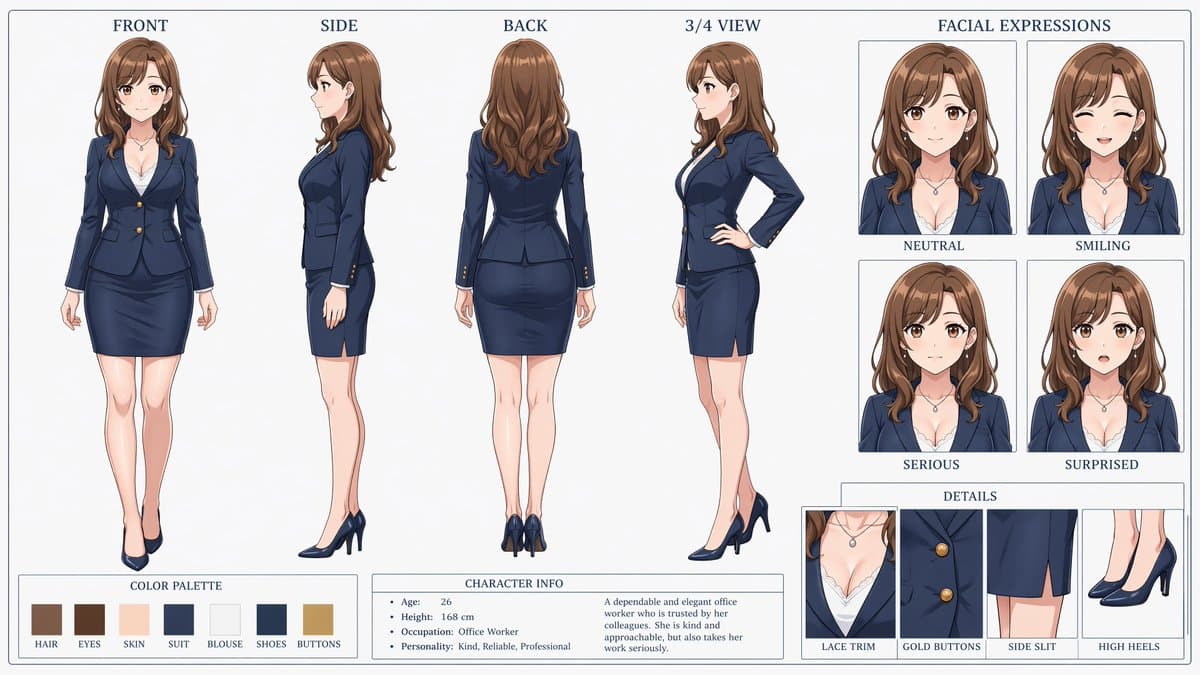
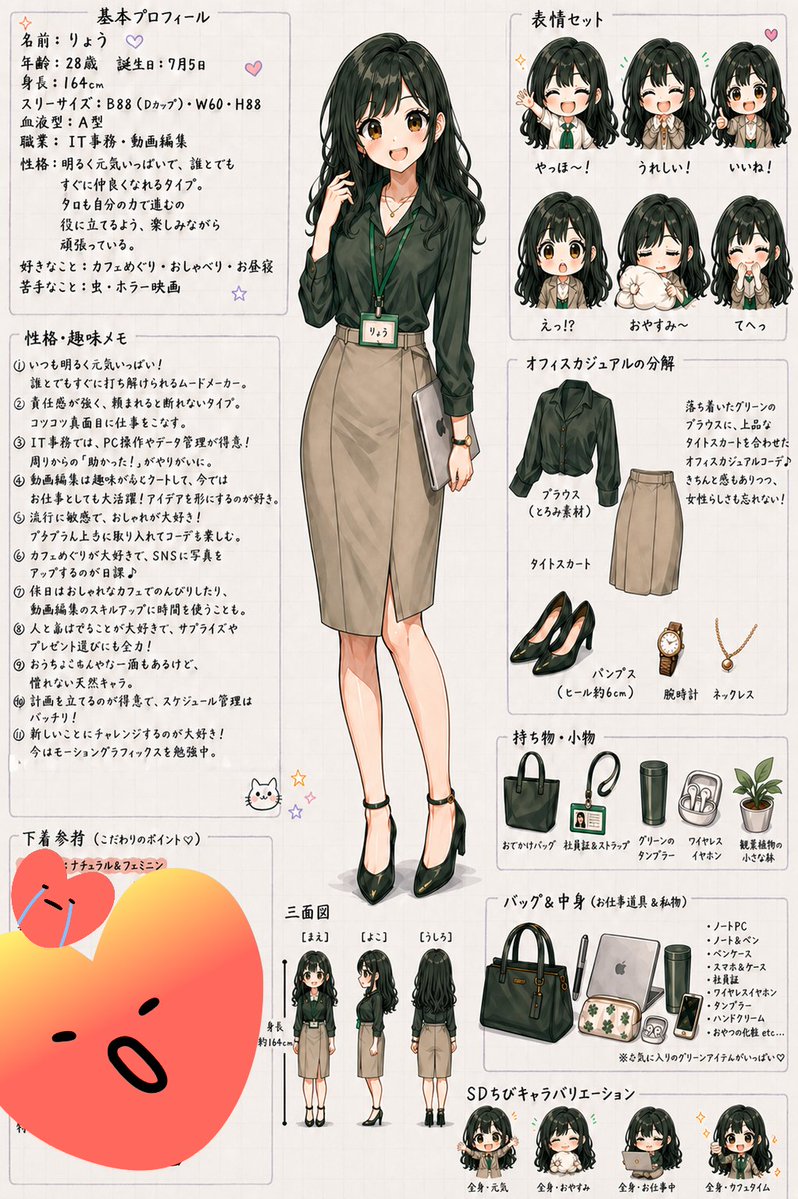
anime character reference sheet · clean hand-drawn Japanese design sheet, soft watercolor-like shading, light beige grid paper background, thin gray panel borders, small pastel doodles like hearts, stars, and a cat face, polished office-lady fashion illustration · {argument name="character name" default="りょう"} · 28 · July 5 · 164 cm · slim adult woman with gentle proportions · {argument name="hair color" default="dark greenish black"} · long wavy hair with heavy bangs, voluminous crown, loose curls near the ends · dark muted green blouse with long sleeves and soft sheen · beige tight midi skirt with front slit · black pointed high heels · green lanyard name tag, wristwatch, delicate necklace · full-body standing pose, one hand lightly touching her hair, the other holding a slim silver laptop or document folder at her side, calm friendly expression · one large full-body front illustration in the center · 基本プロフィール · top left · 1 · profile text block · 性格・趣味メモ · middle left · 11 · 1, 2, 3, 4, 5, 6, 7, 8, 9, 10, 11 · 表情セット · top right · 6 · やっほ〜!, うれしい!, いいね!, えっ!?, おやすみ〜, てへっ · オフィスカジュアルの分解 · upper right below expressions · 5 · ブラウス(くろみ素材), タイトスカート, パンプス(ヒール約6cm), 腕時計, ネックレス · 持ち物・小物 · right center · 5 · おでかけバッグ, 社員証&ストラップ, グリーンのタンブラー, ワイヤレスイヤホン, 観葉植物の小さな鉢 · バッグ&中身(お仕事道具&私物) · lower right · 8 · ハンドバッグ, ノートPC, ノート&ペン, ヘアブラシ, 丸いポーチ, タンブラー, ワイヤレスイヤホン, ハンドクリーム · 三面図 · bottom center-left · 3 · [まえ], [よこ], [うしろ] · SDちびキャラバリエーション · bottom right · 4 · 全身・元気, 全身・おやすみ, 全身・お仕事中, 全身・カフェタイム · 下着参考(こだわりのポイント♡) · bottom left · 1 · ナチュラル&フェミニン · handwritten Japanese profile text with age, birthday, height, three sizes, blood type, job, personality, likes, and dislikes · 11 handwritten Japanese bullet points about personality, hobbies, office work, video editing, café hopping, social media, gift-giving, scheduling, and studying motion graphics · short handwritten paragraph explaining the calm dark green blouse, tight skirt, adult look, and feminine elegance · small handwritten list describing the bag contents and a note that her favorite green items are cute · dark forest green, beige, black, soft cream, muted gold, pastel accent doodles · anime-style woman with refined line art, subtle blush, glossy hair highlights, fashion catalog clarity · portrait orientation, dense but neat layout, Japanese handwritten headings, all elements arranged like a personal character settings sheet · minimal, page is densely filled with organized panels and illustrations




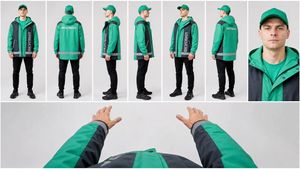

![Movement Sheet - Dance Reference (Seedance 2.0) — [STYLE]
Monochrome grayscale illustration, 3D-rendered character, clean instructional reference sheet, white b](https://pbs.twimg.com/media/HGzSvcnboAA_bjD.jpg?name=orig)








![Minimalist Flat Vector Travel Poster — Premium minimalist flat-vector travel poster for {argument name="city name" default="[CITY_NAME]"}, 3:4 vertical format.](https://cms-assets.youmind.com/media/1787917359711_3ug846_HQX205cbMAA6F6S-300x400.jpg)

























![3D embossed brand logo on monochrome background — 平面上中心对齐的{argument name="品牌名称" default="[品牌名称]"}采用3D浮雕光泽轮廓渲染,构图完美居中,周围留白充足,营造出高端简约的美感。
单色{argument name="主色" d](https://pbs.twimg.com/media/G7Jj9YHbgAAVRUA.jpg)