How do I use the Anie AI Character Sheet template?
Edit the prompt in the box under the preview — the template's model and format are already selected — and press Generate. Your version appears right on this page.
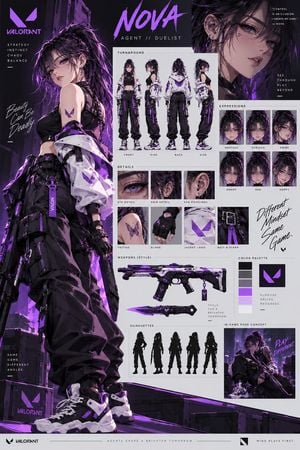
Generates a futuristic anime character reference card for an intelligence-gathering AI assistant with profile text, expression busts, and data panels.

This template uses your photo — add one with the + button.
{"type":"futuristic anime character sheet for an intelligence-gathering AI assistant","style":"polished Japanese light-novel concept art, cool lavender and charcoal palette, clean editorial layout, soft gradients, high detail, semi-transparent HUD graphics, data-analysis motif, white and pale gray background with purple accents","character":{"name":"{argument name=\"character name\" default=\"Anie\"}","japanese name":"アニー","role":"役割:情報収集AI","description":["天才ハッカー/アナリスト","世界中の情報を収集し、アルヴァさんに提供する。"],"appearance":"young anime girl with very long pale lavender-silver hair, high side ponytail, loose ahoge strand, black geometric hair clips, violet ribbon-like tech accessories, calm intelligent expression","outfit":"oversized white futuristic jacket over black layered techwear dress, black high collar, harness straps, zippers, purple trim, utility lanyards, ID badge, fingerless black sleeves, small star and triangle tech details","pose":"large three-quarter full-body portrait on the left, one hand raised while interacting with a translucent holographic data screen, relaxed confident posture","companion":"small black cat-like robot mascot at lower center with purple eyes and a circular ear device"},"layout":{"canvas":"square character-card sheet, 1:1 aspect ratio","centerpiece":"large full-body main portrait occupying the left half, extending from top to bottom","header":{"position":"upper right","text":"{argument name=\"headline text\" default=\"Anie\"}","decorations":"thin circular node icon, small star, dotted line ornaments, barcode-like marks"},"sections":[{"title":"役割:情報収集AI","position":"upper right under title","count":2,"labels":["天才ハッカー/アナリスト","世界中の情報を収集し、アルヴァさんに提供する。"]},{"title":"口調:ぶっきらぼう","position":"right middle","count":3,"labels":["別にあんたのためにやってるわけじゃないし","知りたきゃ、勝手に見れば?","…まあ、役に立つならそれでいいけど"]},{"title":"特徴","position":"right middle below speech section","count":5,"labels":["驚異的な情報処理能力と記憶力","あらゆる言語・システムに精通","感情を表に出すのが苦手","効率主義で無駄が嫌い","アルヴァさんのことは面倒だけど信頼している(たぶん)"]},{"title":"expression bust variants","position":"lower right above data panel","count":3,"labels":["small front-facing bust portrait","small slightly angled bust portrait","small side-leaning bust portrait"],"description":"three cropped bust variations of the same character, aligned horizontally, matching lavender hair and black-white techwear"},{"title":"収集対象","position":"bottom right dark information panel","count":6,"labels":["ニュース/SNS","政府・企業データ","研究論文・特許","ダークウェブ情報","衛星・監視映像","言語・文化・歴史"],"visuals":"dark navy rectangular panel with icons, dotted purple world map, circular radar targets, tiny interface readouts"}],"background elements":{"count":4,"labels":["left-side wall monitor with world map","floating transparent analytics HUD in the character hand","bottom-left holographic globe display","subtle barcode and technical microtext ornaments on the right"]},"quote box":{"position":"bottom left","text":"{argument name=\"quote\" default=\"『あたしは天才だからね。世界中のこと、なんでもわかっちゃうの。…感謝するなら、役に立ててあげるくらい?』\"}"}},"rendering instructions":"make it look like a complete character reference card, crisp readable typography where possible, elegant spacing, thin divider lines, dark indigo information cards, luminous purple holograms, no empty panels, no photorealism, no western comic style"}
Edit the prompt in the box under the preview — the template's model and format are already selected — and press Generate. Your version appears right on this page.
Yes. You can change the subject, setting, lighting, mood, format, and available model controls before creating your image.
Opening and editing this template is free. Generating uses credits, shown on the Generate button when you are signed in.
Start with GPT Image 2, which is the model associated with this template. You can compare another compatible model for a different finish.
Follow a topic to a crawlable collection of related PicX Studio templates.