How do I use the Romance Adventure Game CG Gallery UI template?
Edit the prompt in the box under the preview — the template's model and format are already selected — and press Generate. Your version appears right on this page.
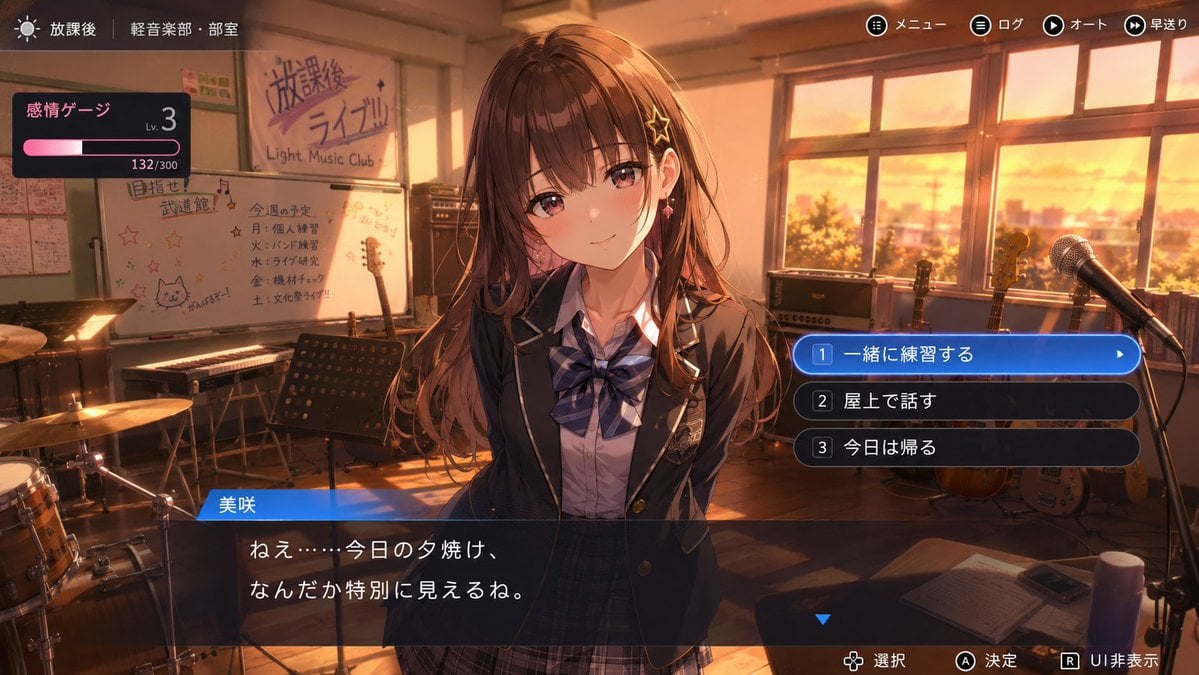
A complex prompt for creating a realistic 'CG Gallery' mode screen from a fictional Japanese romance adventure game, including UI elements and event thumbnails.

This template uses your photo — add one with the + button.
Use the provided image as the definitive reference for an original character. Draw the screen of a "CG Gallery Mode" that would exist in a {argument name="game type" default="romance ADV game, gal game, otome game, etc."} featuring the character from the reference image. This is not a character design sheet. This is not a photo album. This is not simply an illustration collection. This is the CG Gallery Mode screen from an actual in-game menu, opened from the title screen by a player who has cleared the game. [Concept] The viewer should naturally feel, "This game featuring this character really exists." Preserve the atmosphere of looking back on event CGs that were unlocked during the main story. It should evoke romance, friendship, youth, everyday life, slightly embarrassing memories, and important turning points in the story. [Screen format] A CG Gallery Mode screen from a romance ADV game. It must work as an in-game UI. The screen should display a list of multiple event CG thumbnails. The thumbnails should be arranged neatly, but should also carry the kind of decorative flair typical of a commercial game. It's fine to naturally include elements such as {argument name="UI elements" default="a page number, a CG unlock percentage, a back button, category tabs, a selection cursor, locked CG frames, "}. The UI should feel neither too old nor too new, and should be convincing as the CG mode of an actual romance ADV game. [CG content] Depict each thumbnail as a different event CG that occurred during the main story. Make the content of each one a distinct memory. Examples: {argument name="example scenes" default="・A first-meeting scene, ・A conversation in the classroom, ・Walking home after school, ・Sharing an umbrella on a rainy day, ・A school festival, ・A sports festival, ・A school trip, ・A beach event, ・A summer festival, ・An amusement park date, ・Walking home in winter, ・Christmas, ・A confession scene, ・A graduation ceremony, ・An ending CG, ・A special CG from a hidden route"}, and so on. Include not just commemorative-photo-style shots, but also natural event CGs that feel like a snapshot cut from the middle of the story. [Character depiction] Depict the character from the reference image as the same person throughout. Preserve their facial features, hairstyle, hair color, eye shape, expression habits, overall atmosphere, character personality, and the impression given by their costume design. It's fine for them to naturally change into a school uniform, casual clothes, a yukata, winter clothes, loungewear, dress-like outfits, etc. for each event CG. However, do not turn them into a different character. Do not turn them into a photorealistic human. [UI and texture] Make it look like an actual screenshot of a game screen. The CG Gallery Mode itself should be the star of the whole screen — this is not a standalone illustration. Some of the thumbnails may include locked frames labeled "LOCKED," "???," or "未開放" (not yet unlocked). Give the currently selected CG a glowing frame or cursor. The game title logo and menu names should be fictional. The text should be legible and not overly stylized. [Atmosphere] Nostalgic. A little sweet. A little bittersweet. As if looking back on memories after finishing the game. As if watching a favorite scene once more. A game that doesn't actually exist, yet feels as though you once played it long ago. Make it a natural, convincing screen as the CG Gallery Mode of a commercial romance ADV game.
Use the provided image as the definitive reference for an original character. Draw the screen of a "CG Gallery Mode" that would exist in a {argument name="game type" default="romance ADV game, gal game, otome game, etc."} featuring the character from the reference image. This is not a character design sheet. This is not a photo album. This is not simply an illustration collection. This is the CG Gallery Mode screen from an actual in-game menu, opened from the title screen by a player who has cleared the game. [Concept] The viewer should naturally feel, "This game featuring this character really exists." Preserve the atmosphere of looking back on event CGs that were unlocked during the main story. It should evoke romance, friendship, youth, everyday life, slightly embarrassing memories, and important turning points in the story. [Screen format] A CG Gallery Mode screen from a romance ADV game. It must work as an in-game UI. The screen should display a list of multiple event CG thumbnails. The thumbnails should be arranged neatly, but should also carry the kind of decorative flair typical of a commercial game. It's fine to naturally include elements such as {argument name="UI elements" default="a page number, a CG unlock percentage, a back button, category tabs, a selection cursor, locked CG frames, "}. The UI should feel neither too old nor too new, and should be convincing as the CG mode of an actual romance ADV game. [CG content] Depict each thumbnail as a different event CG that occurred during the main story. Make the content of each one a distinct memory. Examples: {argument name="example scenes" default="・A first-meeting scene, ・A conversation in the classroom, ・Walking home after school, ・Sharing an umbrella on a rainy day, ・A school festival, ・A sports festival, ・A school trip, ・A beach event, ・A summer festival, ・An amusement park date, ・Walking home in winter, ・Christmas, ・A confession scene, ・A graduation ceremony, ・An ending CG, ・A special CG from a hidden route"}, and so on. Include not just commemorative-photo-style shots, but also natural event CGs that feel like a snapshot cut from the middle of the story. [Character depiction] Depict the character from the reference image as the same person throughout. Preserve their facial features, hairstyle, hair color, eye shape, expression habits, overall atmosphere, character personality, and the impression given by their costume design. It's fine for them to naturally change into a school uniform, casual clothes, a yukata, winter clothes, loungewear, dress-like outfits, etc. for each event CG. However, do not turn them into a different character. Do not turn them into a photorealistic human. [UI and texture] Make it look like an actual screenshot of a game screen. The CG Gallery Mode itself should be the star of the whole screen — this is not a standalone illustration. Some of the thumbnails may include locked frames labeled "LOCKED," "???," or "未開放" (not yet unlocked). Give the currently selected CG a glowing frame or cursor. The game title logo and menu names should be fictional. The text should be legible and not overly stylized. [Atmosphere] Nostalgic. A little sweet. A little bittersweet. As if looking back on memories after finishing the game. As if watching a favorite scene once more. A game that doesn't actually exist, yet feels as though you once played it long ago. Make it a natural, convincing screen as the CG Gallery Mode of a commercial romance ADV game.
Edit the prompt in the box under the preview — the template's model and format are already selected — and press Generate. Your version appears right on this page.
Yes. You can change the subject, setting, lighting, mood, format, and available model controls before creating your image.
Opening and editing this template is free. Generating uses credits, shown on the Generate button when you are signed in.
Start with GPT Image 2, which is the model associated with this template. You can compare another compatible model for a different finish.
Follow a topic to a crawlable collection of related PicX Studio templates.