How do I use the Minecraft Night Plaza Transformation template?
Choose the primary action to open PicX Studio with the available template settings. Review the model and format, personalize the creative direction, and generate when ready.
Transforms a real nighttime city plaza photo into a polished vanilla Minecraft first-person architectural screenshot. Change the subject, setting, or lighting one variable at a time.
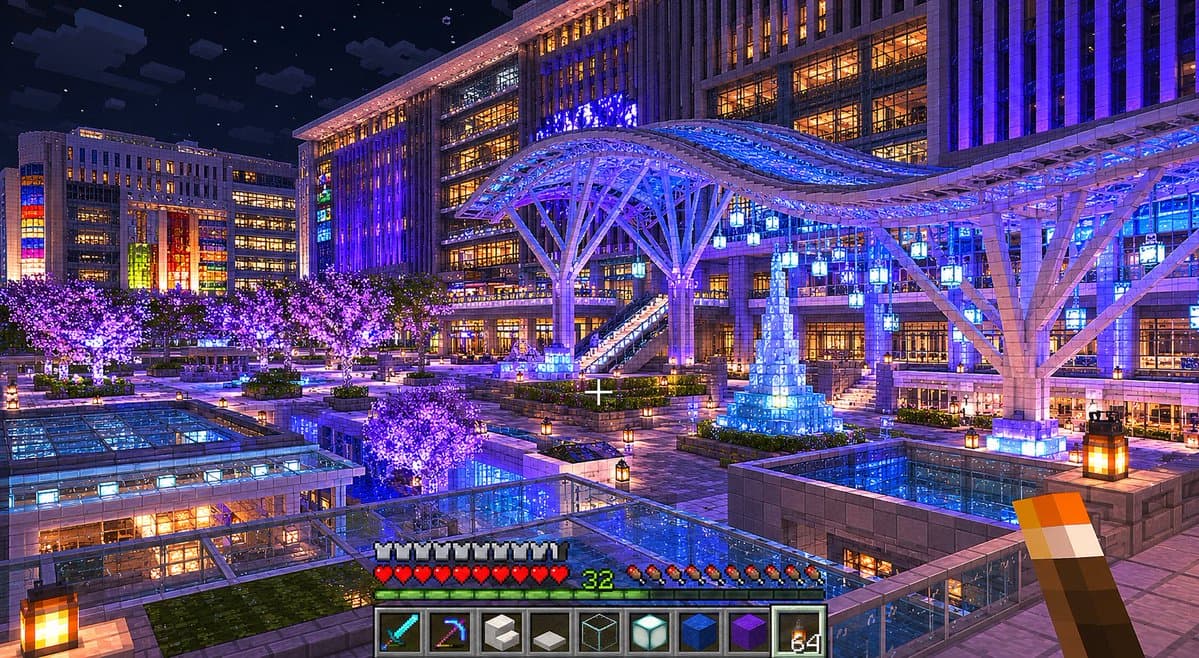
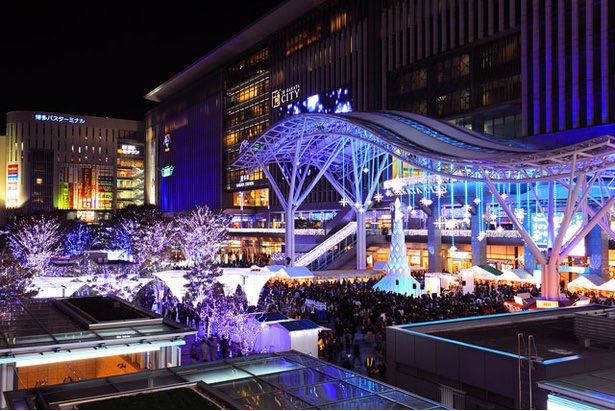
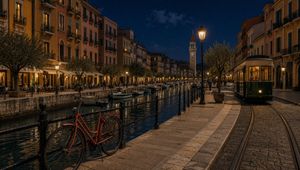
Using the provided reference image, reconstruct the scene as a high-quality vanilla Minecraft architectural screenshot. Do not make it photorealistic; make it look as if an expert Minecraft builder recreated this real night city plaza entirely inside Minecraft using only vanilla blocks. Preserve the main composition and landmarks from the reference: the nighttime urban plaza, the large station-like building, the sweeping illuminated canopy, the glass-roofed foreground structures, the crowds/market-like plaza activity, the glowing trees, and the central blue-lit tower decoration. Translate all geometry into block-built forms with crisp voxel edges, Minecraft lighting, and believable block materials. Add an in-game Minecraft screenshot presentation: first-person view with a centered crosshair, a torch held in the lower right hand, and the standard survival HUD along the bottom. Include exactly 9 hotbar slots showing these items from left to right: diamond sword, enchanted pickaxe, white block, gray slab/block, glass block, sea lantern, blue block, purple block, and torch stack. Show armor icons, red hearts, hunger icons, and green level number {argument name="player level" default="32"}. Style and quality: vanilla Minecraft only, no mods, no shaders that look non-Minecraft, but use beautiful high-quality lighting, rich blue and purple illumination, warm window glow, starry night sky, reflective-looking glass surfaces, and detailed block placement. Keep the same wide landscape framing, around {argument name="image size" default="1536x864"}, with a polished game screenshot feel.
Minecraft Night Plaza Transformation needs input media to work. Open it in the studio and these load alongside the prompt — pick whichever ones your chosen model can take.
Choose the primary action to open PicX Studio with the available template settings. Review the model and format, personalize the creative direction, and generate when ready.
Yes. You can change the subject, setting, lighting, mood, format, and available model controls before creating your image.
This template is free to open and customize. Generation usage is shown in PicX Studio before you create.
Start with GPT Image 2, which is the model associated with this template. You can compare another compatible model for a different finish.
© 2026 PicX Studio. All rights reserved.

Follow a topic to a crawlable collection of related PicX Studio templates.
43,474 public templates available. Verified via the PicX Studio public templates API; refreshed hourly.
















![Minimalist Flat Vector Travel Poster — Premium minimalist flat-vector travel poster for {argument name="city name" default="[CITY_NAME]"}, 3:4 vertical format.](https://cms-assets.youmind.com/media/1787917359711_3ug846_HQX205cbMAA6F6S-300x400.jpg)