How do I use the Censored Anime Host Portrait template?
Choose the primary action to open PicX Studio with the available template settings. Review the model and format, personalize the creative direction, and generate when ready.
Generates a stylish anime portrait of a blond suited man in a luxury night bar with a privacy censor block over his face. Change the subject, setting, or lighting one variable at a time.
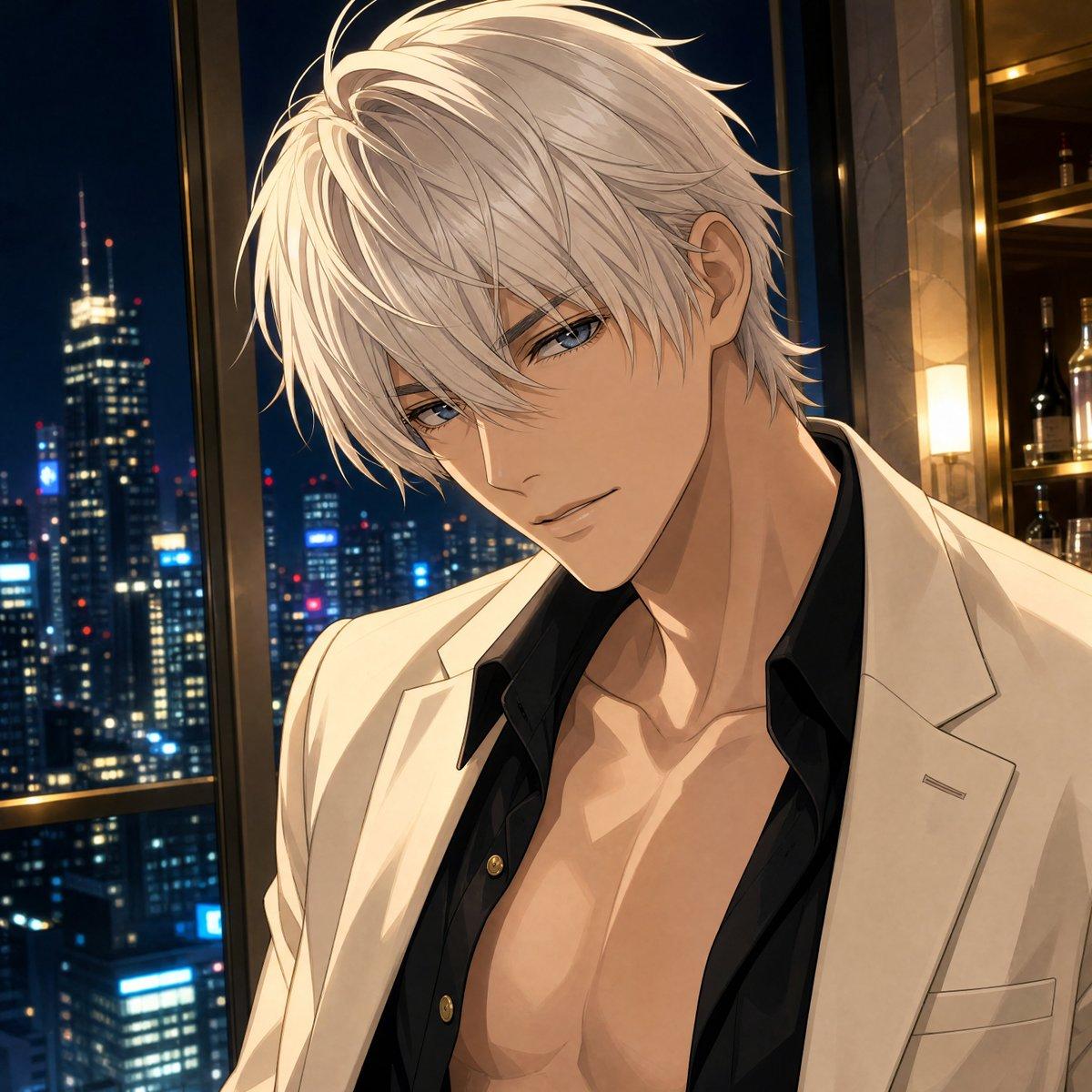
Create a polished anime-style half-body portrait of an extremely handsome adult man standing in an upscale high-rise bar at night, with a dramatic city skyline visible through tall windows behind him. He has {argument name="hair color" default="platinum blond"} layered tousled medium-length hair with long side bangs and sharp luminous highlights, an elegant neck and broad shoulders, and a confident fashionable presence. His face should be mostly obscured by a centered square privacy censor block in a warm beige-to-dark-gray vertical gradient, covering the eyes, nose, and mouth while leaving hair, ears, jawline edges, neck, and upper torso visible. Dress him in a cream-white tailored blazer over an unbuttoned black dress shirt with exactly 3 visible gold buttons, open low enough to reveal a toned chest and collarbones. The background should show exactly 2 main environment zones: on the left, a nighttime skyscraper cityscape with many blue-white window lights and red antenna dots; on the right, a warm luxury bar shelf area with dark wood, golden lighting, bottles, and a glowing rectangular wall sconce. Use cinematic warm indoor lighting mixed with cool blue city light, crisp clean line art, soft cel shading, glossy highlights, a slightly romantic host-club atmosphere, vertical portrait composition cropped at mid-torso, no text, no watermark, no extra characters.
Choose the primary action to open PicX Studio with the available template settings. Review the model and format, personalize the creative direction, and generate when ready.
Yes. You can change the subject, setting, lighting, mood, format, and available model controls before creating your image.
This template is free to open and customize. Generation usage is shown in PicX Studio before you create.
Start with GPT Image 2, which is the model associated with this template. You can compare another compatible model for a different finish.
© 2026 PicX Studio. All rights reserved.

Follow a topic to a crawlable collection of related PicX Studio templates.
43,474 public templates available. Verified via the PicX Studio public templates API; refreshed hourly.


![69-untitled — FORMAT: 15s / 145 BPM / 14 SHOTS
SUBJECT: @[image1]
WARDROBE: Clean modern outfit
ENVIRONMENT: Street / indoor transitions
MOOD: Discovery → contr](/_next/image?url=https%3A%2F%2Fcdn.picxstudio.com%2Fuploads%2Fpost69_img0_d45faecf-38c3-4bcb-81a4-f6eb1cf42bb2.jpg&w=828&q=100)















![118-google-nano-banana-pro-skincare-product- — A professional skincare shot of a [product container] with [cap/lid], labeled [brand, product, descriptor, volume](/_next/image?url=https%3A%2F%2Fcdn.picxstudio.com%2Fuploads%2Fpost118_img0_332898b8-29ea-42a9-87ab-9ed746a3f944.jpg&w=828&q=100)




![Minimalist Flat Vector Travel Poster — Premium minimalist flat-vector travel poster for {argument name="city name" default="[CITY_NAME]"}, 3:4 vertical format.](https://cms-assets.youmind.com/media/1787917359711_3ug846_HQX205cbMAA6F6S-300x400.jpg)