

How do I use the Candid Bedroom Lifestyle Portrait template?
Choose the primary action to open PicX Studio with the available template settings. Review the model and format, personalize the creative direction, and generate when ready.
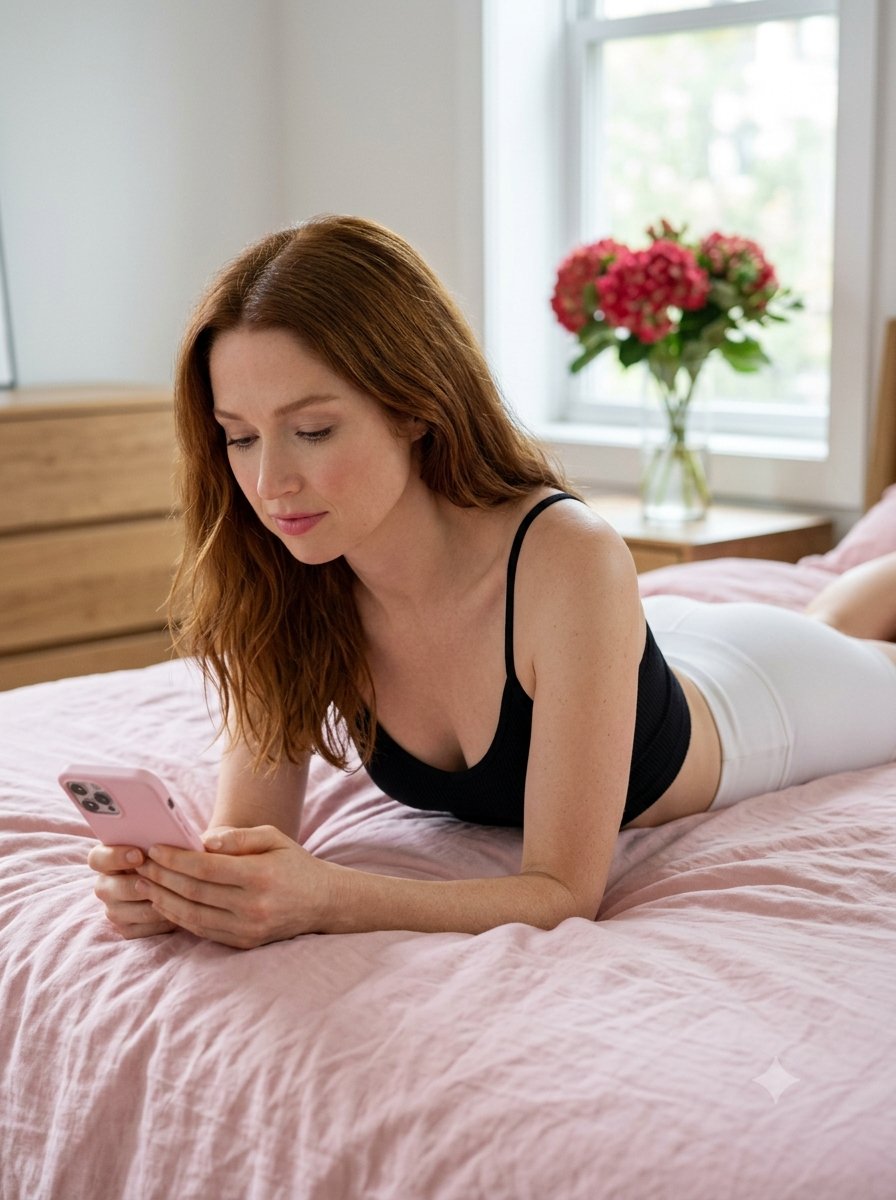
A photorealistic lifestyle shot of a person relaxing on a bed with a smartphone, using soft natural light and a minimalist aesthetic. (free to use) — Free AI image template on PicX Studio.
A photorealistic, candid lifestyle medium shot of {argument name="subject" default="[NAME]"} with long hair cascading over her shoulders, captured from a slightly elevated side angle looking down. She is lying on her stomach on a bed with softly wrinkled white sheets, propped up on her forearms with her upper body slightly raised. With a serene and neutral expression, her head is tilted down, and her eyes are focused intently on a silver smartphone she holds with both hands. Her skin texture is smooth with a natural finish, enhanced by subtle, natural makeup and a faint pink tint on her lips. She is wearing a white ribbed cropped camisole top paired with high-waisted, fitted black athletic shorts, with her lower body extending back along the bed. The setting is a bright, clean, minimalist bedroom interior. In the background, a window lets in bright, soft, and diffused natural daylight that casts gentle highlights on her skin, hair, and clothing with minimal harsh shadows. Next to the window, a clear glass vase holds a fresh bouquet of white hydrangeas. The overall mood is calm, intimate, relaxed, and modern, with sharp focus on her face and upper body, clean details, and a soft depth of field blurring the background. Aspect ratio 3:4.
Use Candid Bedroom Lifestyle Portrait to plan an AI image around nano-banana-2 generation. Match the preview's composition first, then personalize the subject, setting, and mood for your own project.
Use the primary action to load the template settings in PicX Studio.
Adjust the subject and creative details for your destination.
Create the image, compare the result with the preview, and refine one variable at a time.
A continuous mix — similar concepts first, woven with same-model prompts and fresh picks from the catalog.
Choose the primary action to open PicX Studio with the available template settings. Review the model and format, personalize the creative direction, and generate when ready.
Yes. You can change the subject, setting, lighting, mood, format, and available model controls before creating your image.
This template is free to open and customize. Generation usage is shown in PicX Studio before you create.
Start with nano-banana-2, which is the model associated with this template. You can compare another compatible model for a different finish.
A continuous mix — similar concepts first, woven with same-model prompts and fresh picks from the catalog.
Follow a topic to a crawlable collection of related PicX Studio templates.
32,032 public templates available. Verified via the PicX Studio public templates API; refreshed hourly.


