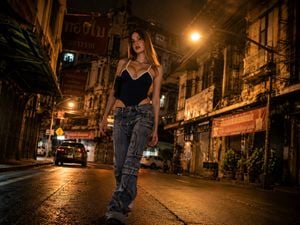
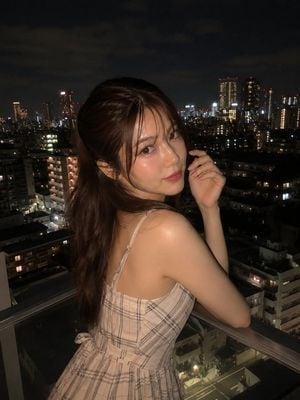
How do I use the Cinematic Urban Night Portrait template?
Edit the prompt in the box under the preview — the template's model and format are already selected — and press Generate. Your version appears right on this page.
A highly detailed prompt for generating a hyper-realistic cinematic portrait of a woman in an urban night setting, featuring soft bokeh and street fashion aesthetics.

Ultra-realistic cinematic portrait of a {argument name="subject" default="young woman wearing glasses"} sitting casually on concrete urban stairs at night, wearing {argument name="outfit" default="an all-black outfit consisting of a black open button-up shirt layered over a black crew-neck t-shirt and loose black trousers"}. Messy dark hair with softly styled strands, well-defined facial features, smooth skin, youthful feminine elegance. Silver rectangular pendant necklace hanging from a thin chain, black luxury wristwatch on the right wrist. Relaxed seated pose with one arm resting on a raised knee and the other hand placed casually near the lap. Head tilted upward and turned slightly to the side, looking away from the camera with a calm, detached, contemplative expression. Fashion-model body language, effortless confidence, modern streetwear aesthetic. Urban architecture background with a concrete pillar on the left side and a small black sign reading “{argument name="sign text" default="ESCAPE THE ORDINARY"}”. Dark city environment with blurred buildings and deep shadows in the background. Shallow depth of field creating creamy bokeh and strong subject separation. Shot from a low-angle perspective, making the subject appear taller and more dominant. Soft diffused ambient city lighting mixed with subtle cinematic fill light, emphasizing facial structure and jawline. Deep blacks, muted colors, high contrast, luxury editorial color grading, premium street-fashion campaign aesthetic. Captured on a full-frame camera, 85mm lens, f/1.8 aperture, ISO 400, ultra-sharp focus on face, realistic skin texture, detailed hair strands, natural fabric folds, photorealistic, cinematic depth, luxury fashion photography, modern urban editorial, magazine-quality retouching, masterpiece, 8K.
Ultra-realistic cinematic portrait of a {argument name="subject" default="young woman wearing glasses"} sitting casually on concrete urban stairs at night, wearing {argument name="outfit" default="an all-black outfit consisting of a black open button-up shirt layered over a black crew-neck t-shirt and loose black trousers"}. Messy dark hair with softly styled strands, well-defined facial features, smooth skin, youthful feminine elegance. Silver rectangular pendant necklace hanging from a thin chain, black luxury wristwatch on the right wrist. Relaxed seated pose with one arm resting on a raised knee and the other hand placed casually near the lap. Head tilted upward and turned slightly to the side, looking away from the camera with a calm, detached, contemplative expression. Fashion-model body language, effortless confidence, modern streetwear aesthetic. Urban architecture background with a concrete pillar on the left side and a small black sign reading “{argument name="sign text" default="ESCAPE THE ORDINARY"}”. Dark city environment with blurred buildings and deep shadows in the background. Shallow depth of field creating creamy bokeh and strong subject separation. Shot from a low-angle perspective, making the subject appear taller and more dominant. Soft diffused ambient city lighting mixed with subtle cinematic fill light, emphasizing facial structure and jawline. Deep blacks, muted colors, high contrast, luxury editorial color grading, premium street-fashion campaign aesthetic. Captured on a full-frame camera, 85mm lens, f/1.8 aperture, ISO 400, ultra-sharp focus on face, realistic skin texture, detailed hair strands, natural fabric folds, photorealistic, cinematic depth, luxury fashion photography, modern urban editorial, magazine-quality retouching, masterpiece, 8K.
Edit the prompt in the box under the preview — the template's model and format are already selected — and press Generate. Your version appears right on this page.
Yes. You can change the subject, setting, lighting, mood, format, and available model controls before creating your image.
Opening and editing this template is free. Generating uses credits, shown on the Generate button when you are signed in.
Start with Nano Banana 2, which is the model associated with this template. You can compare another compatible model for a different finish.
Follow a topic to a crawlable collection of related PicX Studio templates.