
Planetary Gear Unit Blueprint
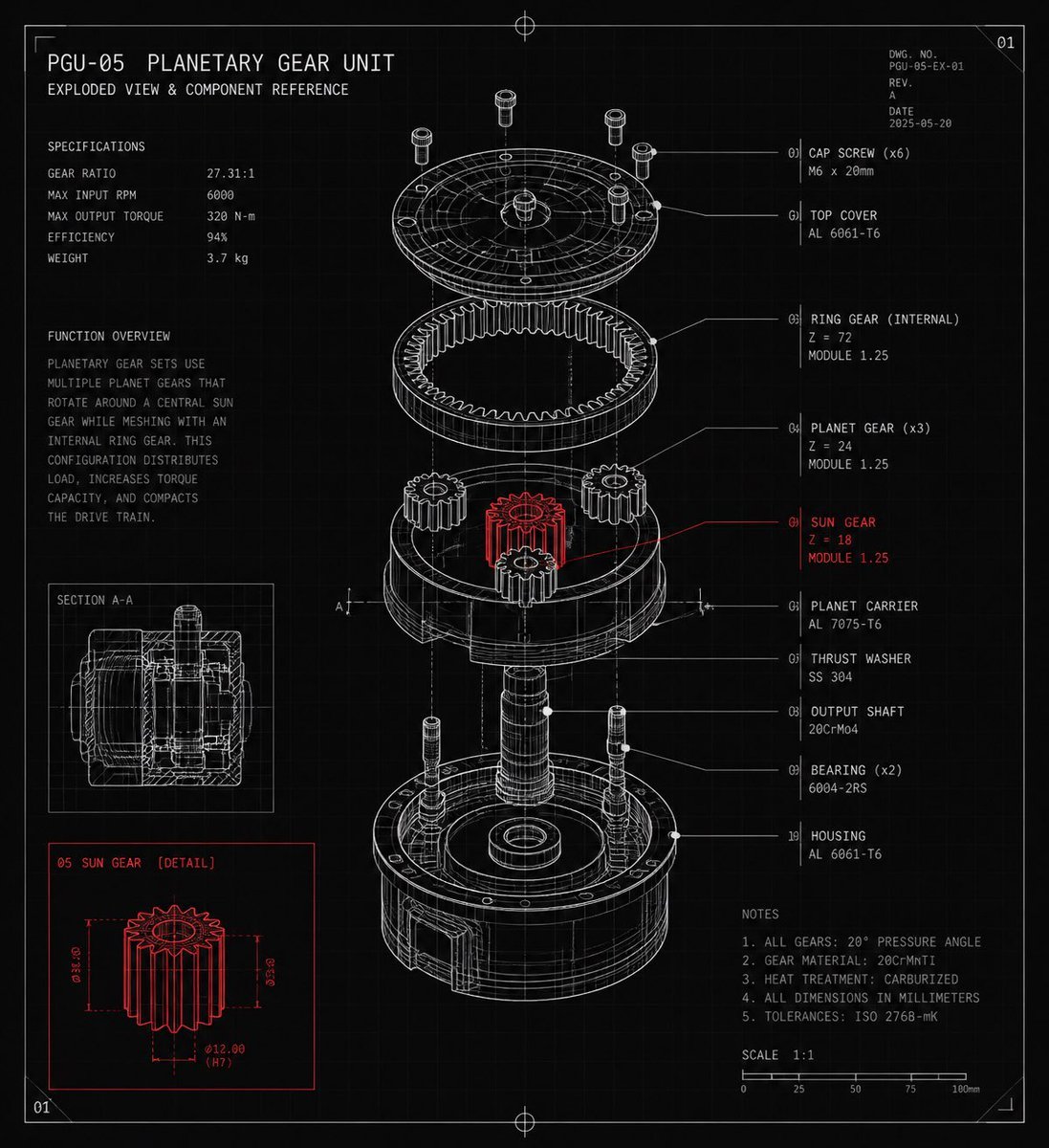
A detailed CAD-style exploded-view blueprint poster for a planetary gear unit with labeled components, specifications, notes, and red-highlighted sun gear details.
- Prompt included
- Model and format preset
- Premium template
The prompt behind this image
Copy the exact prompt behind Planetary Gear Unit Blueprint, or open it in the studio and make it yours.
Goal: Create a dark technical blueprint poster of a mechanical exploded assembly labeled {argument name="unit name" default="PGU-05 Planetary Gear Unit"}, with the subtitle “Exploded View & Component Reference,” styled like a precision engineering CAD reference sheet. Canvas: Square 1:1 format on a black/charcoal background with a faint grid, thin border lines, corner crop marks, small registration crosshairs at the top and bottom center, and a small sheet number “01” in the upper-right corner. Use white and light gray monoline drafting lines, with selective red highlights. Main subject: Center a detailed isometric exploded view of a planetary gear unit, vertically arranged from top to bottom. Show exactly 10 labeled component groups with leader lines on the right: 01 Cap screw (x6), 02 Top cover, 03 Ring gear internal, 04 Planet gear (x3), 05 Sun gear, 06 Planet carrier, 07 Thrust washer, 08 Output shaft, 09 Bearing (x2), 10 Housing. Render the exploded parts as transparent wireframe/technical linework with hidden construction lines and dotted alignment axes. Make the sun gear the only emphasized component in red, positioned in the middle of the assembly, with a red leader line and red label. Left information panel: At the upper left, place the title “PGU-05 PLANETARY GEAR UNIT” and subtitle “EXPLODED VIEW & COMPONENT REFERENCE.” Below it, include a specifications block with exactly 5 rows: Gear ratio 27.31:1, Max input RPM 6000, Max output torque 320 N-m, Efficiency 94%, Weight 3.7 kg. Under that, add a function overview paragraph explaining that a planetary gear set uses multiple planet gears rotating around a central sun gear while meshing with an internal ring gear, distributing load and increasing torque capacity in a compact drive train. Inset diagrams: Add exactly 2 inset boxes on the lower-left side. The upper inset is labeled “SECTION A-A” and shows a white line cross-section of the assembled gear unit. The lower inset is labeled “05 SUN GEAR [DETAIL]” and uses red linework to show the isolated sun gear with dimension arrows and annotations such as Ø18.00, Ø32.00, and Ø12.00 (H7). Right reference panel: Use compact monospaced technical text for the component list and notes. Include material and tooth-count callouts such as ring gear Z=72 module 1.25, planet gear Z=24 module 1.25, and sun gear Z=18 module 1.25. Add a notes block with exactly 5 numbered notes: all gears 20° pressure angle, gear material 20CrMnTi, heat treatment carburized, all dimensions in millimeters, tolerances ISO 2768-mK. Add a bottom scale bar labeled 1:1 with ticks from 0 to 100 mm. Visual style: High-detail CAD drafting aesthetic, thin precise strokes, clean monospaced typography, subtle glow on white linework, red accent only for the sun gear detail and corresponding callouts, no photographic shading, no color except white/gray and red. Keep all text legible and aligned like a professional mechanical drawing.
How to use Planetary Gear Unit Blueprint in 3 steps
- 1Upload ImagePNG, JPG or paste
Add your photo
Upload the photo the template builds on. The prompt, model and format are already set.
- 2…a portrait of your subject in softgolden-hour light, 85mm…
Personalize
Edit the subject and creative details for your destination.
- 3Generate
Generate
Press Generate — your image is created in PicX Studio, so you can compare it with the original and refine one variable at a time.
More like this
Templates with the same subject, style or setup. Open one to see its prompt.

Paper Tunnel Book Architecture

Automotive Blueprint Split Composition

Blueprint Split Reality Archetype Prompt
Automotive Blueprint Split Composition
Blueprint Split Reality Archetype Prompt
FIFA 2026 England — Blueprint Heritage
FIFA 2026 USA — Blueprint Host Nation

Character Archive — Blueprint Concept Sheet
Airport Ready Cooling Gear Critic
3 4 identical units of the product floating in mid-air, surrounded

Vintage Manchester United Fan Editorial

Cat-Eared Adventurer Gear Maintenance
Make it yours
Planetary Gear Unit Blueprint works as-is. These are the safest ways to change it without losing the look.
Change one field
Copy a single group, rewrite it, and generate again so you can see what that field is doing.
Keep the frame, change the subject
Hold the composition and light of Planetary Gear Unit Blueprint, then swap wardrobe, props or the person for a new take.
| If the result… | Why | Fix |
|---|---|---|
| The result drifts from the preview | Too many fields changed at once. | Reuse Planetary Gear Unit Blueprint as-is first, then change one group — subject, light, or setting. |
| The model over-stylizes the scene | The prose prompt leaves finish and camera underspecified. | Add one camera or lighting sentence and stay on GPT Image 2. |
More GPT Image 2 templates
Other prompts made for GPT Image 2.

Six VTuber Japanese Logo Sheet

Realistic Portrait of Woman and Deer

The Vista Modular Condo Poster

AI Model Routing Comparison Infographic

2.5D Anime Art Board

Isometric Productivity Desk Scene

New York Double Exposure Poster

Four-Panel AI Landscape Comparison

Japanese Tatami Lifestyle Magazine Cover

NESCAFÉ Coffee Map Poster
More image prompts
Fresh picks from across the catalog.

Thumbnail Generation Prompt for Sales Content (Brain/Tips/Note)

Eid Salwar Suit Vanity Portrait

Vertical film strip collage of an Asian woman in a snowy Hokkaido setting

Anime Baseball Rivalry Poster
70s Vintage Café Fashion
Dynamic Manga Page Layout Prompt
Wabi-Sabi Veil Aesthetic Prompt

Anonymous Floral Crimson Portrait
X Aiwithlariab Image on Nano Banana 2
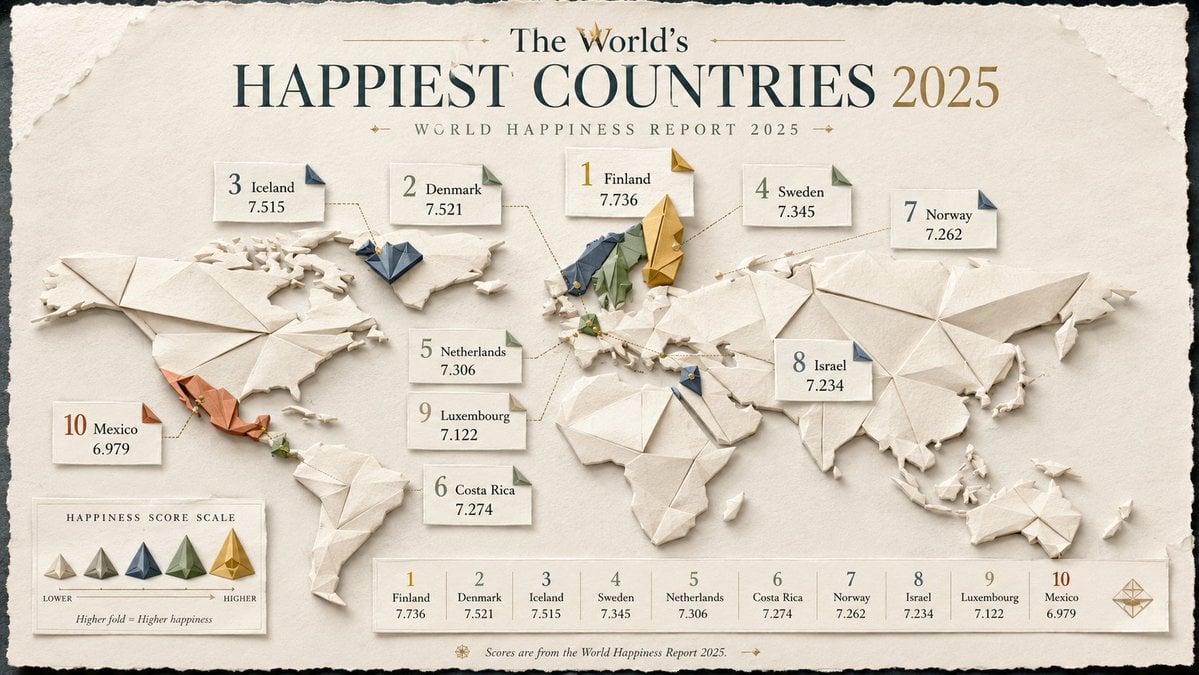
Origami Style Global Infographic
Browse template categories
Planetary Gear Unit Blueprint questions
How do I use the Planetary Gear Unit Blueprint template?
Add your photo if the template asks for one, edit the prompt if you like — the template's model and format are already selected — and press Generate. Your version opens in PicX Studio.
Can I customize the Planetary Gear Unit Blueprint template?
Yes. You can change the subject, setting, lighting, mood, format, and available model controls before creating your image.
Is the Planetary Gear Unit Blueprint template free?
Opening and editing this template is free. Generating uses credits, shown on the Generate button when you are signed in.
Which AI model should I use?
Start with GPT Image 2, which is the model associated with this template. You can compare another compatible model for a different finish.
Looking for something else? Browse all templates.

Your photo, any look
Thousands of ready templates for every top image and video model, from one credit balance.