How do I use the Modern Vector Fashion Portrait template?
Choose the primary action to open PicX Studio with the available template settings. Review the model and format, personalize the creative direction, and generate when ready.
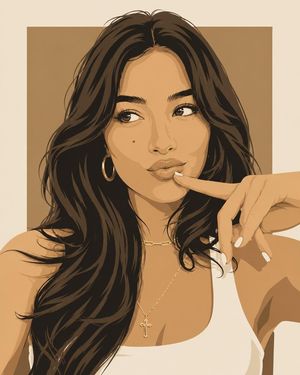
A vector-style portrait prompt for gpt-image-2 inspired by premium fashion illustration and pop art.
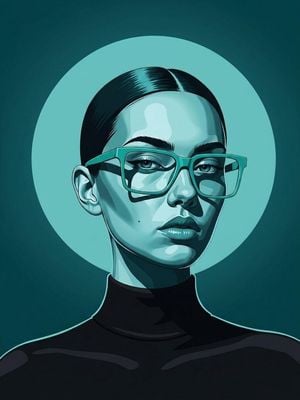
A bold modern vector portrait of a stylish woman wearing {argument name="eyewear" default="oversized geometric translucent sunglasses"} and a {argument name="outfit" default="black turtleneck"}, centered in a symmetrical composition. Hair slicked back with a clean middle part, flawless skin, confident expression, minimal jewelry, soft glossy lips, sharp eyebrows, elegant editorial beauty look. Background features a large perfectly centered circular halo in a matching monochromatic color palette ({argument name="color theme" default="teal, cyan, orange, coral, purple, or emerald"}), with a smooth radial gradient. Use a limited two-tone color scheme with dramatic cel-shaded lighting, crisp vector shapes, thick clean outlines, smooth gradients, high contrast, glossy highlights, and geometric facial shadows. Style inspired by premium fashion illustration, luxury magazine covers, modern pop art, Adobe Illustrator vector artwork, minimalist branding, editorial poster design, flat graphic design with subtle depth, luxury eyewear campaign, ultra-clean composition, centered portrait, contemporary digital illustration, Behance trending, Dribbble aesthetic, award-winning graphic design, 8K. Style keywords: minimal vector portrait, geometric shading, cel shading, modern fashion illustration, monochromatic palette, luxury editorial, pop art, clean vector lines, glossy highlights, bold gradients, premium poster design, centered composition, high-end branding.
Choose the primary action to open PicX Studio with the available template settings. Review the model and format, personalize the creative direction, and generate when ready.
Yes. You can change the subject, setting, lighting, mood, format, and available model controls before creating your image.
This template is free to open and customize. Generation usage is shown in PicX Studio before you create.
Start with GPT Image 2, which is the model associated with this template. You can compare another compatible model for a different finish.
Follow a topic to a crawlable collection of related PicX Studio templates.