How do I use the Morning Bedroom Stretch Portrait template?
Choose the primary action to open PicX Studio with the available template settings. Review the model and format, personalize the creative direction, and generate when ready.
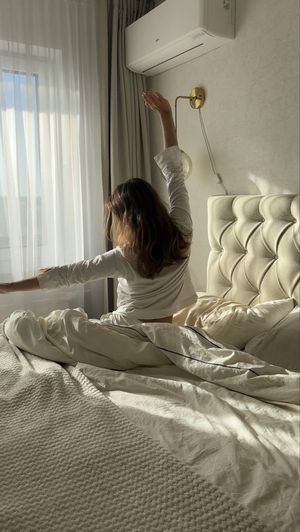
A photorealistic vertical portrait of a woman stretching in bed with soft morning window light, suitable for lifestyle or AI gravure-style imagery.
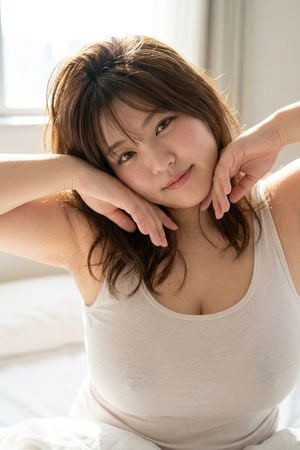
Create a realistic vertical lifestyle portrait of an adult Japanese woman waking up in a bright bedroom, seated on a white bed and stretching both arms across her face in a sleepy morning pose. She has {argument name="hair color" default="warm medium brown"} shoulder-length wavy hair, slightly tousled, with soft flyaway strands catching the sunlight. Her face is fully hidden by her forearms and hands, with one arm crossing horizontally from the left and the other bent upward from the right; show natural fingers and relaxed hands near the center. She wears a simple {argument name="top color" default="white"} ribbed tank top with a scoop neckline. The composition is a close medium shot from chest to head, cropped at the upper arms, intimate but non-explicit, with realistic skin texture and natural body proportions. Background: a softly blurred sunlit bedroom with a large bright window on the left, pale curtains on the right, and white bedding at the bottom. Lighting should be warm morning window light, high-key, soft shadows, airy atmosphere, shallow depth of field, photorealistic detail, natural color grading, no text, no watermark, no extra people.
Choose the primary action to open PicX Studio with the available template settings. Review the model and format, personalize the creative direction, and generate when ready.
Yes. You can change the subject, setting, lighting, mood, format, and available model controls before creating your image.
This template is free to open and customize. Generation usage is shown in PicX Studio before you create.
Start with GPT Image 2, which is the model associated with this template. You can compare another compatible model for a different finish.
Follow a topic to a crawlable collection of related PicX Studio templates.