How do I use the Bursting Soap Bubble Macro Photo template?
Choose the primary action to open PicX Studio with the available template settings. Review the model and format, personalize the creative direction, and generate when ready.
This prompt generates a photorealistic high-speed macro image of a child blowing a soap bubble as it bursts into droplets, ideal for dramatic nature and motion-
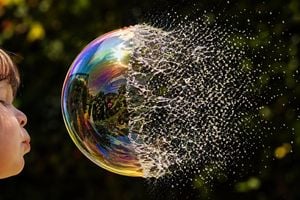
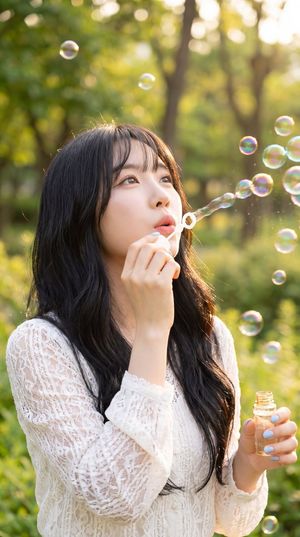
A high-speed macro photograph of a soap bubble bursting in a sunlit garden, framed horizontally. On the far left edge, show the side profile of a young child with visible cheek, nose, lips, and part of one closed or half-closed eye, gently blowing toward the bubble. Place 1 large soap bubble near the center-left of the frame. The left half of the bubble remains intact as a smooth, glossy, iridescent sphere with vivid rainbow colors and strong reflective highlights, including a bright sun glint near the upper area and reflections of trees and garden scenery on the surface. The right half of the bubble is exploding outward into countless tiny droplets, mist, and thin web-like liquid filaments, frozen sharply in mid-air and spreading to the right side of the image. Emphasize the dramatic transition line between the intact sphere and the shattered spray. Use bright direct sunlight, very high shutter speed, crisp macro detail, high contrast, saturated color, dark green leafy background rendered as soft bokeh, and a Kodak Ektar 100 film look. Photorealistic, ultra-detailed, dynamic motion frozen in time, shallow depth of field.
Choose the primary action to open PicX Studio with the available template settings. Review the model and format, personalize the creative direction, and generate when ready.
Yes. You can change the subject, setting, lighting, mood, format, and available model controls before creating your image.
This template is free to open and customize. Generation usage is shown in PicX Studio before you create.
Start with GPT Image 2, which is the model associated with this template. You can compare another compatible model for a different finish.
Follow a topic to a crawlable collection of related PicX Studio templates.