How do I use the Black Cat Under Personal Rain Cloud template?
Choose the primary action to open PicX Studio with the available template settings. Review the model and format, personalize the creative direction, and generate when ready.
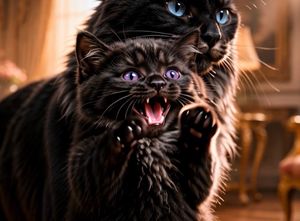
A photorealistic whimsical scene of a soaked black cat jumping beneath its own private storm cloud on a sunny suburban street.
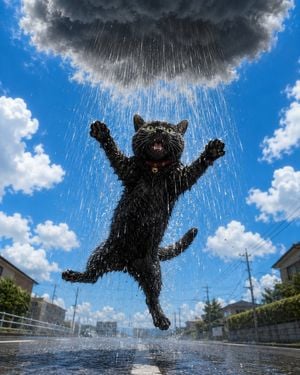
Create a photorealistic, whimsical action shot of a {argument name="cat color" default="black"} domestic cat leaping upright in the middle of a quiet suburban street while being drenched by its own tiny personal rain cloud. The cat is the single main subject, centered and low-angle, frozen mid-jump with both front paws raised, hind legs splayed, tail curved, mouth open in a surprised meow, wide green eyes, soaked spiky fur, visible whiskers, water droplets clinging to the paws and face, and a {argument name="collar color" default="red"} collar with a small gold bell. Directly above the cat is one large dark charcoal storm cloud, isolated from the otherwise sunny sky, pouring dense vertical rain only onto the cat; show countless bright rain streaks, splashes, mist, and sparkling droplets around the body. The background is a realistic Japanese-style residential street on a bright summer day, with blue sky, scattered fluffy white clouds, low houses on both sides, utility poles and power lines receding into the distance, hedges, road markings, and wet asphalt reflecting the cat and rain. Use dramatic wide-angle perspective from near ground level, sharp focus on the cat and rain, slight motion energy in the water, high-speed photography feel, natural sunlight from the clear sky contrasting with the dark cloud, humorous magical realism, ultra-detailed fur and water simulation, vertical 4:5 composition. No text, no people, no extra animals, no umbrella, no watermark.
Choose the primary action to open PicX Studio with the available template settings. Review the model and format, personalize the creative direction, and generate when ready.
Yes. You can change the subject, setting, lighting, mood, format, and available model controls before creating your image.
This template is free to open and customize. Generation usage is shown in PicX Studio before you create.
Start with GPT Image 2, which is the model associated with this template. You can compare another compatible model for a different finish.
Follow a topic to a crawlable collection of related PicX Studio templates.