How do I use the Cyberpunk F1 Cinematic Sequence template?
Edit the prompt in the box under the preview — the template's model and format are already selected — and press Generate. Your version appears right on this page.
A detailed, multi-cut cinematic prompt for Seedance 2.0 generating a 15-second sequence of a futuristic Formula 1 car accelerating through a neon-lit cyberpunk tunnel, specifying camera shots, angles, and lighting…
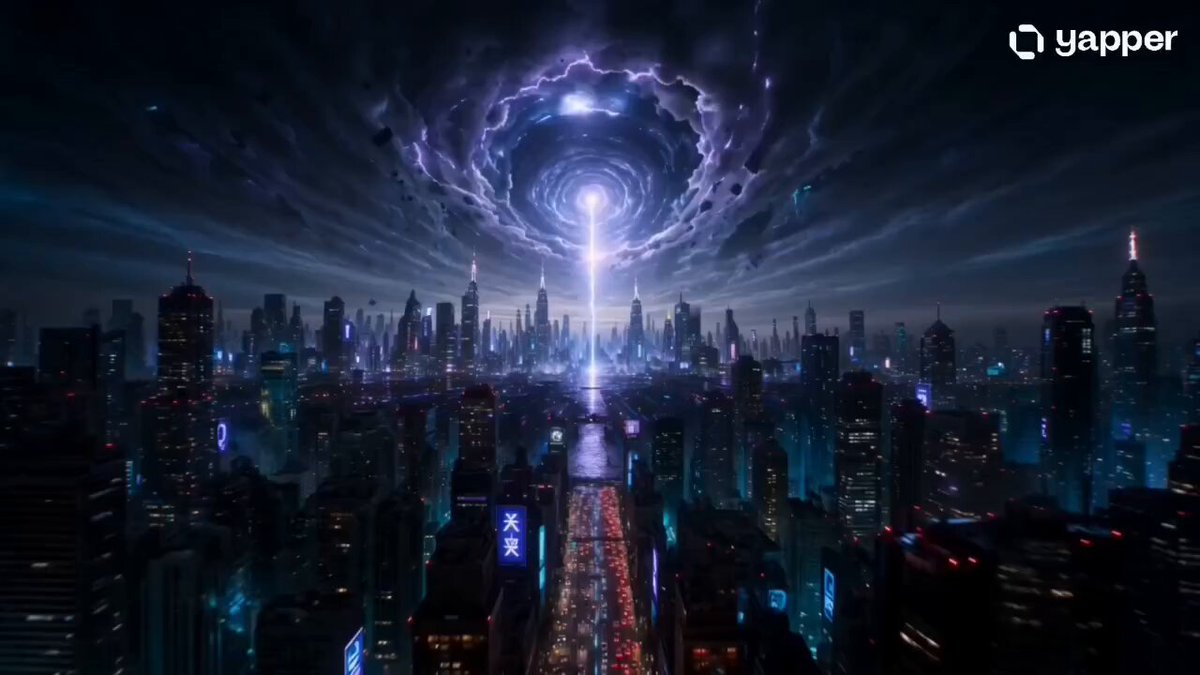
Wide angle shot of a futuristic Formula 1 car accelerating into a neon-lit cyberpunk tunnel at night, glowing red and magenta light trails, wet reflective asphalt, volumetric fog, cinematic lighting, ultra-detailed, 8k. [0s–2s] Wide establishing shot, towering neon tunnel with holographic ads flickering, car enters frame at high speed, reflections shimmering on the wet surface. [2s–4s] Cut to low angle rear tracking shot, sparks and mist spraying from tires, red light trails stretching dramatically, sense of raw speed. [4s–6s] Cut to aggressive front close-up, lens distortion, car rushing toward camera, neon lights streaking past, intense motion blur. [6s–8s] Cut to overhead drone shot, symmetrical tunnel geometry, glowing lines forming a cyber grid, car like a bullet of light. [8s–10s] Cut to side tracking shot, ultra-fast pan, background smeared into colorful neon streaks (cyan, purple, red). [10s–12s] Cut to cockpit view, driver wearing futuristic helmet with glowing HUD reflections, hands steady on wheel, breathing visible in cold air. [12s–13.5s] Cut to Dutch angle shot, tilted perspective, tunnel lights slicing diagonally, increasing tension and speed sensation. [13.5s–15s] Extreme wide shot at tunnel exit, car bursts into a massive cyberpunk cityscape, light trails fading into darkness, epic cinematic finish.
Wide angle shot of a futuristic Formula 1 car accelerating into a neon-lit cyberpunk tunnel at night, glowing red and magenta light trails, wet reflective asphalt, volumetric fog, cinematic lighting, ultra-detailed, 8k. [0s–2s] Wide establishing shot, towering neon tunnel with holographic ads flickering, car enters frame at high speed, reflections shimmering on the wet surface. [2s–4s] Cut to low angle rear tracking shot, sparks and mist spraying from tires, red light trails stretching dramatically, sense of raw speed. [4s–6s] Cut to aggressive front close-up, lens distortion, car rushing toward camera, neon lights streaking past, intense motion blur. [6s–8s] Cut to overhead drone shot, symmetrical tunnel geometry, glowing lines forming a cyber grid, car like a bullet of light. [8s–10s] Cut to side tracking shot, ultra-fast pan, background smeared into colorful neon streaks (cyan, purple, red). [10s–12s] Cut to cockpit view, driver wearing futuristic helmet with glowing HUD reflections, hands steady on wheel, breathing visible in cold air. [12s–13.5s] Cut to Dutch angle shot, tilted perspective, tunnel lights slicing diagonally, increasing tension and speed sensation. [13.5s–15s] Extreme wide shot at tunnel exit, car bursts into a massive cyberpunk cityscape, light trails fading into darkness, epic cinematic finish.
Edit the prompt in the box under the preview — the template's model and format are already selected — and press Generate. Your version appears right on this page.
Yes. You can change the subject, setting, lighting, mood, format, and available model controls before creating your video.
Opening and editing this template is free. Generating uses credits, shown on the Generate button when you are signed in.
Start with Seedance 2.0, which is the model associated with this template. You can compare another compatible model for a different finish.
Follow a topic to a crawlable collection of related PicX Studio templates.