How do I use the Luxury Tech Fashion Campaign template?
Choose the primary action to open PicX Studio with the available template settings. Review the model and format, personalize the creative direction, and generate when ready.
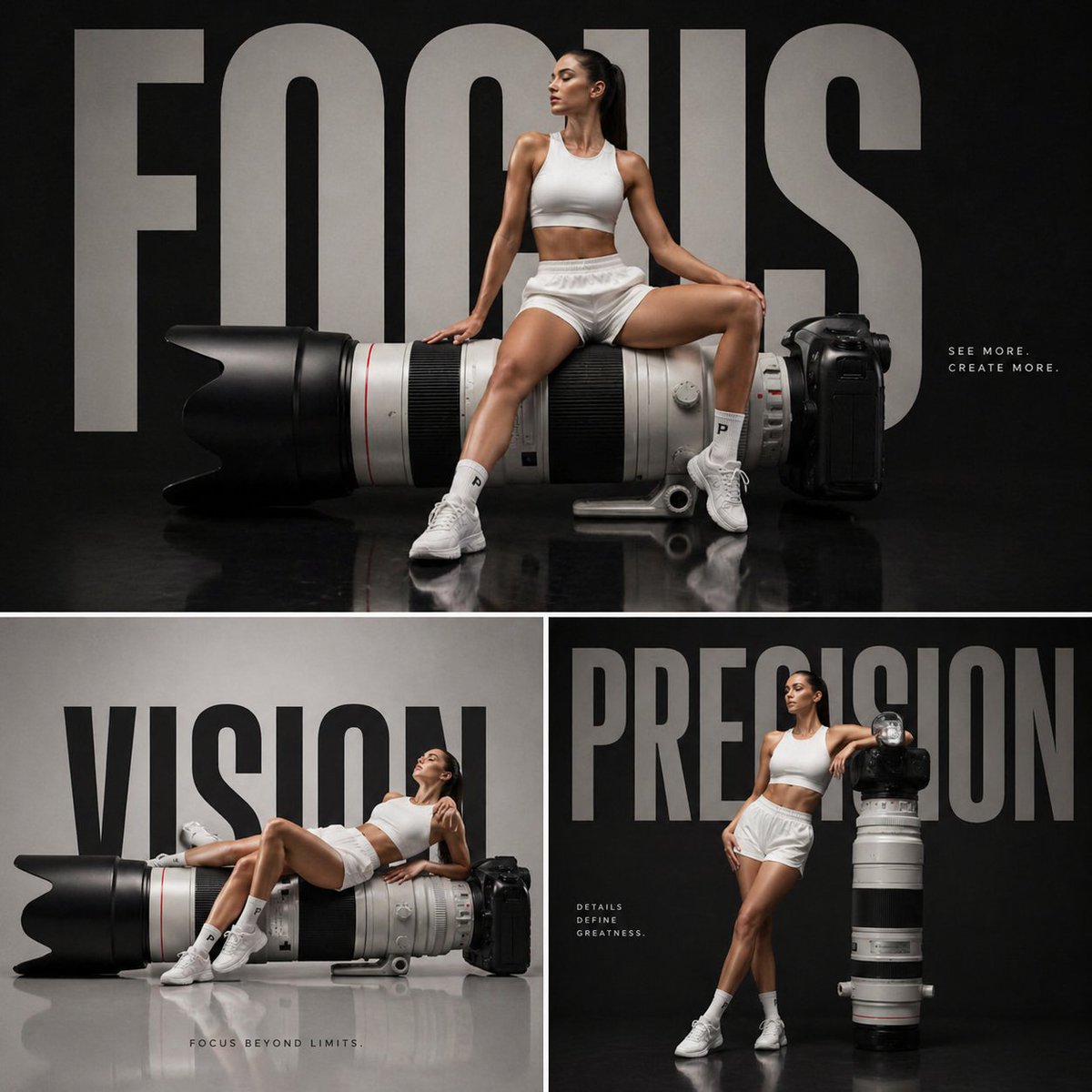
A tech-focused fashion campaign prompt featuring an oversized camera lens as a sculptural element with a model in athletic attire. (free to use) — Free AI image template on PicX Studio.
Luxury tech fashion campaign, {argument name="object" default="oversized professional telephoto camera lens"} placed horizontally like a sculptural object, female model in white shorts and fitted crop top sitting confidently on the lens, one leg bent and one extended downward, sleek ponytail, athletic yet elegant pose, minimal dark studio background, bold oversized typography {argument name="text" default="“FOCUS”"} behind the model in modern condensed font, glossy reflective floor, cinematic lighting with soft highlights and deep shadows, ultra-clean composition, high-end editorial aesthetic, product integrated naturally with model posture, sharp details, 1:1
Use Luxury Tech Fashion Campaign to plan an AI image around gpt-image-2 generation, themes such as en and gpt-image-2. Match the preview's composition first, then personalize the subject, setting, and mood for your own project.
Use the primary action to load the template settings in PicX Studio.
Adjust the subject and creative details for your destination.
Create the image, compare the result with the preview, and refine one variable at a time.
A continuous mix — similar concepts first, woven with same-model prompts and fresh picks from the catalog.
Choose the primary action to open PicX Studio with the available template settings. Review the model and format, personalize the creative direction, and generate when ready.
Yes. You can change the subject, setting, lighting, mood, format, and available model controls before creating your image.
This template is free to open and customize. Generation usage is shown in PicX Studio before you create.
Start with gpt-image-2, which is the model associated with this template. You can compare another compatible model for a different finish.
Follow a topic to a crawlable collection of related PicX Studio templates.
39,157 public templates available. Verified via the PicX Studio public templates API; refreshed hourly.
A continuous mix — similar concepts first, woven with same-model prompts and fresh picks from the catalog.