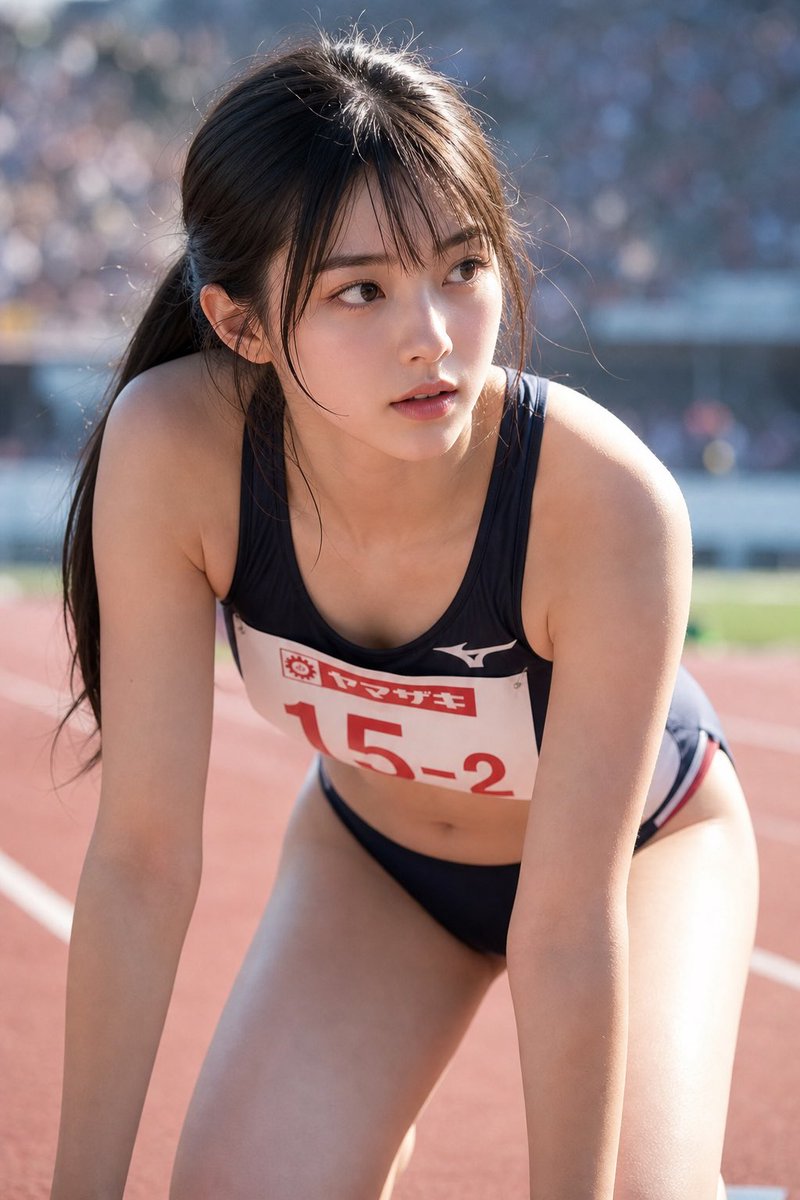
How do I use the Realistic Japanese Track Athlete template?
Choose the primary action to open PicX Studio with the available template settings. Review the model and format, personalize the creative direction, and generate when ready.
Generates a realistic sports portrait of an adult female sprinter crouched on a stadium track with a competition bib and privacy-obscured face. (free to use) — Free AI image template on PicX Studio.
Create an ultra-realistic vertical sports photograph of an adult {argument name="athlete nationality" default="Japanese"} female track-and-field sprinter on an outdoor stadium running track, framed from mid-thigh to above the head in a close portrait crop. She is leaning forward in a pre-race crouch with both arms extended downward, shoulders and upper body prominent, wearing a dark navy or black two-piece racing uniform with a sleeveless crop top and matching racing briefs, with thin red-and-white trim at the hips. Add a white competition bib pinned across her chest with red Japanese sponsor text and the visible race number {argument name="bib number" default="15-2"}, plus a small white Mizuno-style logo on the upper chest. Her {argument name="hair color" default="dark brown"} hair is long and tied back in a low ponytail with loose strands catching the sunlight. Place a plain rectangular privacy blur or solid skin-toned block over the face, centered from forehead to chin, while keeping the ears, hairline, neck, shoulders, and body realistically visible. The setting is a sunny athletics stadium with a red running track, white lane markings, and a distant out-of-focus crowd and stands rendered as soft blue-gray bokeh. Use natural daylight, strong backlighting on the hair and shoulders, shallow depth of field, realistic skin texture, authentic sports-photo lens compression, high detail, candid professional photography style, no illustration, no anime, no glamour posing, no text other than the bib.
Use Realistic Japanese Track Athlete to plan an AI image around gpt-image-2 generation, themes such as en and gpt-image-2. Match the preview's composition first, then personalize the subject, setting, and mood for your own project.
Use the primary action to load the template settings in PicX Studio.
Adjust the subject and creative details for your destination.
Create the image, compare the result with the preview, and refine one variable at a time.
A continuous mix — similar concepts first, woven with same-model prompts and fresh picks from the catalog.
Choose the primary action to open PicX Studio with the available template settings. Review the model and format, personalize the creative direction, and generate when ready.
Yes. You can change the subject, setting, lighting, mood, format, and available model controls before creating your image.
This template is free to open and customize. Generation usage is shown in PicX Studio before you create.
Start with gpt-image-2, which is the model associated with this template. You can compare another compatible model for a different finish.
Follow a topic to a crawlable collection of related PicX Studio templates.
39,157 public templates available. Verified via the PicX Studio public templates API; refreshed hourly.
A continuous mix — similar concepts first, woven with same-model prompts and fresh picks from the catalog.