How do I use the Instructional dance poster prompt template?
Choose the primary action to open PicX Studio with the available template settings. Review the model and format, personalize the creative direction, and generate when ready.
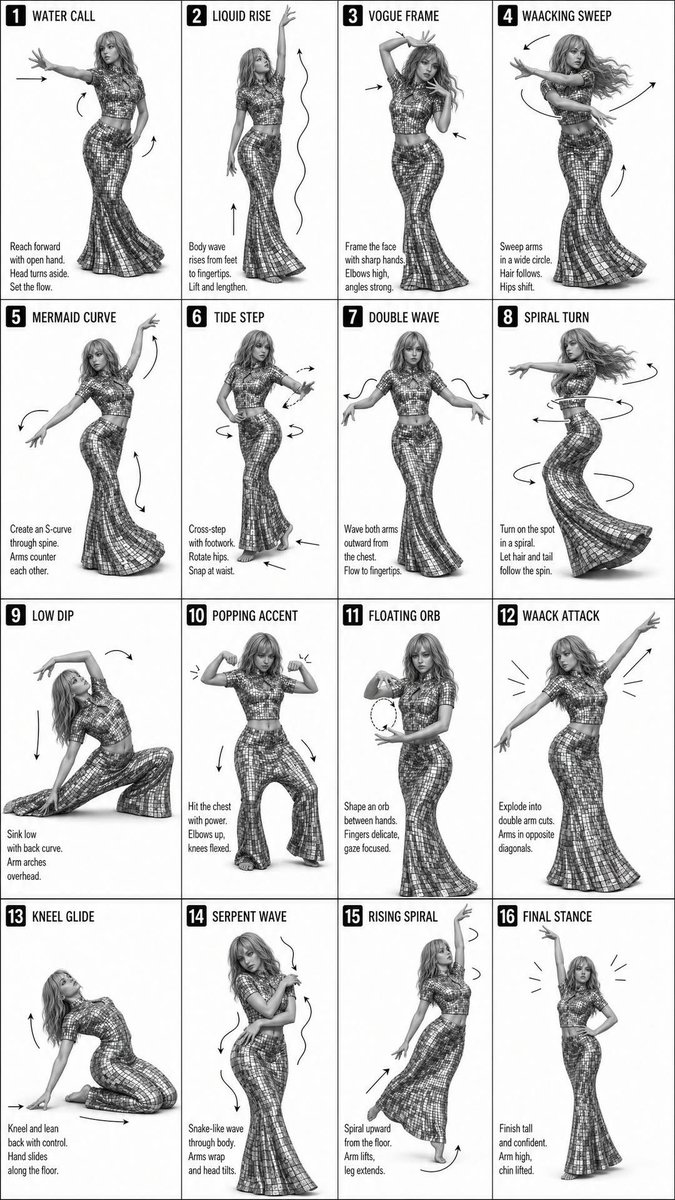
Generates a 16-step grid-based instructional poster for dance sequences in a minimalist monochrome style. (free to use) — Free AI image template on PicX Studio.
Create a clean, black-and-white instructional poster showing a {argument name="steps" default="16-step"} dance sequence performed by a single {argument name="dancer" default="female dancer"}. Layout: 4x4 grid (16 panels total) Each panel shows the same dancer in a different pose Full-body, centered in each frame Even spacing, consistent framing across all panels Dancer: Female, long flowing hair Wearing a fitted, reflective/sequined crop top and long flared skirt Elegant, confident, expressive poses inspired by {argument name="dance style" default="vogue and waacking"} dance styles Panel Details: Each panel has a bold number (1–16) and a short title at the top (e.g., “WATER CALL,” “LIQUID RISE,” “VOGUE FRAME,” etc.) Include small instructional captions at the bottom of each panel Add subtle arrows and motion lines to show movement direction (arms, hips, body flow) Style: Black and white (monochrome) High contrast, sharp studio lighting Fashion editorial photography look Clean white or light gray background Modern sans-serif typography Overall Feel: Minimalist, polished, magazine-quality layout Smooth progression of movement across all 16 frames Dynamic but clean, easy-to-follow instructional design
Use Instructional dance poster prompt to plan an AI image around gpt-image-2 generation, themes such as en and gpt-image-2. Match the preview's composition first, then personalize the subject, setting, and mood for your own project.
Use the primary action to load the template settings in PicX Studio.
Adjust the subject and creative details for your destination.
Create the image, compare the result with the preview, and refine one variable at a time.
A continuous mix — similar concepts first, woven with same-model prompts and fresh picks from the catalog.
Choose the primary action to open PicX Studio with the available template settings. Review the model and format, personalize the creative direction, and generate when ready.
Yes. You can change the subject, setting, lighting, mood, format, and available model controls before creating your image.
This template is free to open and customize. Generation usage is shown in PicX Studio before you create.
Start with gpt-image-2, which is the model associated with this template. You can compare another compatible model for a different finish.
Follow a topic to a crawlable collection of related PicX Studio templates.
39,157 public templates available. Verified via the PicX Studio public templates API; refreshed hourly.
A continuous mix — similar concepts first, woven with same-model prompts and fresh picks from the catalog.