How do I use the Ivory Suit Fashion Editorial template?
Choose the primary action to open PicX Studio with the available template settings. Review the model and format, personalize the creative direction, and generate when ready.
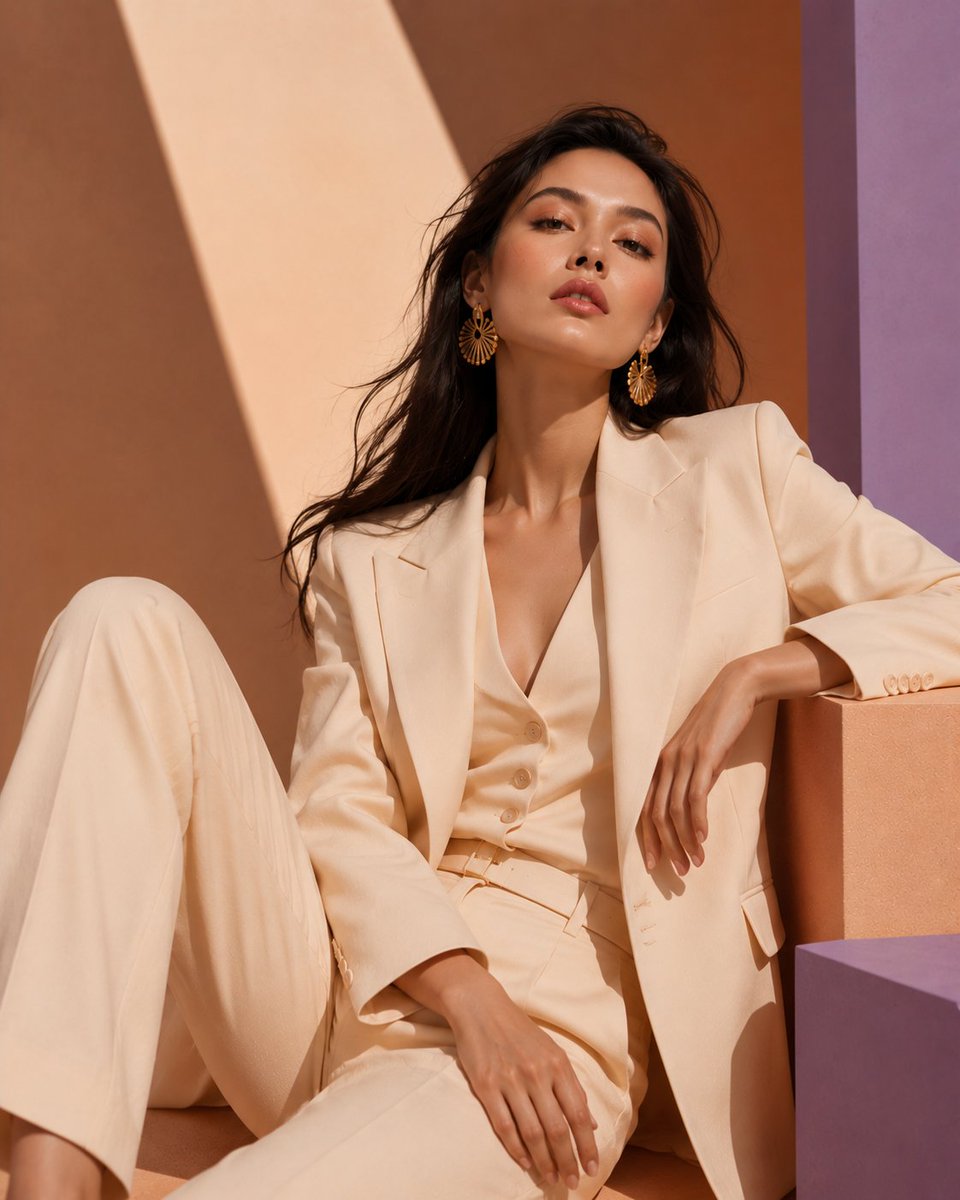
Generates a Vogue-inspired luxury fashion portrait of an elegant woman in an ivory tailored suit against peach and lavender geometric sunlight. (free to use) — Free AI image template on PicX Studio.
Create an ultra-realistic luxury fashion editorial portrait of a beautiful {argument name="model ethnicity" default="East Asian"} woman seated in a relaxed but powerful pose, photographed from mid-thigh upward in a vertical 4:5 crop. She has long, silky, slightly wind-tousled {argument name="hair color" default="black"} hair and wears oversized sunburst gold statement earrings. Her outfit is an elegant monochrome {argument name="suit color" default="ivory cream"} tailored suit: structured blazer with sharp lapels, matching low-cut buttoned waistcoat, high-waisted pleated trousers, belt, and refined buttons on the cuff. Pose her leaning against geometric studio blocks, one knee raised on the left, her right arm resting casually on a peach rectangular block, left hand relaxed over her lap, projecting calm confidence. Use a warm peach and lavender geometric backdrop with exactly three main background forms: a peach wall with a dramatic diagonal beam of sunlight, a vertical lavender panel on the right, and a purple block in the lower right foreground. Lighting should be golden-hour warm sunlight with cinematic shadows, crisp diagonal shadow shapes, glossy high-fashion skin highlights, and a Vogue-inspired editorial mood. Camera style: professional full-frame fashion photography, shallow depth of field, natural skin texture, premium fabric detail, rich warm tones, no text, no logo, no watermark. Leave the face naturally visible unless privacy masking is desired; if masked, use a simple soft-edged square blur matching the skin tone over the face.
Use Ivory Suit Fashion Editorial to plan an AI image around gpt-image-2 generation, themes such as en and gpt-image-2. Match the preview's composition first, then personalize the subject, setting, and mood for your own project.
Use the primary action to load the template settings in PicX Studio.
Adjust the subject and creative details for your destination.
Create the image, compare the result with the preview, and refine one variable at a time.
A continuous mix — similar concepts first, woven with same-model prompts and fresh picks from the catalog.
Choose the primary action to open PicX Studio with the available template settings. Review the model and format, personalize the creative direction, and generate when ready.
Yes. You can change the subject, setting, lighting, mood, format, and available model controls before creating your image.
This template is free to open and customize. Generation usage is shown in PicX Studio before you create.
Start with gpt-image-2, which is the model associated with this template. You can compare another compatible model for a different finish.
Follow a topic to a crawlable collection of related PicX Studio templates.
39,157 public templates available. Verified via the PicX Studio public templates API; refreshed hourly.
A continuous mix — similar concepts first, woven with same-model prompts and fresh picks from the catalog.