
Cute Cockatiel Profile Sheet
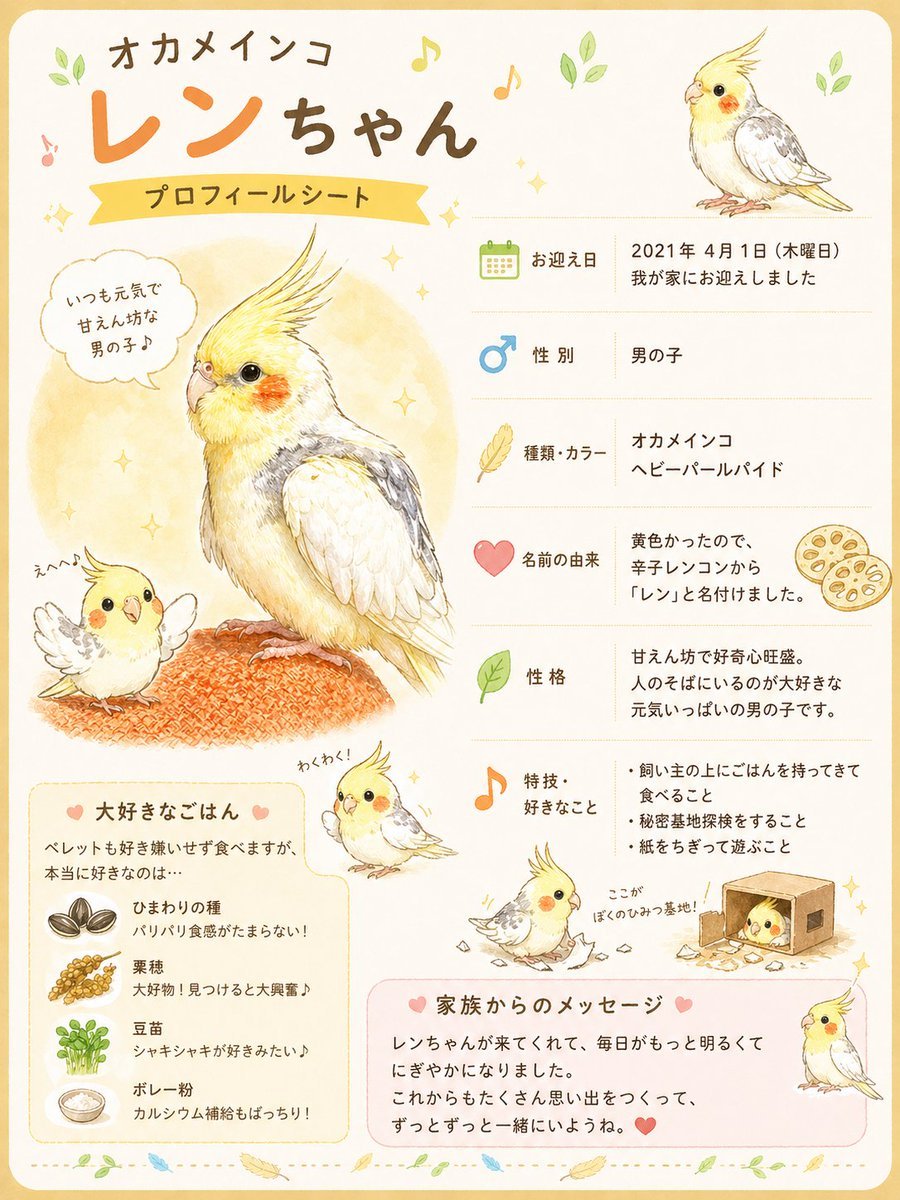
A pastel Japanese pet profile sheet featuring a beloved cockatiel with multiple cute illustrations, personal details, favorite foods, and a family message, ideal for pet introduction posters or social media sharing.
- Prompt included
- Model and format preset
- Premium template
The prompt behind this image
Copy the exact prompt behind Cute Cockatiel Profile Sheet, or open it in the studio and make it yours.
- Type
- cute pet bird profile sheet poster
- Subject › Animal
- cockatiel
- Subject › Title Text
- オカメインコ {argument name="character name" default="レンちゃん"} プロフィールシート
- Subject › Theme
- warm, gentle, handwritten Japanese pet introduction board
- Subject › Art Style
- soft colored pencil and watercolor illustration on textured cream paper, children’s book style, delicate outlines, pastel accents, cozy and affectionate
- Subject › Palette › Background
- cream with pale yellow border
- Subject › Palette › Accent Colors
- sunny yellow, soft orange, leaf green, sky blue, light pink, warm brown
- Layout › Orientation
- portrait
- Layout › Border
- rounded pale yellow frame with tiny leaves, sparkles, and music notes around the page
- Layout › Sections › 0 › Title
- header
- Layout › Sections › 0 › Position
- top
- Layout › Sections › 0 › Count
- 4
- Layout › Sections › 0 › Labels
- オカメインコ, レンちゃん, プロフィールシート, small cockatiel portrait at upper right
- Layout › Sections › 1 › Title
- main illustrations
- Layout › Sections › 1 › Position
- left and lower areas
- Layout › Sections › 1 › Count
- 5
- Layout › Sections › 1 › Labels
- large central full-body cockatiel perched on an orange knitted cushion, small happy chibi cockatiel at lower left with wings spread, small walking chibi cockatiel near lower center with text わくわく!, small digging chibi cockatiel near lower right with torn paper and text ここが ぼくのひみつ基地!, small standing cockatiel at bottom right
- Layout › Sections › 2 › Title
- profile items
- Layout › Sections › 2 › Position
- right column
- Layout › Sections › 2 › Count
- 6
- Layout › Sections › 2 › Labels
- お迎え日, 性別, 種類・カラー, 名前の由来, 性格, 特技・好きなこと
- Layout › Sections › 3 › Title
- favorite food box
- Layout › Sections › 3 › Position
- bottom left
- Layout › Sections › 3 › Count
- 4
Raw JSON
{"type":"cute pet bird profile sheet poster","subject":{"animal":"cockatiel","title_text":"オカメインコ {argument name=\"character name\" default=\"レンちゃん\"} プロフィールシート","theme":"warm, gentle, handwritten Japanese pet introduction board","art_style":"soft colored pencil and watercolor illustration on textured cream paper, children’s book style, delicate outlines, pastel accents, cozy and affectionate","palette":{"background":"cream with pale yellow border","accent_colors":["sunny yellow","soft orange","leaf green","sky blue","light pink","warm brown"]}},"layout":{"orientation":"portrait","border":"rounded pale yellow frame with tiny leaves, sparkles, and music notes around the page","sections":[{"title":"header","position":"top","count":4,"labels":["オカメインコ","レンちゃん","プロフィールシート","small cockatiel portrait at upper right"]},{"title":"main illustrations","position":"left and lower areas","count":5,"labels":["large central full-body cockatiel perched on an orange knitted cushion","small happy chibi cockatiel at lower left with wings spread","small walking chibi cockatiel near lower center with text わくわく!","small digging chibi cockatiel near lower right with torn paper and text ここが ぼくのひみつ基地!","small standing cockatiel at bottom right"]},{"title":"profile items","position":"right column","count":6,"labels":["お迎え日","性別","種類・カラー","名前の由来","性格","特技・好きなこと"]},{"title":"favorite food box","position":"bottom left","count":4,"labels":["ひまわりの種","粟穂","豆苗","ボレー粉"]},{"title":"family message box","position":"bottom center-right","count":1,"labels":["家族からのメッセージ"]}],"decorations":{"count":10,"items":["green leaf sprigs","gold sparkles","orange and yellow music notes","speech bubble","pink heart icons","dotted divider line near bottom","small feather icons","seed and grain spot illustrations","lotus root slice illustration beside name origin","cardboard box illustration with shredded paper"]}},"character":{"species":"cockatiel","sex":"male","appearance":{"crest":"long upright yellow crest","face":"bright yellow face with vivid orange cheek patches","eyes":"large glossy dark eyes","beak":"pale beige","body":"small slim bird with creamy white chest and belly, soft gray and white wings, pale yellow tail feathers","variant":"オカメインコ ヘビーパールパイド"},"expression":"gentle, curious, affectionate, slightly fluffy"},"text_content":{"speech_bubble":"いつも元気で せんさいかな 男の子♪","profile":[{"label":"お迎え日","value":"{argument name=\"adoption date\" default=\"2021年 4月1日(木曜日)\"} 我が家にお迎えしました"},{"label":"性別","value":"男の子"},{"label":"種類・カラー","value":"オカメインコ ヘビーパールパイド"},{"label":"名前の由来","value":"黄色かったので、辛子レンコンから『レン』と名付けました。"},{"label":"性格","value":"{argument name=\"personality text\" default=\"甘えん坊で好奇心旺盛。人のそばにいるのが大好きな元気いっぱいの男の子です。\"}"},{"label":"特技・好きなこと","value":["飼い主の上にごはんを持ってきて食べること","秘密基地探検をすること","紙をちぎって遊ぶこと"]}],"favorite_food":{"title":"大好きなごはん","intro":"ペレットも好き嫌いせず食べますが、本当に好きなのは…","items":[{"name":"ひまわりの種","note":"パリパリ食感がたまらない!"},{"name":"粟穂","note":"大好き!見つけると大興奮♪"},{"name":"豆苗","note":"シャキシャキが好きみたい♪"},{"name":"ボレー粉","note":"カルシウム補給もばっちり!"}]},"family_message":{"title":"家族からのメッセージ","body":"{argument name=\"family message\" default=\"レンちゃんが来てくれて、毎日がもっと明るくてにぎやかになりました。これからもたくさん思い出をつくって、ずっとずっと一緒にいようね。❤️\"}"}},"composition_notes":"Keep the page airy and balanced, with the large cockatiel portrait dominating the left-center and neatly aligned profile text on the right. Use cute icon markers for each profile row: calendar, male symbol, feather, heart, leaf, and music note. Include Japanese handwritten and rounded display typography, with レン in large orange characters and the rest in dark brown. Make the overall mood loving, homemade, and scrapbook-like, as if a family made an idol-style profile sheet for their pet bird."}How to use Cute Cockatiel Profile Sheet in 3 steps
- 1Upload ImagePNG, JPG or paste
Add your photo
Upload the photo the template builds on. The prompt, model and format are already set.
- 2…a portrait of your subject in softgolden-hour light, 85mm…
Personalize
Edit the subject and creative details for your destination.
- 3Generate
Generate
Press Generate — your image is created in PicX Studio, so you can compare it with the original and refine one variable at a time.
More like this
Templates with the same subject, style or setup. Open one to see its prompt.

Minecraft Homage Illustrious Style

Cyberpunk Neon Profile Fashion Portrait
Low-Angle Cyberpunk Neon Profile Portrait
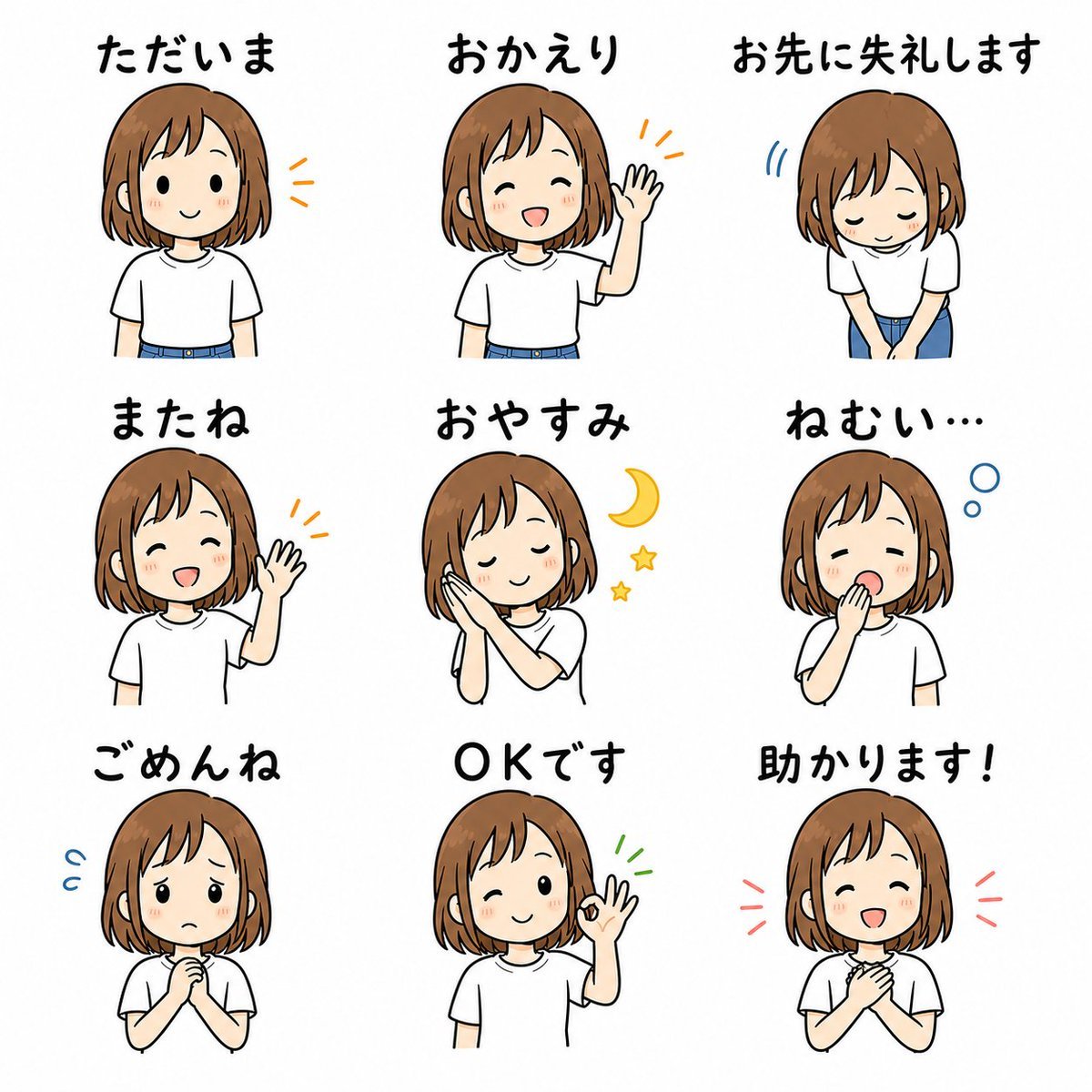
Cute Japanese LINE Sticker Sheet

Dancer Character - Four View Reference Sheet

Movement Sheet - Dance Reference (Seedance 2.0)

Nano Banana Pro 2.0 — 3x3 Travel Profile Grid

Cute Sticker

Six VTuber Japanese Logo Sheet

Retro Manga StackChan Concept Sheet

Halloween Nun Chibi Character Sheet

Anime Lantern Girl Character Sheet
Make it yours
Cute Cockatiel Profile Sheet works as-is. These are the safest ways to change it without losing the look.
Swap the setting
Keep the rest of the prompt and replace the location block. The current setting is “cream with pale yellow border”.
Change one field
Copy a single group, rewrite it, and generate again so you can see what that field is doing.
Keep the frame, change the subject
Hold the composition and light of Cute Cockatiel Profile Sheet, then swap wardrobe, props or the person for a new take.
| If the result… | Why | Fix |
|---|---|---|
| The result drifts from the preview | Too many fields changed at once. | Reuse Cute Cockatiel Profile Sheet as-is first, then change one group — subject, light, or setting. |
| GPT Image 2 ignores part of the JSON | Some models flatten or skip nested keys. | Keep the same values and paste them as a short paragraph instead. |
More GPT Image 2 templates
Other prompts made for GPT Image 2.

Realistic Portrait of Woman and Deer

The Vista Modular Condo Poster

AI Model Routing Comparison Infographic

2.5D Anime Art Board

Isometric Productivity Desk Scene

New York Double Exposure Poster

Four-Panel AI Landscape Comparison

Japanese Tatami Lifestyle Magazine Cover

NESCAFÉ Coffee Map Poster

Brutalist Cogito Chinese Typography Poster
More image prompts
Fresh picks from across the catalog.
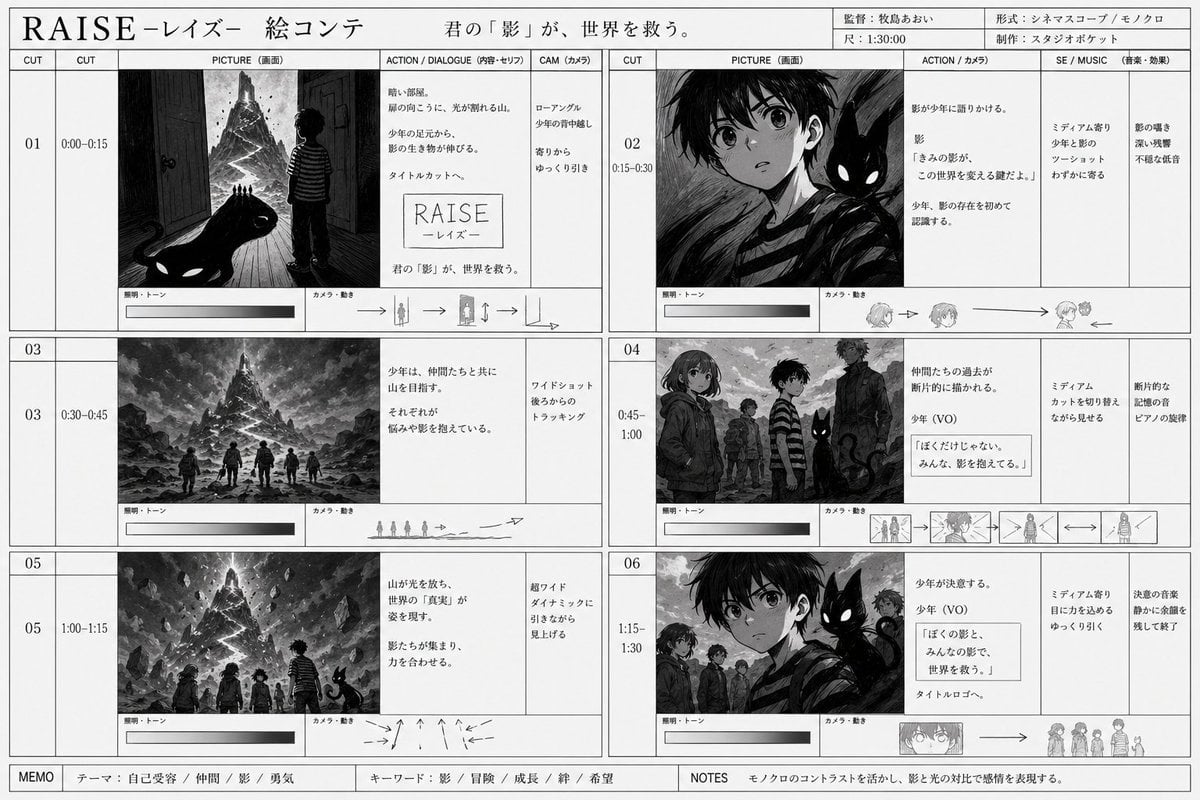
Monochrome Fantasy Storyboard Sheet

Anime Mirror Lake Sky Background

Cinematic Rainy Night Café Scene Prompt

Luxury Macro Commercial Render of a Velvet Red Rose

Cinematic Studio Portrait with Smart Glasses
Four-Panel Manga: The Darkness of SNS (Part 1)

Avant-Garde Crystal Frozen Portrait
Aesthetic Social Media Link-in-Bio Grid

Tokyo Yamanote Youth Poster

Cinematic Night City with Visible Power Grid
Browse template categories
Cute Cockatiel Profile Sheet questions
How do I use the Cute Cockatiel Profile Sheet template?
Add your photo if the template asks for one, edit the prompt if you like — the template's model and format are already selected — and press Generate. Your version opens in PicX Studio.
Can I customize the Cute Cockatiel Profile Sheet template?
Yes. You can change the subject, setting, lighting, mood, format, and available model controls before creating your image.
Is the Cute Cockatiel Profile Sheet template free?
Opening and editing this template is free. Generating uses credits, shown on the Generate button when you are signed in.
Which AI model should I use?
Start with GPT Image 2, which is the model associated with this template. You can compare another compatible model for a different finish.
Looking for something else? Browse all templates.

Your photo, any look
Thousands of ready templates for every top image and video model, from one credit balance.