How do I use the Cinematic Meadow Editorial Portrait template?
Choose the primary action to open PicX Studio with the available template settings. Review the model and format, personalize the creative direction, and generate when ready.
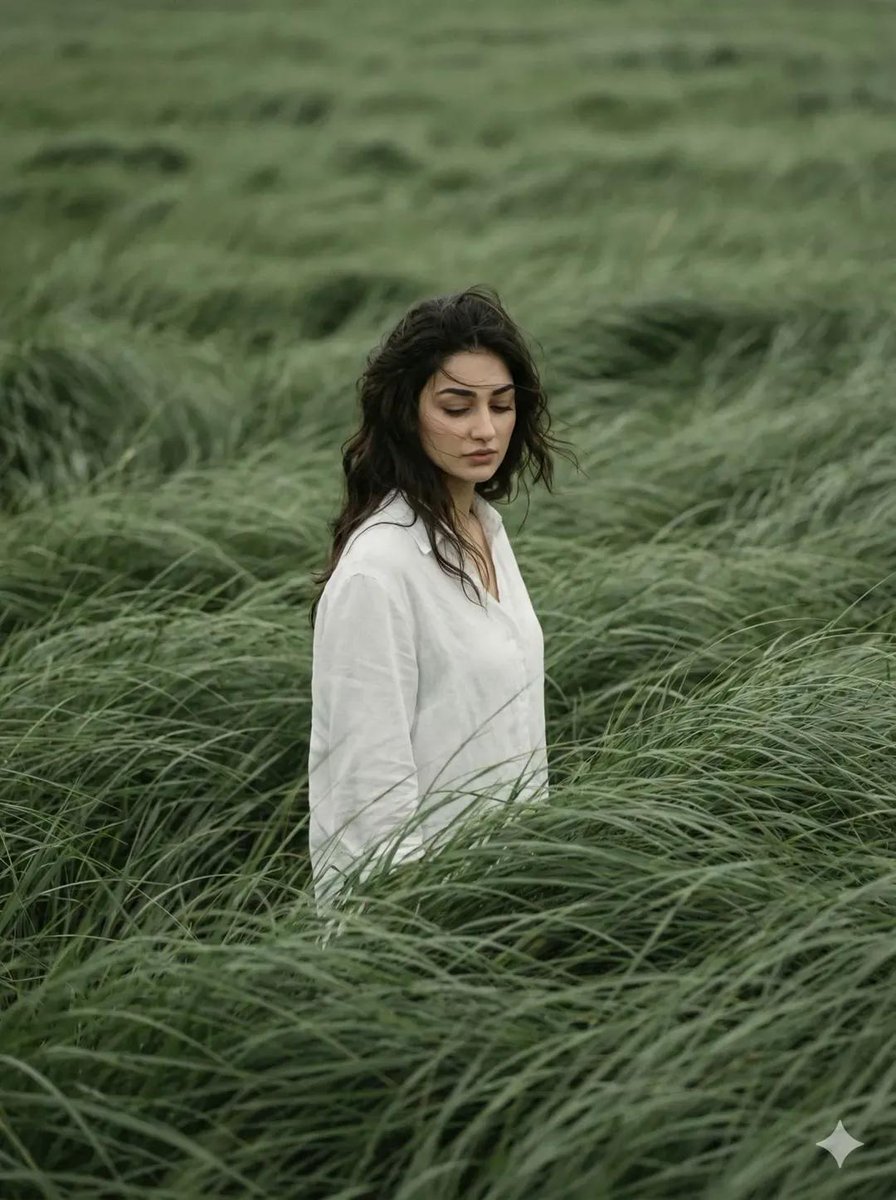
A poetic, magazine-quality editorial portrait of a lone figure in a wind-swept green meadow, focusing on mood and introspection. Change the subject, setting, or lighting one variable at a time.
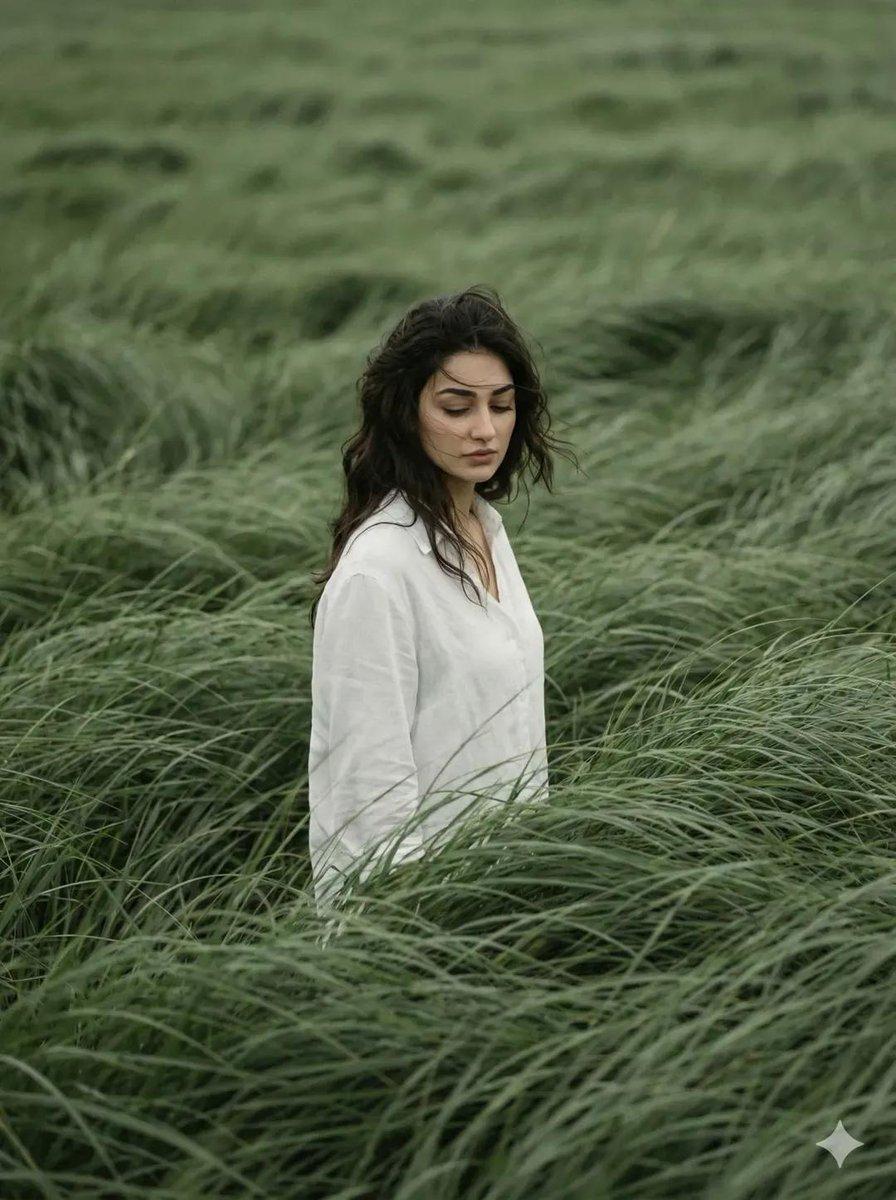
Generate a vertical 3:4 cinematic editorial portrait using the reference photo for exact face and identity. A lone figure stands in a vast, wind-swept {argument name="color" default="sage green"} meadow, tall grass surging in strong currents like ocean waves, partially obscuring the body, conveying depth, motion, and solitude. The subject wears a loose, light white shirt contrasting softly with the lush green surroundings. Dark hair is lightly disheveled, strands catching the breeze. Head gently bowed, gaze directed downward, expressing quiet introspection and melancholic calm. Expression is distant and emotionally restrained. Frame the shot slightly off-center from a subtle elevated angle. No horizon visible, the entire frame filled with grass texture. Color palette: muted sage green, deep olive, and warm off-white. Vertical 3:4 format, telephoto perspective, shallow depth of field, cinematic framing. Analog film aesthetic with grain, soft edge vignette, atmospheric natural light, and motion blur in the grass. Quiet, poetic storytelling; ultra-detailed yet organic, magazine-cover editorial quality. No text, no watermark.
Cinematic Meadow Editorial Portrait needs input media to work. Open it in the studio and these load alongside the prompt — pick whichever ones your chosen model can take.
Choose the primary action to open PicX Studio with the available template settings. Review the model and format, personalize the creative direction, and generate when ready.
Yes. You can change the subject, setting, lighting, mood, format, and available model controls before creating your image.
This template is free to open and customize. Generation usage is shown in PicX Studio before you create.
Start with GPT Image 2, which is the model associated with this template. You can compare another compatible model for a different finish.
© 2026 PicX Studio. All rights reserved.

Follow a topic to a crawlable collection of related PicX Studio templates.
43,474 public templates available. Verified via the PicX Studio public templates API; refreshed hourly.






![118-google-nano-banana-pro-skincare-product- — A professional skincare shot of a [product container] with [cap/lid], labeled [brand, product, descriptor, volume](/_next/image?url=https%3A%2F%2Fcdn.picxstudio.com%2Fuploads%2Fpost118_img0_332898b8-29ea-42a9-87ab-9ed746a3f944.jpg&w=828&q=100)












![69-untitled — FORMAT: 15s / 145 BPM / 14 SHOTS
SUBJECT: @[image1]
WARDROBE: Clean modern outfit
ENVIRONMENT: Street / indoor transitions
MOOD: Discovery → contr](/_next/image?url=https%3A%2F%2Fcdn.picxstudio.com%2Fuploads%2Fpost69_img0_d45faecf-38c3-4bcb-81a4-f6eb1cf42bb2.jpg&w=828&q=100)





![Minimalist Flat Vector Travel Poster — Premium minimalist flat-vector travel poster for {argument name="city name" default="[CITY_NAME]"}, 3:4 vertical format.](https://cms-assets.youmind.com/media/1787917359711_3ug846_HQX205cbMAA6F6S-300x400.jpg)






























![AI Vision Augmented Reality Overlay Concept — {
"concept_name": "AI Vision & Data Overlay (Augmented Reality)",
"instructions": "Replace [SUBJECT] with any](https://pbs.twimg.com/media/G-I9ennXQAAh96J.jpg)